Buying attendance software for small businesses does not have to mean an enterprise budget or a month of implementation. For a small company, the goal is dead simple: stop chasing WhatsApp screenshots and a half-updated Excel register, and start the month knowing exactly who worked and what they are owed. That is where an online attendance system shines for close-knit teams, and because you will use it every single day, it should feel lighter than systems built for five hundred employees. Whether your priority is attendance software for small businesses, an attendance and payroll solution for small teams, or an HRMS attendance system that grows with you, the ideas below come from what we actually recommend as the New Delhi team behind MindWave HRMS - not from a generic vendor brochure. This guide keeps the lens firmly on features, real 2026 pricing and practical ROI for attendance software small companies can actually afford, adopt and use from day one.
Do small businesses really need attendance software?
Yes - once you have even a handful of staff, manual registers start to hide late arrivals, proxy punches and missed overtime.
A simple online system with mobile clock-in and basic payroll tracking removes that noise for the price of a coffee per employee, per month.
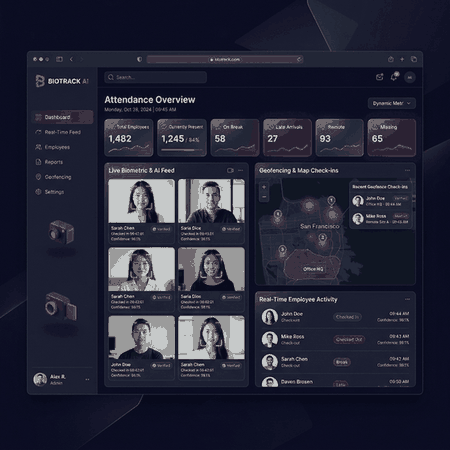
A small team deserves a system that is live on day one, not one that needs an IT department
What This Small Business Guide Covers
Why a Small Team Can't Stick With Registers Forever
The three to ten person business is exactly where the deciding moment happens. One more month of whether someone "really" left at six, and the owner is doing HR math in their head at midnight.
Kills proxy punching
In a small team a single fake punch may be 7-15% of one person's monthly pay. Mobile selfie and GPS clock-in make it awkward and easy to catch.
Protects the paisa and the peace
When salaries are already a tight envelope, payroll software that keeps every rupee justified means fewer arguments and happier people.
Frees the owner's time
An owner who stops punching the register into Excel every night suddenly finds hours for the actual business.
Small size doesn't mean simple rules. GP shops, clinics, boutique cafés and subcontractor crews all have shifts, overtime and odd weekly holidays that a good attendance software small team quickly masters.
Features a Small Business Actually Uses
Ignore the 40-feature marketing matrix. These six matter to almost every small company we onboard.
- Mobile clock-in with selfie and GPS - your people punch from where they are.
- Simple shift rosters for morning, evening and split shifts without a rule engine course.
- Leave tracking - paid, casual, casual-club and overdue balance visible to every employee.
- Overtime & half-day logic that matches how you actually pay.
- Attendance + payroll connector so month-end isn't a copy-paste marathon.
- Easy daily report the owner actually opens on a phone.
For a small company, the most valuable feature is one you and your staff already know how to use by Friday. Look for attendance software that gets you trained in a single afternoon, not a training series.
What complicates a small team's attendance more than scale is variety. One owner may run a clinic with a morning technician and an evening nurse, a café with weekend-only staff and a Monday-off cook, or a sales crew that starts from home and joins the office mid-morning. A single fixed-slot register cannot express any of that; a shift-based online system with grace and half-day rules expresses all of it the day it is configured. That flexibility - rather than raw volume - is the real reason small companies outgrow paper faster than they expect.
There is also the quiet fairness argument. In a small team everyone knows everyone, and favouritism rumours around attendance can poison the atmosphere faster than any other issue. A system that records every punch identically, visible to the employee and the owner on the same screen, makes the rules feel even-handed. That single property does more for staff morale than most pay rises, and it costs nothing to enable.
Why Mobile Clock-In Wins for Small Teams
The moment your staff carry phones (and they all do), the biometric machine may not even be necessary at a one-office business. An online attendance system on a phone removes hardware bills, damaged machines and the "I forgot my card" ritual.
| Approach | Setup cost | For a small team | How punch happens |
|---|---|---|---|
| Mobile app + GPS/selfie | Very low | Best fit - staff always on hand | Tap in, selfie or geofence |
| Biometric machine | Medium | Good if always at a fixed desk | Fingerprint or face at machine |
| Both combined | Low-to-medium | Flexible (MindWave does this) | Mixed across the team |
Field sales owner-drivers, small maintenance contractors and delivery cafés all do best with mobile GPS attendance plus a selfie at punch-in. It stops the biggest small-company leak there is - "I was at the site" punches.
The practical flow on a normal day could not be simpler. Staff open the app near the shop or site, tap punch-in, and within seconds the entry is live on your phone feed. At closing time they tap out, the day's total is calculated against their shift, and overtime above the standard hours shows up immediately. Nothing is printed, nothing is re-typed, and the owner glance at the feed once in the morning and once at night is all the attendance review a small business usually needs.
Compare that to the register ritual: staff sign in and out on paper, someone transcribes the columns into a sheet, the owner adds overtime by memory, and discrepancies surface only when salary is printed. The mobile flow replaces five steps with one tap, and it does the same for leave - applied in the app, approved on the same screen, counted in the same payroll record. That is the whole argument for going mobile, and it holds true whether the team is three people or thirty.
Tying Attendance to Payslips in the Small Business
A separate attendance tool and a separate paysheet quickly become two systems in a small company that already wears many hats. The cleanest small-company answer is one that carries the verified daily record into the salary run.
From daily punch to monthly sheet
Your HRMS attendance software guards the fundamental: overtime and late minutes become salary lines without anyone re-keying them.
Approvals without WhatsApp
Leave and adjustments happen in the same app, so the final report handed to payroll is already clean.
Even if you intend to keep your existing paysheet, choose attendance software a small company can export to that sheet in one click. A system that holds your data hostage is a trap as you grow.
What Attendance Software Cost a Small Business in 2026
Pricing is where myths do the most damage. For a small team the honest 2026 picture is friendlier than most owners fear.
| Plan shape | Typical monthly | Good for |
|---|---|---|
| Mobile/online only | Very low per employee | Cash-light digital-first teams |
| HRMS + payroll per user | Moderate per employee | Growing 10-50 person firms |
| Biometric + software bundle | Device once + small monthly | Store-based, fixed teams |
A strong per-employee monthly fee should include support, mobile + web access and basic payroll. Watch for clever hidden line items like per-device surcharges or a price that jumps when you hit 20 users.
Three pricing traps deserve special attention. The first is the "per-device" or "per-branch" surcharge - a cost that quietly multiplies as you grow from one shop to two. The second is a low teaser rate that applies only below a headcount you will pass within a year. The third is an onboarding fee disguised as "setup", charged again every time you reorganise a roster. Ask for a written run-down of exactly what the monthly fee covers, what happens at your next growth step, and what setup is free versus paid; a transparent answer is the single best predictor of a vendor you will not fight with later.
For a small business, honesty beats promises. Compare the total first-year cost - subscription, any device, AMC, onboarding - across two shortlisted vendors, and add your own time to the top. The vendor whose quote is impossible to untangle is rarely the one whose support shows up fast.
Picking a System You Can Grow Into
A small company that expects to open a second shop, hire a supervisor or stream in some remote staff needs more than this month's tool. Buy the attendance today that stays pleasant at forty users.
- Multi-location ready even before you key a second branch.
- The same ESS / mobile discipline at 5 users as at 50.
- Exportable data - you never get trapped in one tool.
- Local support that answers in your timezone if payroll breaks at month-end.
MindWave HRMS by Megamind Technosoft is built for exactly this journey - a single unified record that servers a reception desk and later a growing multi-site operation without switching products.
The growth test is brutal but fair: would you still choose this system at double or triple your current headcount? For a small company the answer matters because the switch that sounds easy at twenty people - export data, retrain staff, rebuild rules - is very expensive at sixty. Check that adding a user is a five-minute admin change, that a second branch is a new location entry rather than a new purchase, and that everything you configure today will still exist when the roster triples. The system that passes that test is not a starter tool; it is the tool you never outgrow.
Equally important is what does not scale: your own mental mapping of who is where. The day a small company adds its first supervisor or second site, the monthly ritual of "soon nobody checks the register" officially becomes a risk. That is the moment a data-driven online system stops being convenient and starts being necessary - and buying it a little early is far cheaper than buying it in a crisis.
How to Pick the Right One in a Weekend
You can genuinely test and short the right small business tool over a single weekend. Here's the shortest safe route.
- Write your day-one rules - shifts, overtime, who approves leave.
- Run a free demo with real staff and real locations.
- Ask how it exports to your existing Excel or tally-flow.
- Confirm the phone in India actually picks up.
- Check the exit condition - you can always leave with your data.
Megamind Technosoft runs free guided demos for small companies - including on your own phone or storefront data, and across Delhi, Noida and NCR.
One weekend, one shortlist of three vendors and ten questions is a realistic budget for this decision - and it is worth it, because the winning system sits inside your team's daily life. A decision made on your own real data, with staff who will actually operate it, almost never needs redoing. The companies that regret the purchase are the ones who chose on price or on a sales deck; the ones who chose on a weekend demo with real people and real locations tend to stay put for years.
And if the demo reveals that the internal problem is bigger than the tool - rules never written, no list of staff - that is useful too. Write the rules down first, and the software becomes ten times easier to configure. In our experience the owners who succeed are the ones who treat attendance software as the beginning of a cleaner set of HR habits, not the end of them.
Mobile, GPS, Geofencing and Selfie Punch-Ins Explained
The phrase "mobile attendance" hides four separate little powers. Understand each one and you will know exactly what your small business is buying - and what it is choosing not to buy.
GPS location
The punch is tagged with a real place, not just a time. For sales visits, home service calls and deliveries that place is the proof the manager used to chase down by phone.
Geofence boundary
You draw a circle around the shop, clinic or site. Outside the circle the punch simply will not land - the hardest rule a register can only fake.
Selfie liveness
A live face photo at punch-in, matched to the profile, closes the "my cousin punched for me" gap that GPS alone cannot see. It is the small-team anti-proxy weapon.
Offline queue
Weak network in a remote market or basement store? The punch stores on the phone and syncs later with the true time, so attendance is never quietly lost.
For a small business the combo usually beats a biometric machine. One shop staffer at a desk, two assistants running errands and a part-time helper on weekends all punch on their own phones into the same card, and the owner reads one live feed. There is no device to service, no card to replace and no queue at the front counter. A machine still makes sense for a fixed team at a single desk - cafes and boutiques often keep both - but the starting point for most small companies in Delhi, Noida and NCR is the phone in the pocket.
One honest note on privacy for your staff: the app reads location at the moment of the punch to confirm the workplace, not as a continuous tracker of the day. When you brief the team - and you should - say it plainly. That one sentence of honesty removes most of the resistance small teams feel toward location-based attendance.
Draw geofences a little generously - 100 to 200 metres around the shop or site is plenty. Too tight a circle and the parking lot or the back courtyard becomes an unintended "late" mark for staff who are genuinely already at work.
What a Small Business Actually Saves with Attendance Software
In a small firm the savings are personal and immediate. They are not an abstract "efficiency gain" - they are hours for the owner, rupees in the payroll account and fewer tense conversations at month-end.
| Where the saving lands | Before | After |
|---|---|---|
| Monthly reconciliation | An evening or two drawing totals from the register | A verified report reviewed on any phone |
| Proxy punches | Silent leak of 7-15% of someone's pay | Stopped by selfie + geofence on the first try |
| Overtime disputes | "I was here till 9" arguments | OT computed from real punches, visible to all |
| Leave tracking | A diary nobody owns | Balances employees can check themselves |
| Payslip prep | Copy-paste marathon across sheets | One-click export or direct HRMS run |
The numbers behind the table matter more than the table itself. A team of twelve with two late regulars and one "generous" punch habit can leak a meaningful slice of the monthly payroll without anyone building a case. Multiply that by a year and you have a very real cost that no register ever surfaces. Attendance software does not moralise - it simply makes each punch accurate, and the accurately-paid team stops arguing about what was "really" worked.
There is also the owner's time, which is the scarcest resource of all. Every evening spent punching a register into Excel is an evening the business does not grow. Even thirty minutes a day across twenty-two working days is eleven hours a month - enough to price a job, plan a promotion or take an evening off. That reclaimed time is the ROI most small-business owners feel before the account ever shows a line item.
Think of it as a one-to-three month payback. Once proxy punches stop, overtime matches reality and reconciliation shrinks, the monthly subscription is usually worth several times its price - for teams in Delhi, NCR and across India alike.
Statutory Basics Every Small Employer Should Keep Straight
A small company is not exempt from compliance - it is just usually understaffed to handle it. Attendance software quietly does the heavy lifting that makes PF, ESI and professional tax figures defensible.
- PF (Provident Fund) applies once a company crosses the employee threshold, and contributions are built on wages for days actually worked. Verified attendance keeps the working-days figure straight.
- ESI (Employee State Insurance) follows its own eligibility bands. Attendance-driven salary runs apply the deduction only on the right wage base, month after month.
- Professional tax (PT) is a state-wise monthly deduction. Clean payroll input means the slab stays matched to each employee's actual monthly pay.
- Shops and Establishments registration and record-keeping apply to most small trading and service businesses - and auditable attendance registers are exactly what an inspector asks to see.
- Gratuity and leave settlement at exit depend on leave and service records. A leave ledger updated by the same system that holds attendance ends disputes at the last salary.
You do not need to become a compliance scholar on day one. You do need a system where every statutory number can be traced back to a verified punch, an approved leave or a configured shift - because that traceability is what survives an audit. A unified attendance and payroll record gives you that with almost no extra effort: the working days figure in the PF sheet, the overtime in the PT base and the leave in the gratuity calculation all come from one source.
When attendance feeds payroll directly, the small-company bookkeeper stops re-keying the same month three times - once for attendance, once for salary and once for the statutory returns. Ask any vendor how their export or HRMS run handles PF and ESI bases, PT slabs and the gratuity service record before you commit; the answer tells you whether compliance is a feature or an afterthought.
A good rule for small teams: keep your attendance, leave and payroll in one record from the start. It costs no more than running two tools, and it means the numbers the inspector or the accountant asks for are already connected - not reconstructed.
Attendance Software for Each Kind of Small Business
Every small firm has its own rhythm. Here is how a simple online attendance system fits the common small-business types we meet across Delhi and NCR - and the feature each one leans on.
Clinics and diagnostic centres
Receptionists, technicians and part-time doctors on different schedules. Split shifts and half-days matter, and staff who work across a branch and a camp site benefit from mobile punches that prove attendance at the right location.
Cafés, restaurants and boutiques
Weekend peaks, festival days and rotating staff. A per-store geofence plus mobile punch keeps each outlet's live attendance on the owner's phone, and part-timers get paid exactly for the shifts they worked - no more "I did two extra evenings" negotiations.
Salons, maintenance crews and owner-drivers
The team is on the move between homes and sites. GPS clock-in at each visit proves the job was attended, and selfie liveness stops proxy punching among crews who often work in pairs.
Small workshops and fabrication units
A compact manufacturing unit with a fixed crew is the classic place for one biometric machine at the gate plus the app for anyone who runs errands. Overtime rules then match what the shop floor actually produces.
Agencies, studios and professional firms
Small teams of designers, accountants or consultants value light-touch web and app clock-in with flexible shift windows. ESS and payslip access in the same app is what a professional team actually notices.
Buy for the business you are in, not the industry label. The features that decide success are the three your own staff will touch daily - for a café that is the app punch, for a workshop it is the machine. Everything else is bonus.
Employee Self-Service: Less Admin for You, More Clarity for Them
In a small company the owner often is the HR department. Employee self-service (ESS) is the feature that quietly hands the routine questions back to the team - and the answers are better than the ones you used to improvise.
With a simple ESS login, each employee can:
- See their own month calendar - in, out, late marks and overtime - without asking.
- Apply for leave with the balance shown before the button is pressed, and watch the approval land.
- Download payslips and attendance statements instead of chasing the owner for a printout.
- Request a correction for a missed punch with a reason - inside a defined window.
The benefit is symmetrical. Employees get transparency, which builds trust in a payslip they actually understand. And you get your time back: the "what's my balance" and "where is my slip" messages stop arriving because the answer moved into the app. Corrections arrive with evidence attached, so you approve or reject in seconds instead of reconstructing a day from memory.
For a small firm the test of ESS is simplicity, not depth. If an employee with a mid-range Android phone can run their whole routine - punch, check the day, apply leave, read the slip - without a manual, the portal is good enough. If it takes training sessions, it is not a small-business feature at all.
When your team can verify their own hours, the monthly "that OT is wrong" conversation disappears - because it was already resolved in week one, on the employee's own screen.
Rolling It Out in a Day or a Weekend
Small businesses do not have a "rollout team" - they have the owner, a staff list and one busy weekend. The good news is that is all a simple online attendance system needs.
- Saturday morning - load the basics: your staff names, their shifts and your leave policy. Most vendors configure this for you from a one-page summary.
- Saturday afternoon - set the sites: draw the geofence around the shop or clinic, and decide who punches on a phone versus a machine.
- Sunday - a friendly pilot: have two people punch on their own phones all day, and fix anything that riles - a tight geofence, a missing shift, a wrong grace.
- Sunday evening - brief the team: a ten-minute "here is how you punch, here is where leave lives" session on their actual phones, and hand out a one-page guide.
- Monday - go live at a month boundary: if possible start on the first of the month for a clean first payroll period.
The discipline that makes it stick is a short, announced switchover rather than months of running two systems. Running paper and online side by side means two truths, and the older habit wins during the overlap. A clean cut-over - with one parallel check at month-end to make sure nothing slipped - gives you accurate data from week one and a team that learns the new habit in a fortnight.
Choose a vendor who holds your hand through that first weekend. The difference between a tool you install yourself and a partner who configures your rules, checks your geofences and answers the phone on Monday is the difference between an abandoned experiment and software the team actually uses. For small companies in Delhi and NCR, that local, in-person support is one of the strongest reasons to buy near rather than far.
Pick a moment of low stress for go-live - not the day before a festival rush or year-end accounting. A calm first week lets the team build the habit instead of blaming the new system for the chaos around it.
Common Mistakes Small Companies Make (and How to Skip Them)
The mistakes below cost real money and real goodwill. Every one of them is avoidable with a little foresight - and most come from buying before thinking about the daily habit.
- Buying an enterprise tool for a small team. Forty features you never open mean a team that never opens the app. Buy the simplest thing that does the five daily jobs.
- Ignoring the payroll hand-off. If the system cannot export to your paysheet in one click, it is a second data-entry job wearing a new name.
- Skipping the phone test. Demo the app on the actual phones your staff carry - entry-level Android with average network - not on the salesperson's flagship.
- Not reading the exit clause. If your data cannot be exported cleanly within a day, the vendor owns you. Your data must always leave with you.
- Forgetting support reachability. At month-end, a vendor who answers the phone in your timezone is worth more than one who replies by ticket tomorrow.
- Letting the old habit run too long. Two parallel systems mean two truths. A short, announced cut-over beats months of "we still do the register".
- Ignoring the AMC on machines. A biometric device bought cheap but unsupported costs more than a well-serviced one. Include maintenance in the total from day one.
The common thread is simple: small teams should buy software they will actually use by Friday, from a vendor who answers the phone, with data they can take anywhere. Apply those three tests and most of these mistakes vanish by themselves.
Ten Questions to Ask Any Attendance Software Vendor
Print this list and take it to the demo. In a small company there is no procurement department to check the fine print - so ask it yourself.
- What exactly does the monthly fee include? Users, devices, branches, support - line by line.
- What is the price at 30 and 60 users? Know the next step before you need it.
- How do I export all my data? A demo of the actual export button, not a promise.
- Can a machine punch and a phone punch meet on the same employee's card?
- How do corrections work? Walk through a missed-punch fix end to end.
- What statutory reports exist? PF bases, ESI, PT, gratuity service records - see them live.
- Who answers the phone at month-end? Test a support call during the trial if you can.
- Is there a per-device or per-branch charge? The hidden line items live here.
- How is biometric and location data protected? Encryption, access limits, retention.
- Can I stop anytime, and what happens to my records? A clean exit means a clean vendor.
Ask the same ten questions of every shortlisted vendor and keep the answers side by side. Vendors rarely refuse to answer; they simply stall on the ones they dislike - and the hesitation is the answer.
Small Business Attendance Software FAQs
1. Is attendance software worth it for under 20 staff?
Almost always yes past 5-8 staff. Mobile clock-in, leave and payroll tracking removes the daily "which one is it" admin and catches proxy punches that silently eat payroll in a small business.
2. What is the cheapest attendance software for a small company?
A mobile or online-only plan is typically the lowest monthly cost. Many small teams then upgrade to a unified HRMS like MindWave once they need leave and payroll in one place.
3. Do small businesses need a biometric machine?
Only if everyone works at a fixed office or store desk. Otherwise mobile GPS + selfie beats the marginal security of biometric without the device cost.
4. Can attendance software handle my different shifts?
Yes. Look for one with shift rosters and half-day / overtime rules. Even a 4-person shop with mixed morning and evening shifts works.
5. Will it sync to my existing payroll?
Good ones export a ready report in one click for your own payroll; a full HRMS like MindWave carries punches into the salary run directly.
6. How long does setup take?
A small business can be live in a day with a mobile system. A guided demo from Megamind Technosoft will get your roster, staff list and rules in place within a session.
7. What if my staff do not all have smartphones?
Most attendance apps run on entry-level Android phones. For the rare team member without one, a biometric machine at a fixed site, a shared tablet, or a web clock-in from any browser covers them until their phone is sorted.
8. How does geofencing handle an irregular workplace like a market stall?
Draw a generous radius around the stall and punches land when the phone is inside it. For mobile workers who never stay put, GPS location alone - without a fence - records where the punch happened and marks it for review.
9. Can I keep using my existing paysheet software?
Yes. Choose attendance software that exports a ready, clean file in one click for your paysheet. A full HRMS like MindWave carries punches into the salary run directly if you ever decide to consolidate.
10. Is a free trial enough to judge it fairly?
Almost - but load your own shifts, your own geofences and two or three real staff into the trial. A vendor demo on ideal data always looks good; a trial on your real world tells the truth.
11. What happens if a staff member forgets to punch?
A quick correction flow handles it: the employee requests the fix with a reason, the owner approves, and the change lands in the same record payroll reads - all inside a defined window and on an audit trail.
The Small Business Verdict
The size of your team is not what matters; your team a fraction of false payroll in a small firm has a visible monthly impact. A simple online attendance system with mobile, selfie and GPS closes that leak in a day and, for most growing teams, rolls harmlessly into a unified HRMS as you scale.
Start simple - list your rules, run a free demo on real people, and trust repeatable software. Megamind Technosoft prices MindWave HRMS honestly by the employee for Delhi, Noida and all-India teams - speak to +91-7982869398 or sales@megamindindia.in for a free walkthrough.
MindWave HRMS, Built by Megamind Technosoft
When you are ready to choose, start with the vendor who built the software behind this guide. Small teams get big-team automation with our lightweight, affordable attendance and payroll platform. Megamind Technosoft is an ISO 27001-certified HRMS and attendance software company in New Delhi, and its flagship product - MindWave HRMS - unites biometric and face attendance machines, mobile GPS attendance, leave, employee self-service (ESS) and payroll into one accurate, payroll-ready record built for Indian businesses, schools, hospitals and factories.
From a Delhi NCR office to pan-India rollout, our team handles biometric installation, face and fingerprint devices, mobile GPS apps and payroll statutory rules in one contract. You get a local partner who installs on-site in Delhi, Noida and NCR, plus India-time phone and WhatsApp support - not just a toll-free number.
- Company: Megamind Technosoft Solutions Pvt. Ltd.
- Product: MindWave HRMS - Attendance, Leave & Payroll
- Address: 3rd Floor, C-41, Pandav Nagar Complex, New Delhi - 110092, India
- Phone: +91-7982869398 | +91-9818442254
- Email: sales@megamindindia.in
- Website: www.megamindindia.in
- Timings: Mon - Sat, 9:30 AM - 6:30 PM IST