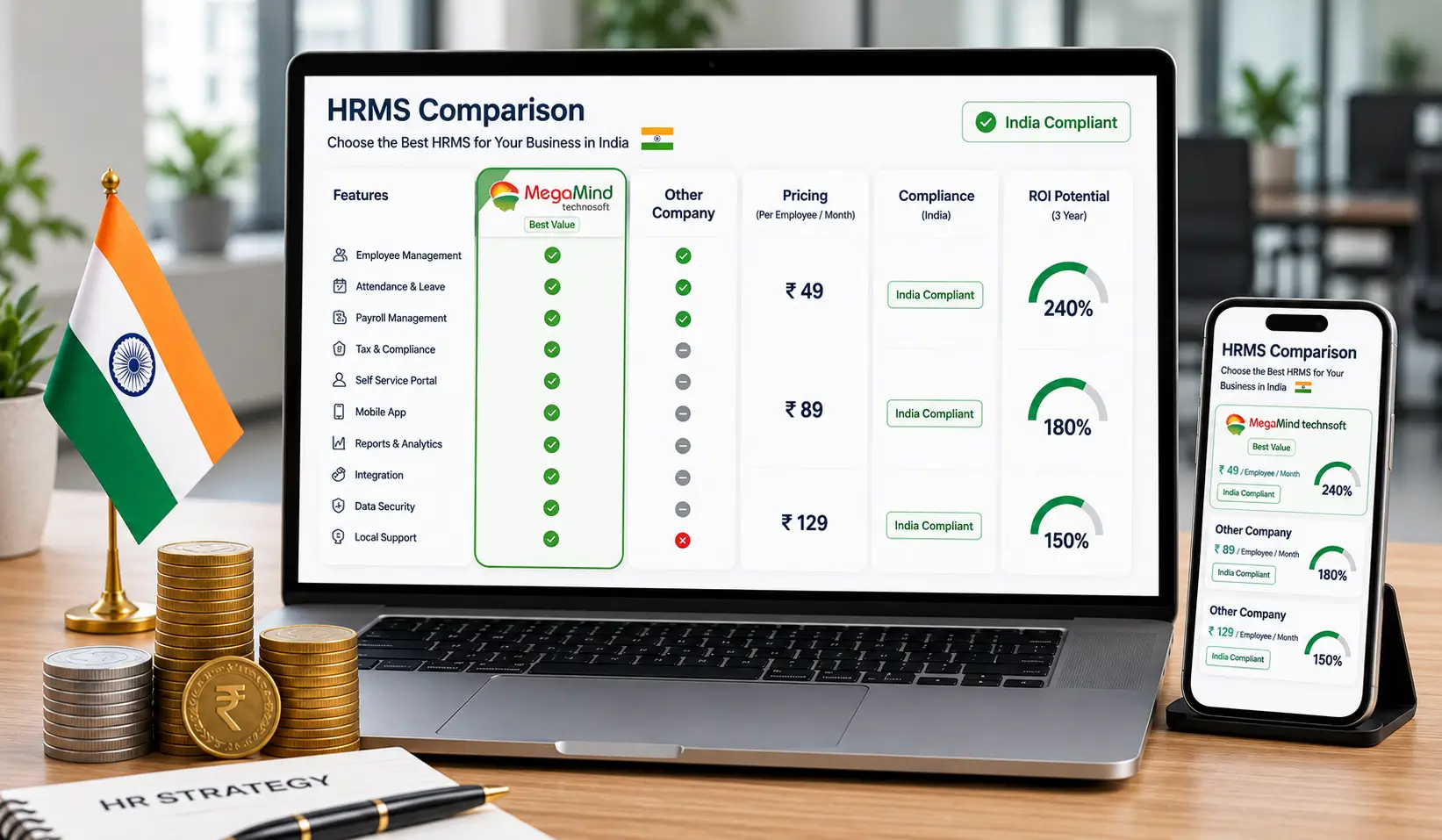
Steps to choose the right HRMS software for your organisation
How Do You Choose the Best HRMS Software in 2026?
Document your real requirements before any sales call, then weigh the modules your payroll and attendance actually need. Test ease of use with your own data, verify integrations and security in writing, and score three shortlisted vendors on a weighted scorecard. Price total cost of ownership across three years, not the first-year subscription, and plan implementation around your payroll calendar.
Table of Contents
- What Is an HRMS?
- Understand Requirements
- Essential Modules
- Ease of Use
- Integration Capabilities
- Security & Compliance
- Scalability
- Vendor Experience
- Total Cost of Ownership
- Questions to Ask Vendors
- Best Practices
- Expert Recommendations
- Implementation Roadmap
- Statutory & Payroll Compliance
- HRMS ROI
- Cloud vs On-Premise
- Vendor Scorecard
- ESS & Mobile Adoption
- Common Mistakes
- Final Buyer's Checklist
- FAQs
- Conclusion
What Is an HRMS and Why Does It Matter?
An HRMS (Human Resource Management System) is one platform that holds the employee record and runs the HR workflow - attendance, leave, payroll, employee self-service, reports and compliance - from a single source of truth. Instead of stitching data between a spreadsheet for leave, a biometric vendor's file and a payroll software, the business keeps one clean, auditable record.
Choosing an HRMS is a strategic business decision that influences productivity, compliance, employee satisfaction and long-term growth. Buy right and the platform quietly removes the biggest sources of HR rework; buy wrong and you inherit a system nobody uses and a migration nobody wants to repeat.
Set the goal: a good selection ends with HR, finance and operations agreeing on one platform for attendance-to-payroll, leave-to-payroll and employee self-service - measured on real outcomes, not feature count.
Understand Your Business Requirements
Before contacting vendors, document your organization's current HR processes and future goals. Start with these questions.
Headcount today
How many employees do you currently manage?
Growth ahead
How many employees do you expect in the next 3-5 years?
Locations & shifts
Do you have multiple office locations, remote or hybrid employees, or shift-based operations?
Manual processes
Which HR processes are still manual, and what reporting challenges do you face?
Are payroll and attendance handled internally? If you have a stack of leave applications sitting in a drawer, name that. If attendance comes from three different biometric machines and nobody trusts the monthly total, name that too. A requirement list built from real pain points - rather than a generic wish list copied from a competitor's brochure - becomes the single most useful document in the entire selection, because every vendor demo, every scorecard column and every price negotiation will be measured against it. It also forces internal agreement early: when HR, finance and operations sit down and agree which problems matter most, the project has leadership support long before the contract does.
Tip: creating a detailed requirement list helps eliminate solutions that are not suitable for your business before you waste a single demo.
Prioritize the Essential HRMS Modules
Not every organization requires every HR module from day one. Focus first on capabilities that solve your biggest operational challenges.
Core HR & Database
Core HR, employee database and role-based permissions form the master record.
Attendance
Attendance management turns biometric, face and mobile punches into clean records.
Leave
Leave management with approval workflows and balances that never drift.
Payroll
Payroll management with statutory PF, ESI, PT and TDS built in.
ESS & MSS
Employee Self-Service (ESS) plus Manager Self-Service (MSS) for approvals and reports.
Recruitment & Performance
Recruitment and performance management for the full lifecycle.
Analytics & Reports
HR analytics, mobile application and workflow automation answer management questions.
Multi-Location
Multi-location support and document management for growing companies.
Start your module list from the two flows every company runs every month: attendance-to-payroll and leave-to-payroll. If those two flow without a single manual step, you have already removed the biggest source of HR rework and employee disputes. Then add the modules that follow naturally - employee self-service to cut requests, reporting to answer management questions, and mobile access if any part of the team works outside an office. The modules that look impressive in a demo but sit unused in the second year - elaborate performance appraisal builders, for example, for a company with no review culture - are exactly the ones to defer until the need is real.
Tip: a phased module roadmap is a healthy sign from a vendor: it shows they understand you will grow into the platform rather than pay for everything on day one.
Evaluate Ease of Use
A technically advanced HRMS delivers little value if employees and managers struggle to use it. Look for the signs below.
Clean interface
A clean user interface and simple navigation that staff find familiar in minutes.
Fast onboarding
Fast employee onboarding with minimal training requirements.
Mobile-friendly
A mobile-friendly experience and self-service functionality for employees and managers.
Ease of use is best tested, not assumed. Ask to try the system with your own data during the demo: create a new employee, apply for leave as that employee, approve it as the manager and watch it land in payroll. The steps that feel awkward to you will feel ten times worse to a floor supervisor or a first-time user, so bring a non-IT employee to the evaluation and listen to their reaction. Watch for reliable clues too: how many clicks does applying for leave take, is the mobile app a companion or a full experience, and can a manager approve on a phone without reading a manual? Systems that are truly simple to use need little training, and low training effort is a direct cost saving across a workforce in Delhi, Noida or any other city.
Tip: user adoption is one of the strongest indicators of long-term HRMS success.
Verify Integration Capabilities
An HRMS should integrate seamlessly with your existing business applications - especially the ones you already run.
Payroll & accounting
Payroll software and accounting software handoffs your finance team trusts.
Attendance devices
Biometric attendance devices and access-control punch data feed the same record.
API & platforms
APIs, ERP systems, Microsoft 365, Google Workspace, SSO and BI tools.
The integrations that matter are the ones you already run. If attendance comes from biometric or face devices, confirm the HRMS accepts punches from your hardware brands or provides a clean import path. If payroll currently lives in a legacy system or Excel, test the handoff, including statutory structures, before go-live. Ask whether the platform offers an API for the accounting software your finance team trusts, and how data moves - one-directional exports or two-way synchronisation. An HRMS that connects to your existing stack quietly prevents the data entry islands that cause duplicate records, wrong leave balances and reconciliation headaches at month-end.
Tip: the fewer disconnected systems you maintain, the more efficient your HR operations become.
Assess Security & Compliance
Employee information is one of the most sensitive assets within an organization. The security checklist starts here.
Encryption & MFA
Data encryption and multi-factor authentication (MFA) for every login.
Access control
Role-based access control with audit logs for every change and export.
Hosting & backups
Secure cloud hosting, regular backups and disaster recovery planning.
Compliance reporting
Compliance reporting that keeps statutory obligations visible.
Security evaluates to more than a checklist of buzzwords. Look for the everyday behaviours that protect real payroll data: employees see only their own records, managers see only their teams, payroll is visible to a named few, and every attendance correction or salary change leaves an audit trail with a timestamp and a name. Confirm where data is hosted, whether it is encrypted in transit and at rest, how often backups run and how quickly a restore happens if the unthinkable occurs. Ask about your own data too - on exit, you should be able to export your full employee and payroll history in a standard format. Treat security as a continuous conversation with the vendor, not a one-time checkbox.
Tip: ask vendors how employee data is stored, protected, and backed up.
Evaluate Scalability
Your HRMS should continue supporting your organization as it grows. Consider whether the platform can.
More employees
Support additional employees and increasing data volumes without a rewrite.
New branches
Manage multiple branches, add HR modules and handle restructuring.
Future expansion
Expand internationally if required, with per-user bulk pricing that scales.
Think about growth in concrete terms: the number of employees you expect in five years, branches you may open in other cities, and whether the platform charges per user with bulk pricing or per module. Also reflect on organisational change. Acquisitions bring separate companies and payslips together; a new factory floor brings shift rostering and overtime that a simple leave system never anticipated; an expansion into a new state introduces professional tax and holiday calendars you have never configured. A scalable HRMS absorbs these changes through configuration rather than requiring a fresh roll-out, which is precisely the difference between a platform you grow with and one you grow out of.
Review Vendor Experience
Technology alone is not enough. A reliable implementation partner can significantly influence project success.
Track record
Years in business, industry expertise and an existing customer base you can call.
Product & support
Product roadmap, customer success stories, technical support quality and implementation methodology.
Training & handover
Training programs and a named account owner after the sale, not an anonymous ticket queue.
The vendor's team is as much the product as the software itself. Ask how long they have served businesses like yours, who owns your account after the sale and how support is staffed - a dedicated account manager beats an anonymous ticket queue for anything that goes wrong on payroll day. Look at their customer success stories for your industry and region: Delhi, Noida and the wider NCR businesses have rhythms - festivals, financial year-ends, auditor visits - that a local vendor simply understands better. When a vendor can point to a factory with night shifts, a school with monthly fee staff and a services firm with field engineers, their implementation team has seen your problems before and can solve them faster.
Compare Total Cost of Ownership (TCO)
Instead of comparing only subscription costs, calculate the complete investment.
Recurring
Software subscription, annual maintenance and future upgrades.
One-time
Implementation services, customization, integrations, data migration and training.
Compare over years
Total the sticker, implementation, AMC and integration effort over three years.
Tip: a lower initial price may not represent the lowest long-term cost.
Questions to Ask Every HRMS Vendor
During product demonstrations, ask practical questions that reveal how the platform performs in real-world situations.
Product Questions
Which HR modules are included? Can modules be enabled later? How frequently are updates released? Is the software cloud-based, on-premise, or both? Does the platform support multiple companies and branches?
Security Questions
Where is employee data stored? How is sensitive information protected? Is data encrypted during transmission and storage? What backup procedures are followed?
Implementation Questions
How long will implementation take? Who manages data migration? Is user training included? What support is available after go-live?
Integration Questions
Does the software integrate with attendance devices? Can it connect with payroll and accounting software? Are APIs available?
Best Practices for Selecting the Right HRMS
Organizations that achieve the highest return on their HRMS investment typically follow these practices.
Involve all stakeholders
Include representatives from HR, Finance, IT, Operations and Senior Management so the selected platform supports every department's needs.
Standardize HR policies first
Technology works best when supported by clearly defined attendance policies, leave rules, payroll processes, approval workflows and employee lifecycle procedures.
Demand a real demo
Instead of a generic presentation, ask vendors to run your scenarios - new employee onboarding, leave approval, payroll processing, attendance correction, performance review.
Focus on long-term value
Evaluate the product roadmap, future modules, AI capabilities, scalability and customer support before you sign.
Measure success after go-live
Define KPIs before implementation - payroll processing time, attendance accuracy, HR administrative workload, ESS usage, leave approval turnaround and employee satisfaction.
Expert Recommendations
Four rules our consultants hand to every selection committee before they begin.
Choose business fit over feature count
More features do not always create more value. Prioritize solutions that align with your organization's processes and can be adopted easily by employees.
Prioritize integration
Disconnected HR applications increase administrative effort and data inconsistencies. A unified HRMS should integrate attendance, payroll, leave management, and employee records.
Think beyond today's requirements
Your organization will evolve. Select an HRMS capable of supporting additional employees, business units, and new HR processes without requiring a complete replacement.
Invest in change management
Technology adoption depends on communication, training, and employee engagement - not software alone.
A Step-by-Step HRMS Implementation Roadmap
Choosing the right HRMS is half the battle; rolling it out without disrupting payroll is the other half. Most Indian companies succeed with the same disciplined sequence.
Phase 1 - Discover (Week 1)
Document every HR process to be automated, from joining letters and attendance rules to leave policies and salary structures. Inventory your employee data and flag the records that need cleaning before migration.
Phase 2 - Data & configuration (Weeks 2-3)
Migrate the master data, define roles, assign permissions, load leave policies and shift rosters, and configure payroll components such as allowances, deductions, and statutory settings.
Phase 3 - Training & pilot (Weeks 4-5)
Train HR teams, managers and employees on the HRMS and employee self-service portal. Run a pilot with real data and reconcile outputs with the existing spreadsheet run before committing.
Phase 4 - Go-live & stabilise (Week 6+)
Cut over cleanly, ideally right after a payroll run, process the first payroll in the new system, review exceptions and publish payslips through ESS.
Tip: plan around your payroll calendar, not the vendor's suggestion. Going live between monthly salary runs gives your team a full month to absorb the new system before real payslips depend on it.
Statutory Payroll & Compliance for Indian Businesses
For companies in Delhi, Noida and across India, an HRMS earns its subscription in the compliance room, not the demo room. The right platform keeps PF, ESI, PT, TDS and the new labour codes straight.
Employee Provident Fund (EPF) and Employees' State Insurance (ESI) rules change thresholds and wage structures over time, and a good HRMS recalculates contributions the moment a rule is updated rather than making your payroll team redo the arithmetic by hand. Professional tax (PT) is a state-level tax with different slabs in Delhi, Haryana, Uttar Pradesh and elsewhere, so a platform serving Noida and Gurugram teams alongside Delhi head offices must apply several tax schemes in one payroll run.
Tax Deducted at Source (TDS) follows the income-tax slabs and needs correct year-to-date tracking, declaration handling and Form 16 generation each year. Gratuity accrual, leave encashment, bonus computation and full-and-final settlement each demand their own formula - and each becomes a dispute or a compliance notice if computed wrong. Companies that operate across multiple states additionally juggle differing minimum-wage structures and local holidays, which an HRMS should represent without manual calendar maintenance.
| Statutory Item | Why the HRMS Matters |
|---|---|
| Provident Fund (PF) | Correct contribution %, wage ceiling, EPS and year-end returns |
| ESI | Employee and employer shares plus contribution statements |
| Professional Tax (PT) | State-wise slabs across Delhi, Haryana and UP in one payroll |
| TDS | Annual deductions, declarations, challans and Form 16 |
| Gratuity & Bonus | Accrual, eligibility and full-and-final settlement |
| Labour Codes | Flexible definitions for future wage-code and register requirements |
Tip: ask vendors how they keep statutory settings current - whether rule updates are included, how quickly slab changes are released, and whether compliance reports can be generated per state or per legal entity.
Measuring the ROI of HRMS Software
HRMS software is rarely bought to look modern - it is bought to stop paying for manual work in four expensive places: payroll rework, compliance errors, wasted manager time and employee frustration.
The most visible saving is payroll-processing time. A payroll that takes three to four working days with Excel - gathering attendance from devices, reconciling leave, applying statutory rules, cross-checking errors and printing payslips - typically compresses to a few hours inside a unified HRMS where attendance, leave and payroll live in one database. For a company of even 100 employees, that is the difference between a payroll team that meets deadlines comfortably and one that burns weekends every month.
The less visible saving is error cost. A single miscalculated PF or TDS line can trigger a compliance notice, a revision exercise and a reputational scrape - to say nothing of an underpaid or overpaid employee who notices within minutes of the credit alert. Because the HRMS carries a single auditable record from the day an employee joins to their final settlement, every number on the payslip can be traced back to its source, which dramatically shortens the time spent answering "why is my salary this amount?" queries every month.
Manager time is the third bucket. Approval workflows replace the long email chains and "please approve, thanks" threads for leave and expense requests. Reports that once required IT or a genius with pivot tables become one-click exports that a supervisor can run in the self-service dashboard. When hour-long monthly reporting sessions shrink to minutes, those hours return to the business activity that actually generates revenue.
Finally, employee experience compounds quietly through employee self-service. Staff can see their attendance, apply for leave, download payslips and update bank details without visiting the HR desk. For a workforce spread across branches in Noida, Gurugram and beyond, this convenience reduces HR ticket volume and improves the perception of the employer - a measurable factor in attrition-heavy sectors like IT and retail.
KPIs Worth Tracking After Go-Live
Payroll time
Payroll processing time per month and number of payroll corrections per cycle.
Accuracy
Attendance calculation accuracy and leave approval turnaround time.
Adoption
HR help-desk ticket volume and employee ESS adoption rate.
Tip: capture baseline numbers before you buy - current payroll hours, error counts and approval delays - so you can prove the return with your own data six months after go-live rather than relying on vendor claims.
Cloud vs On-Premise HRMS: Which Deployment Fits India?
One of the first decisions a buyer makes is where the system runs. Cloud HRMS has become the default for most Indian companies, but on-premise still serves some organisations well - the right answer depends on your scale, sites and constraints.
Cloud HRMS is accessed through a browser or app, so there is nothing to install on office computers and no server room to run. Deployment is fast - often days instead of months - because the infrastructure already exists. Updates arrive automatically, which matters enormously in India's changing statutory landscape, where PF thresholds, labour codes and tax rules shift over time. Employees in Delhi, the rest of NCR and remote locations log in from anywhere, making cloud the natural fit for hybrid and multi-branch businesses. The vendor typically manages security, backups and disaster recovery, which relieves a small IT team of a burden they are rarely set up to carry.
On-premise HRMS is installed on the company's own servers and keeps all data inside the premises. That appeals to organisations with strict internal data-sovereignty policies, factories or security-sensitive environments with restricted internet access, and a handful of legacy setups where the IT team insists on controlling everything. The trade-offs are real: the business owns hardware maintenance, backups and updates, the cost of a skilled administrator lands back in-house, and every branch office typically needs a tunnel or VPN to reach the system, which complicates multi-site operations in the NCR.
| Factor | Cloud HRMS | On-Premise HRMS |
|---|---|---|
| Upfront cost | Low - subscription based | High - servers & licences |
| Deployment speed | Days to weeks | Weeks to months |
| Updates & statutory changes | Automatic, vendor-managed | Manual, IT-led upgrade cycles |
| Access for remote staff | Anywhere, any device | Usually VPN-bound |
| Maintenance burden | Vendor handles it | Internal IT team |
Tip: for most Indian SMEs, a hosted or cloud HRMS delivers the fastest compliance updates and the lowest total cost. Reserve on-premise for genuine regulatory or infrastructural constraints - and if you might grow multiple branches later, cloud keeps that expansion simple.
An HRMS Vendor Scorecard You Can Use Tomorrow
The fairest way to compare HRMS vendors is a weighted scorecard. Score every shortlisted platform on the same criteria, assign weights that reflect your priorities, and let the totals - not the sales pitch - make the decision.
| Criteria | Weight (suggested) | Score 1-10 | Notes |
|---|---|---|---|
| Feature fit for your modules | 25% | Attendance, leave, payroll first | |
| Ease of use & adoption | 20% | Test with real employees | |
| Security & data protection | 15% | Encryption, audit, backups | |
| Integrations & scalability | 15% | Payroll, devices, APIs | |
| Implementation & support | 15% | Methodology, training, SLA | |
| Total cost of ownership | 10% | Subscription, AMC, migration |
Score each vendor independently after the demo, then average the team's scores before revealing names - this removes the halo effect of a good presenter. Two vendors separated by more than 5% in the final weighted total are genuinely different; anything closer is a coin flip best resolved by a reference call and a two-week pilot. Companies that shortlist three vendors and score them this way consistently arrive at decisions they are still happy with three years later.
Tip: customise the weights to your reality. A multi-branch manufacturer weighs integrations and scalability higher; a 50-person services firm in Delhi weighs ease of use and support higher. The scorecard is your framework, not a fixed law.
Employee Self-Service & Mobile Adoption
An HRMS is only worth its price when employees actually use it. Adoption is driven by two things: an employee self-service portal that makes routine tasks frictionless, and a mobile app that meets staff where they already work.
A modern ESS portal lets employees see their own attendance and leave balances, apply for leave and track approval, download payslips, update their personal and bank details, and raise HR tickets - all without a trip to the HR desk. Manager self-service extends the same convenience to team leads, who approve leave, review attendance exceptions and access their team's reports from a dedicated dashboard. When these workflows are smooth, HR's inbox empties and employees feel in control of their own records.
The mobile app carries the same power into the field. Field sales staff can mark their visit, factory supervisors can approve shifts from the floor and employees on leave can approve their own balances from a phone. For hybrid teams spread across Delhi, Noida and the wider NCR, mobile access is not a luxury - it is how attendance verification and leave approvals actually happen in real time.
Communicate before launch
Announce the rollout timeline, the benefits and the support contacts weeks before go-live so change is expected.
Train in small groups
Short, role-specific sessions for employees, managers and HR beats one long generic webinar.
Make the first run a win
Deliver a spotless first payslip via ESS so the first experience builds trust in the system.
Tip: measure adoption in the first 90 days - percentage of employees who log in, apply leave online and download their payslip. If numbers lag, simplify; if they lead, ask users what to automate next.
Common Mistakes When Choosing HRMS Software
Most HRMS disappointments are not caused by bad software; they are caused by patterns of selection and rollout that are avoidable. Watch for these seven.
1. Buying features, not outcomes
A 40-module system nobody uses outperforms nothing. Anchor the purchase on the five processes that hurt most - attendance reconciliation, payroll, leave, reporting, onboarding.
2. Judging every demo with generic happy data
Insist the vendor walks your real scenarios - night-shift overtime, a teacher's half-days, a sales rep punching from a client site - before you believe the demo.
3. Ignoring total cost of ownership
The subscription is only part of the price. Add implementation, migration, training, AMC and integration effort, then compare over three years, not three months.
4. Skipping the reference check
One 20-minute call with a client in your industry reveals more about support, bugs and vendor responsiveness than any brochure.
5. Under-managing data migration
Payroll history, leave balances and old attendance records carry real money. Plan the migration explicitly and reconcile it before go-live.
6. Forgetting security sign-off
Have your IT or a security-conscious stakeholder review encryption, access control, backups and deletion policy before the contract is signed, not after.
7. Neglecting change management
Even the best HRMS will be rejected if the team is not trained, communicated with, and supported through the first month. Budget for adoption, not just rollout.
The Final HRMS Buyer's Checklist
Print this page, brief your selection team, and run every candidate through it. If a vendor passes everything on this one-pager, the decision writes itself.
Requirements
Requirements documented and ranked by priority; module fit verified against attendance, leave & payroll.
Usability & security
Ease of use tested with real employees; security reviewed - encryption, roles, audit, backups.
Integrations & scale
Integrations confirmed for payroll, devices & accounting; scalability confirmed for 2-5 years of growth.
Rollout plan
Implementation plan & timeline agreed in writing; training plan for staff, managers and HR defined.
Cost & references
Total cost of ownership broken down over 3 years; references in or near your industry verified.
Contracts & go-live
Support SLAs and AMC terms reviewed; data migration & go-live date fixed on your payroll calendar.
Take this one-pager to your final vendor meeting. Ask each candidate to tick every box with evidence - a real demo, a real reference, a written cost breakdown and a dated implementation plan. The vendor that can tick them all, and whose invoice matches the promise, is the HRMS partner you should keep for the long term.
Frequently Asked Questions (FAQs)
1. How do I choose the best HRMS software?
Start by identifying your HR challenges, defining business requirements, creating a feature checklist, comparing vendors, requesting product demonstrations, reviewing security, verifying integrations, and evaluating long-term scalability.
2. Which HRMS features are most important?
Core HR, employee database, attendance management, leave management, payroll, employee self-service, reporting, workflow automation, mobile access, and analytics are considered essential for most organizations.
3. Is cloud HRMS better than on-premise?
Cloud HRMS generally offers faster deployment, lower upfront investment, automatic updates, and better support for remote work. On-premise solutions may be appropriate for organizations with specific regulatory or infrastructure requirements.
4. How does HRMS help with PF, ESI, PT and TDS?
A compliance-ready HRMS applies the correct contribution percentages and slabs, supports state-wise professional tax, tracks TDS year-to-date and helps generate challans, registers and Form 16, with statutory settings updated as rules change.
5. What should I ask during an HRMS product demo?
Ask about implementation timelines, integrations, security, scalability, reporting, mobile support, customer training, post-implementation support, and future product updates.
6. How can I compare different HRMS vendors fairly?
Use a structured evaluation scorecard covering features, usability, security, integrations, customer support, implementation methodology, scalability, pricing, and vendor reputation.
7. What is the difference between HRMS and payroll software?
Payroll software focuses on salary calculation, statutory deductions and payslips. An HRMS is broader - it adds attendance, leave, employee records, recruitment, performance and employee self-service, with payroll as one connected module.
8. How long does payroll processing take with an HRMS?
That depends on the size and complexity of the payroll, but a unified HRMS typically reduces processing from days to a few hours because attendance, leave and salary components are already reconciled in one place.
Conclusion
Selecting the best HRMS software is about more than comparing feature lists - it is about finding a solution that aligns with your business objectives, streamlines HR operations, and supports future growth. Keep this buyer's guide beside you through the whole process: document requirements before any sales call, weigh the modules your payroll and attendance actually need, verify integrations and security in writing, score three vendors on a structured scorecard, and price total cost of ownership across three years.
By evaluating vendors systematically, prioritizing usability and integrations, and planning implementation carefully, organizations can maximize the return on their HR technology investment. A well-chosen HRMS empowers HR teams to move beyond administrative tasks and focus on building a productive, engaged, and future-ready workforce.
See the platforms worth shortlisting in our best HRMS software in India comparison, plan your rollout with our HRMS implementation guide, and budget correctly with our breakdown of HRMS software price in India.
MindWave HRMS, Built by Megamind Technosoft
When you are ready to choose, start with the vendor who built the software behind this guide. The decision framework in this guide maps directly to what you can evaluate in a free demo. Megamind Technosoft is an ISO 27001-certified HRMS and attendance software company in New Delhi, and its flagship product - MindWave HRMS - unites biometric and face attendance machines, mobile GPS attendance, leave, employee self-service (ESS) and payroll into one accurate, payroll-ready record built for Indian businesses, schools, hospitals and factories.
From a Delhi NCR office to pan-India rollout, our team handles biometric installation, face and fingerprint devices, mobile GPS apps and payroll statutory rules in one contract. You get a local partner who installs on-site in Delhi, Noida and NCR, plus India-time phone and WhatsApp support - not just a toll-free number.
- Company: Megamind Technosoft Solutions Pvt. Ltd.
- Product: MindWave HRMS - Attendance, Leave & Payroll
- Address: 3rd Floor, C-41, Pandav Nagar Complex, New Delhi - 110092, India
- Phone: +91-7982869398 | +91-9818442254
- Email: sales@megamindindia.in
- Website: www.megamindindia.in
- Timings: Mon - Sat, 9:30 AM - 6:30 PM IST