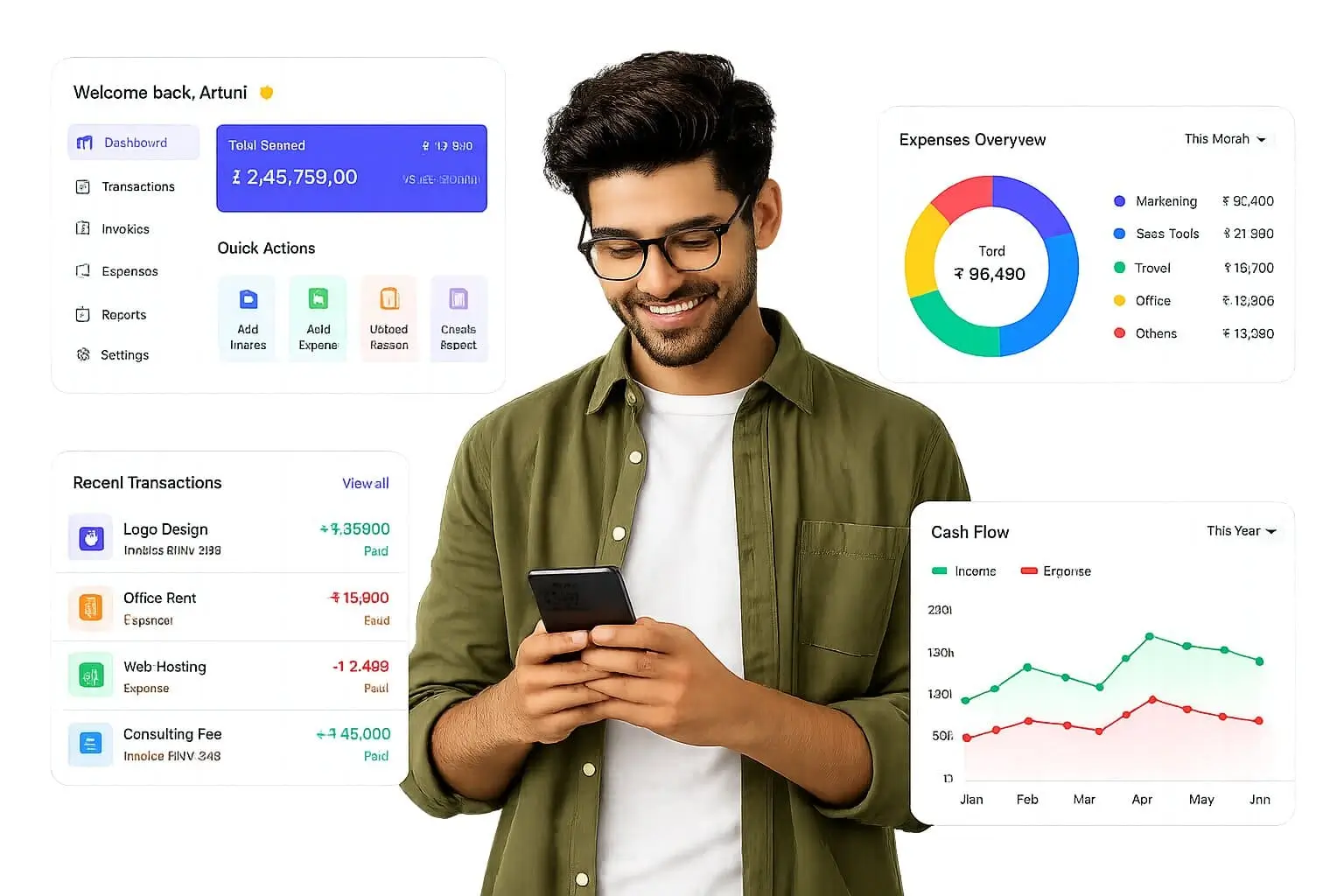
Complete HRMS solution – attendance, leave, payroll and reporting in one dashboard
What is a Complete HRMS Solution?
A complete HRMS solution is a single, integrated platform that manages the whole employee lifecycle, including employee records, attendance, leave, payroll, employee self-service, recruitment, performance and analytics. Instead of buying separate tools that never talk to each other, you get payroll, attendance and leave on one system with one dashboard, one database and one vendor to support you.
Best For
In This Complete Guide
By the end of this guide, you'll learn:
- What a complete HRMS solution really includes
- Why one platform beats a stack of separate tools
- The essential HRMS modules you should expect
- How payroll, attendance and leave work together on one system
- The dashboard metrics every HR leader should watch
- Cost and ROI benefits of a single HR platform
- How to choose and implement the right solution
- Common implementation mistakes to avoid
- Frequently asked questions answered
Table of Contents
Why One Platform Beats a Stack of Separate Tools
Most growing businesses start with whatever is free and familiar. A biometric device punches employees in, an Excel sheet tracks leave, an accountant runs payroll in a desktop utility, and everyone exchanges files over WhatsApp or email. It works, until it does not.
The moment you cross fifty employees, or open a second branch, the cracks appear. Attendance data sits in one place, leave balances in another, and salary calculations in a third. Someone spends two or three days every month reconciling mismatched numbers, chasing entries and re-entering the same data twice. That is exactly the problem a complete HRMS solution was built to remove.
When you bring payroll, attendance, leave, ESS and analytics onto a single HR platform, every module reads from the same employee record. A leave approved on Tuesday automatically reflects in attendance, which automatically flows into the salary engine at month-end. Nothing needs to be re-typed, exported or re-verified by hand.
Signs your current setup is breaking down
- Your accountant still manually adds attendance totals into payroll
- Leave balances differ between what staff see and what HR calculates
- Employees email or WhatsApp leave requests and nobody tracks them
- You cannot quickly answer how many people are on leave today
- Salary errors surface only after payslips are already sent
- Every month-end becomes a scramble of spreadsheets and phone calls
What a Complete HRMS Solution Includes
A complete HRMS solution is more than an employee database with a payroll add-on. It is a connected suite where each module shares data with the others, so nothing lives in isolation. Think of it as one engine with several gearboxes rather than several engines bolted together.
The term "complete" matters. Many vendors sell a payroll tool and call it HRMS, or an attendance tool and call it HRMS. A genuinely complete platform covers the employee journey end to end, from the day a candidate applies to the day someone exits, and every payroll run in between.
At minimum, expect these areas: core employee records, biometric and mobile attendance, leave and shift management, payroll with Indian statutory compliance, employee self-service, and reporting. For many Indian businesses, statutory filings for PF, ESI, PT and TDS are the real test of whether a platform is genuinely complete or just a pretty dashboard.
The Core Modules You Should Expect
A complete HRMS is modular on the inside but unified on the outside. Here are the modules that make a platform genuinely complete, each one connected to the next.
Core HR & Employee Database
One digital file for every employee with personal details, documents, department, designation, joining date and work history, accessible to authorised users from anywhere.
Attendance & Time Tracking
Biometric devices, face recognition, mobile GPS or web clock-in feed attendance directly into the platform, with overtime, late comings and night shift rules applied automatically.
Leave Management
Employees apply through the portal, managers approve in one click, and balances update instantly across casual, sick, earned and optional leaves with carry-forward rules.
Payroll & Compliance
Salary calculation draws attendance and leave directly, then applies PF, ESI, PT and TDS rules to produce accurate payslips and statutory reports every month.
Employee Self-Service (ESS)
A mobile app and web portal where staff view payslips, download Form 16, apply for leave, mark attendance and update their own details without bothering HR.
Recruitment & Onboarding
Post openings, shortlist candidates, run digital onboarding and automatically create the employee record when a new joiner accepts the offer.
Shift & Roster Planning
Create weekly or monthly rosters, handle rotating shifts, split shifts and multiple work locations, then let attendance validate each person against their assigned schedule.
Analytics & Reports
Pre-built and custom reports on headcount, absenteeism, overtime, payroll cost, leave trends and attrition, exportable to Excel or PDF for leadership reviews.
How Payroll, Attendance & Leave Work on One System
The real power of a complete HRMS solution shows in the monthly cycle, where data flows between modules with zero manual handover. This is how a typical month runs on a single platform.
Daily Attendance Capture
Employees punch in via biometric device, face recognition or the mobile app. The platform compares each punch against the assigned shift and flags late arrivals and early exits automatically.
Leave & Approvals
Leave requests come through ESS, get approved by managers, and update balances immediately. Approved leave is marked as paid, unpaid or half-day against the payroll rules.
Overtime & Night Shift Rules
The engine applies overtime eligibility, computes extra hours at the configured rate and handles night duty allowance and compensatory leave without spreadsheets.
Salary Calculation
Attendance, leave, overtime and reimbursements feed directly into the payroll engine, which calculates gross and net pay and applies statutory deductions.
Statutory Compliance
PF, ESI, PT and TDS calculations are generated automatically, along with challans and returns, so the accounts team files on time without re-calculating anything.
Payslips & Self-Service
Payslips are published to the ESS portal on pay day, employees download Form 16 and bank reports go out, while HR monitors the whole cycle from one dashboard.
The HRMS Dashboard: One Screen, Whole Workforce
A complete HRMS solution earns its name on the dashboard. Instead of assembling numbers from five different tools, managers get a single screen that answers the questions leadership asks every day.
Present today vs planned
Employees on leave today
Pending leave approvals
Late & absent alerts
Payroll cost this month
Overtime hours trend
Attrition by department
Compliance due reminders
Good to know: With a single HR platform, the same dashboard that HR uses is available to branch heads with filtered views, so a plant manager sees only their location while the head office sees the full picture. Role-based access keeps sensitive payroll data out of the wrong hands.
Complete HRMS vs Separate HR Tools
The fastest way to justify a complete HRMS solution is to compare it side by side with the scattered tools many businesses run today.
| Aspect | Separate Tools | Complete HRMS |
|---|---|---|
| Employee data | Duplicated in each tool | Single source of truth |
| Attendance to payroll | Manual re-entry every month | Automatic data flow |
| Leave balances | Disagree between systems | Instantly consistent |
| Statutory compliance | Spreadsheet-based filings | Automated PF/ESI/TDS reports |
| Reporting | Hours of merging exports | Real-time dashboards |
| Vendor support | Multiple vendors to manage | One accountable partner |
| Training cost | Learn many interfaces | One familiar interface |
| Monthly admin effort | High and repetitive | Minutes instead of days |
Expert insight: Companies often tell us they have "integrations" between tools, but a bolt-on integration still means data at rest in two places and another link that can break. A complete HRMS removes the need to integrate in the first place, which is why it costs less to operate over three years than a cheap stack of separate products.
Benefits of Moving to a Single HR Platform
Beyond saving time, a complete HRMS solution changes how your organisation runs. Here are the outcomes businesses report within the first few pay cycles.
1. End of Duplicate Data Entry
The same employee is typed in once and reused everywhere. No more matching names between an attendance export and a payroll sheet.
2. Faster Month-End Closing
What used to take two to three days of reconciliation is done in hours because payroll reads attendance and leave directly from the same system.
3. Fewer Payroll Errors
Salary mistakes drop sharply because there is no manual typing between systems, and the engine applies the same rules consistently every month.
4. Compliance Without Panic
PF, ESI, PT and TDS figures are computed automatically with ready-to-file reports, reducing the risk of penalties for late or incorrect filings.
5. Happier Employees
Self-service means employees answer their own questions about payslips, leave and Form 16 instead of chasing HR, which also frees HR for meaningful work.
6. Leadership Visibility
Owners and managers see headcount, attendance, overtime and payroll cost trends live, so decisions are based on facts rather than month-old reports.
7. Anywhere, Any Device
A cloud-based single platform works from the office, home or a factory floor, and the mobile app keeps employees connected without a desk.
8. Scales With Growth
New branches, new shifts and more employees are added in minutes. One system still covers a 25-person office or a 5,000-person group.
Is a Complete HRMS Solution Worth the Cost?
A complete HRMS is priced per employee, which feels like a real expense until you add up what the old way actually costs.
| Cost Area | Separate Tools (Per Year) | Complete HRMS (Per Year) |
|---|---|---|
| Attendance software licence | Very Costly per year | One subscription that covers everything |
| Payroll software licence | Very Costly per year | |
| Leave/ESS tool | Very Costly per year | |
| HR hours lost to reconciliation | High, recurring | |
| IT time on integrations | Repeated fixing |
Expert insight: Most mid-sized businesses pay more in staff time than in software licences. If HR spends even four days a month on data handling, that alone usually exceeds the price of a complete HRMS. Count hours saved, not just invoices paid, when you evaluate ROI.
How to Choose the Right Complete HRMS Solution
Choosing a complete HRMS is not about picking the vendor with the most feature checkboxes. It is about finding the platform that fits how your business actually runs. Use this checklist during your evaluation.
Confirm payroll supports the states you operate in and the PF/ESI/TDS rules that apply to your workforce.
Check that attendance works with the devices you already own, including biometric and mobile options.
Verify the leave engine handles your exact policies, including carry-forward, encashment and half-days.
Ask how new employees are onboarded and whether digital documents and contracts are supported.
Test the employee mobile app yourself, since adoption depends on how easy it is for staff.
Ask about data export: you should be able to take your data out cleanly if you ever switch vendors.
Check support hours and response time, and who actually does the implementation and training.
Ask for a pilot with your real data, not just a scripted demo, before you commit to a contract.
If you are evaluating platforms, take a closer look at the MegaMind HRMS suite, which bundles attendance, payroll, leave and employee self-service on a single platform, or browse related reads on the blog.
A Realistic Implementation Roadmap
Moving from scattered tools to a complete HRMS solution is a change project, not just a software install. Following a clear roadmap prevents the chaos that derails many rollouts.
Clean Your Data First
Before migration, fix duplicate employee records, settle leave balances and reconcile opening payroll figures. Garbage in means garbage out.
Configure Policies as You Run Them
Enter shift rules, leave categories, overtime rates and salary components exactly as documented, and involve the accountant in every setting.
Parallel-Run One Payroll Cycle
Run salaries in both the old way and the new system for one month, compare every figure, and only then switch over completely.
Train in Layers
Train HR admins first, then managers on approvals, then all employees on the app. Short sessions with real scenarios work better than one long demo.
Go Live With a Support Window
Keep the vendor close for the first month, collect feedback weekly, and adjust rules as real usage reveals what you missed.
Good to know: The biggest implementation failures in India come from skipping the parallel payroll run. Do not let the "go-live by month-end" deadline force you to abandon the safety check, especially if your company files PF and ESI returns.
Frequently Asked Questions (FAQs)
1. What is a complete HRMS solution?
A complete HRMS solution is a single integrated platform that manages the entire employee lifecycle, including recruitment, onboarding, attendance, leave, payroll, performance, employee self-service and workforce analytics, instead of relying on several disconnected tools.
2. Which modules does a complete HRMS include?
A complete HRMS typically includes core HR, attendance and time tracking, leave management, payroll, employee self-service, recruitment, performance management, shift planning, document management, compliance and analytics modules.
3. How is a complete HRMS different from using separate tools?
Separate tools create data silos, duplicate entry and reconciliation headaches, while a complete HRMS keeps payroll, attendance and leave on one system so data flows automatically between modules with a single source of truth.
4. Who should buy a complete HRMS solution?
Any organization that wants to eliminate manual HR work and duplicate data entry can benefit, from startups and SMEs to large multi-branch enterprises across manufacturing, retail, education and healthcare.
5. Can a complete HRMS handle payroll and attendance together?
Yes. A complete HRMS calculates payroll directly from attendance, overtime, leave and reimbursements captured within the same system, which eliminates errors and speeds up the monthly cycle.
6. Is a single HR platform better than separate payroll and attendance software?
For most businesses yes, because a single HR platform avoids the manual export and import of data, reduces duplicate records, gives one dashboard view and lowers overall software and training costs.
7. What does an HRMS dashboard show?
An HRMS dashboard provides a real-time snapshot of headcount, attendance, leave balances, pending approvals, payroll status, overtime and attrition, helping managers spot problems quickly.
8. How long does it take to implement a complete HRMS solution?
Implementation usually takes a few days for small teams and two to six weeks for larger organizations, depending on data migration, integrations with biometric devices and the number of branches.
9. Does a complete HRMS support remote and field employees?
Yes. Modern complete HRMS platforms include mobile apps, GPS and geofencing attendance, face recognition and employee self-service so remote, hybrid and field staff are managed just like on-site employees.
10. Is a complete HRMS solution secure?
Reputable HRMS providers use role-based access control, encryption, audit logs, automatic backups and secure cloud hosting to protect sensitive employee and payroll data.
Bring It All Together
Running payroll in one tool, attendance in another and leave on paper is a tax on your people's time that never appears on a balance sheet. A complete HRMS solution removes that tax by giving you one platform, one database and one reliable process for the entire employee lifecycle.
The benefits are practical, not theoretical: faster month-end closing, fewer salary errors, cleaner statutory compliance, happier employees and a dashboard leadership can actually trust. For most Indian businesses, the shift from separate tools to a single HR platform pays for itself within the first few pay cycles.
Whether you run a 30-person office or a 3,000-person group, the right time to consolidate was yesterday, and the second-best time is now. Get a live walkthrough with your own data, run the numbers, and let the platform prove itself before you sign.
MindWave HRMS, Built by Megamind Technosoft
When you are ready to choose, start with the vendor who built the software behind this guide. Everything in this guide - attendance, leave, payroll, ESS - exists under one login in MindWave. Megamind Technosoft is an ISO 27001-certified HRMS and attendance software company in New Delhi, and its flagship product - MindWave HRMS - unites biometric and face attendance machines, mobile GPS attendance, leave, employee self-service (ESS) and payroll into one accurate, payroll-ready record built for Indian businesses, schools, hospitals and factories.
From a Delhi NCR office to pan-India rollout, our team handles biometric installation, face and fingerprint devices, mobile GPS apps and payroll statutory rules in one contract. You get a local partner who installs on-site in Delhi, Noida and NCR, plus India-time phone and WhatsApp support - not just a toll-free number.
- Company: Megamind Technosoft Solutions Pvt. Ltd.
- Product: MindWave HRMS - Attendance, Leave & Payroll
- Address: 3rd Floor, C-41, Pandav Nagar Complex, New Delhi - 110092, India
- Phone: +91-7982869398 | +91-9818442254
- Email: sales@megamindindia.in
- Website: www.megamindindia.in
- Timings: Mon - Sat, 9:30 AM - 6:30 PM IST