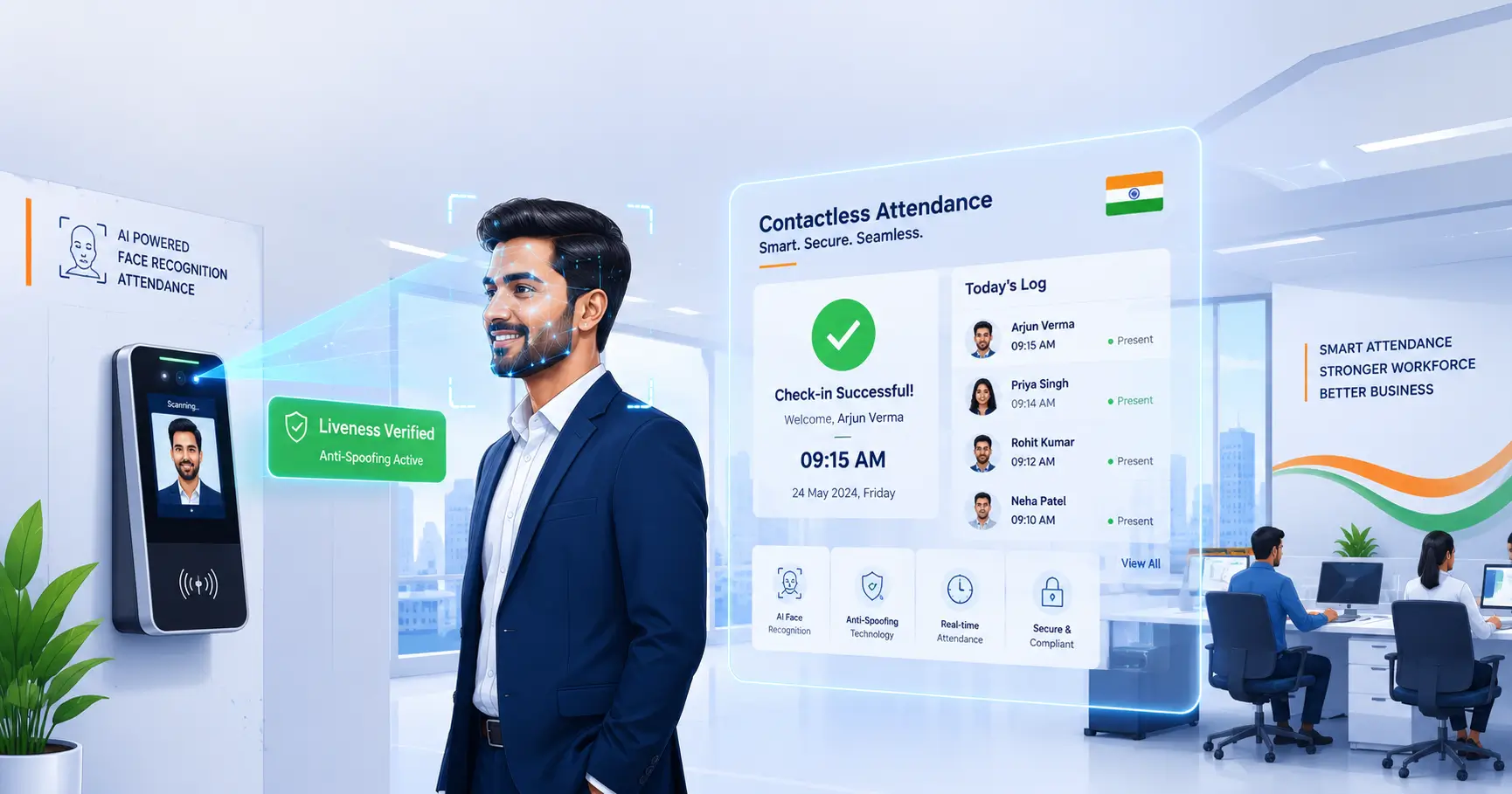
Complete guide to AI face recognition attendance systems
Face Recognition Attendance Guide (2026):
Features & Benefits
Face recognition attendance uses AI to check employees in and out. It works well for hybrid teams and keeps your site secure. This guide explains how it works, what it costs, and how to set it up.
AI Quick Answer
What is an AI Face Recognition Attendance System?
An AI face recognition attendance system uses a camera and smart software to check employees in and out. It captures the face, checks it in seconds, and records the punch. The data then flows into payroll, shifts, and HR reports.
Unlike fingerprint or RFID-based attendance systems, AI face recognition requires no physical contact, making it faster, more secure, and ideal for modern workplaces.
Best Suited For
Corporate Offices
Manufacturing Plants
Healthcare Facilities
Retail Stores
Educational Institutions
Construction Sites
Warehouses
Hotels
Logistics Companies
Government Departments
In This Complete Guide
After reading this guide, you'll understand:
Why Businesses Are Moving to AI-Based Contactless Attendance
Traditional attendance systems have served organizations for years, but they also introduce several operational challenges.
Common Challenges with Traditional Attendance
An AI Face Recognition Attendance System overcomes these issues with intelligent identity verification and automated attendance processing.
Evolution of Employee Attendance Systems
Attendance management has progressed significantly over the years.
Manual Registers
Employees signed attendance books or paper registers. While simple, these methods were time-consuming, error-prone, and difficult to audit.
Punch Card Machines
Mechanical punch cards improved record-keeping but still required manual consolidation and offered limited reporting.
RFID & Smart Cards
RFID-based attendance accelerated check-ins but introduced risks such as card sharing, misplaced cards, and unauthorized use.
Fingerprint Biometric Attendance
Fingerprint scanners reduced proxy attendance by verifying employee identity through biometric data. However, they require physical contact and may be affected by worn fingerprints, dirt, or moisture.
AI Face Recognition Attendance
Modern systems use computer vision and artificial intelligence to recognize employees instantly, without physical contact. They offer greater speed, stronger fraud prevention, and better scalability for diverse workplaces.
What is AI Face Recognition Attendance?
AI Face Recognition Attendance is a technology-driven attendance solution that verifies an employee's identity by analyzing unique facial characteristics captured through a camera.
Instead of relying on passwords, ID cards, or fingerprint scans, the system compares the employee's facial features against securely stored reference data. Once a match is confirmed according to predefined confidence thresholds, attendance is recorded automatically.
Modern systems can integrate with HRMS, payroll, leave management, shift scheduling, and employee self-service platforms to create a unified workforce management ecosystem.
How Does AI Face Recognition Attendance Work?
An AI Face Recognition Attendance System follows a structured workflow designed for speed, accuracy, and security.
Employee Enrollment
Employees register their facial data during onboarding. The system securely creates a mathematical representation of facial features rather than storing attendance decisions manually.
Face Capture
A camera captures the employee's face during clock-in or clock-out.
AI Face Detection
The system detects the face within the camera frame, identifies key facial landmarks, and prepares the image for recognition.
Identity Verification
Deep learning models compare the captured facial template with the enrolled reference data to determine whether there is a valid match.
Liveness Verification
Advanced systems perform liveness checks to help distinguish a live person from photographs, videos, or other presentation attempts.
Attendance Recording
If verification succeeds and attendance rules are satisfied, the system records the attendance event automatically.
Payroll & HR Synchronization
Attendance information is synchronized with related systems for shift management, overtime calculations, leave management, and payroll processing.
Analytics & Reporting
Managers access dashboards showing attendance trends, punctuality, absenteeism, and workforce utilization.
Key Benefits of AI Face Recognition Attendance
1. Completely Contactless
Employees record attendance without touching shared devices, supporting cleaner and more convenient workplace processes.
2. Faster Attendance
Recognition typically completes within seconds, helping reduce queues during shift changes and busy periods.
3. Reduced Proxy Attendance
Facial verification makes it significantly more difficult for one employee to mark attendance on behalf of another.
4. Better Workplace Hygiene
Touch-free attendance is especially valuable in healthcare facilities, manufacturing environments, educational institutions, and other high-traffic workplaces.
5. Higher Operational Efficiency
Automated attendance processing reduces manual effort and allows HR teams to focus on higher-value activities.
6. Improved Payroll Accuracy
Accurate attendance records support consistent payroll calculations, overtime processing, and leave reconciliation.
7. Enhanced Workforce Visibility
Real-time dashboards help managers monitor attendance across multiple departments, branches, and project locations.
8. Scalable for Growing Organizations
AI attendance systems can support expanding workforces and multiple locations without relying on manual attendance consolidation.
Traditional Attendance vs AI Face Recognition
| Feature | Manual Register | Fingerprint | RFID Card | AI Face Recognition |
|---|---|---|---|---|
| Contactless | ❌ | ❌ | ✔ | ✔ |
| Identity Verification | Low | High | Medium | High |
| Proxy Prevention | Low | High | Low | High |
| Speed | Slow | Fast | Fast | Very Fast |
| Hygiene | Excellent | Moderate | Good | Excellent |
| Payroll Integration | Manual | Yes | Yes | Yes |
| Real-Time Reporting | ❌ | Limited | Limited | ✔ |
| Multi-Location Support | ❌ | Limited | Moderate | ✔ |
| Analytics | ❌ | Basic | Basic | Advanced |
Read the table as a set of trade-offs rather than a ranking. Manual registers survive in tiny teams where cost matters more than accuracy. Fingerprint machines remain a good value for small, controlled offices. But once your workforce grows, shifts stack up, or multiple branches need one consistent record, AI face recognition pulls ahead because it combines strong identity checks with real-time, payroll-ready data across every location.
Expert Insight
AI Face Recognition Attendance is more than a replacement for fingerprint devices. It represents a shift toward intelligent workforce management by combining contactless identity verification, automation, analytics, and seamless integration with HR and payroll processes. Organizations should evaluate accuracy, security, deployment flexibility, privacy practices, and integration capabilities when selecting a solution rather than focusing solely on recognition speed.
Complete Buyer's Guide: How to Choose the Best AI Face Recognition Attendance System
Selecting an AI Face Recognition Attendance System is more than comparing feature lists. Since this solution handles employee identity verification and attendance records, organizations should evaluate accuracy, security, privacy, scalability, and integration capabilities alongside cost.
The right solution should support your current workforce while remaining flexible enough to grow with future business requirements.
A useful way to frame the decision is to treat face attendance as a workforce data platform, not a single gadget. The recognition accuracy of the device matters, but so do the quality of the enrollment process, the strength of liveness detection, how easily punches travel into payroll, and whether the vendor can support installation and servicing where your gates actually are. In Delhi-NCR and across India, that last point often decides the real-world success of a rollout more than any benchmark on a brochure.
Understand Your Business Requirements
Before evaluating vendors, define your operational needs.
Ask Yourself
- How many employees need attendance tracking?
- Do employees work from offices, factories, retail stores, or remote locations?
- How many attendance points are required?
- Are multiple shifts managed daily?
- Is attendance linked to payroll?
- Do you need mobile attendance?
- Will contractors or temporary staff also use the system?
- Are multiple branches involved?
- Is cloud deployment preferred?
- Are there industry-specific compliance requirements?
A clear understanding of these requirements will help identify the most suitable solution.
Evaluate AI Recognition Accuracy
Recognition accuracy is one of the most important factors.
Consider
- Performance in varying lighting conditions
- Recognition with glasses (where supported)
- Performance across multiple face angles
- Recognition speed
- Low false acceptance and rejection rates
- Scalability for large employee databases
Ask vendors to demonstrate real-world performance instead of relying only on marketing claims.
Verify Liveness Detection
Liveness detection helps determine whether the system is interacting with a live person rather than a static image or replay attempt.
Look for solutions that support
- Passive liveness detection
- Protection against photo attacks
- Video replay detection
- Screen replay protection
- Continuous security improvements
Review Security & Privacy Controls
Facial data is sensitive information and should be handled responsibly.
Look for
- Encryption during storage and transmission
- Role-based access control
- Audit logs
- Secure backups
- Configurable retention policies
- Administrator activity tracking
- Secure API authentication
Organizations should also ensure their implementation aligns with applicable laws, regulations, and internal privacy policies.
Check Integration Capabilities
Attendance should integrate seamlessly with other HR processes.
Ensure compatibility with
- HRMS
- Payroll Software
- Leave Management
- Employee Self-Service (ESS)
- ERP Systems
- Visitor Management
- Access Control
- Identity Management Systems
- Business Intelligence Tools
Evaluate Scalability
Choose a platform that can support business growth.
Questions to ask
- Can additional branches be added?
- Does it support thousands of employees?
- Can new attendance devices be deployed easily?
- Are cloud upgrades straightforward?
- Can additional HR modules be activated later?
Vendor Evaluation Checklist
Before purchasing, ask vendors:
- What recognition technology is used?
- Is liveness detection included?
- How is employee facial data protected?
- What deployment options are available?
- Does the solution integrate with payroll?
- Is API documentation available?
- What is the expected implementation timeline?
- What training is included?
- How are software updates delivered?
- What support channels are provided?
Common Mistakes Businesses Should Avoid
Choosing Software Based Only on Price
The lowest-cost solution may lack security, scalability, or integration capabilities. Evaluate overall business value rather than initial licensing costs alone.
Ignoring Privacy Requirements
Organizations should establish clear policies for employee enrollment, access to attendance records, and retention of facial data.
Poor Camera Placement
Even advanced AI models depend on suitable camera positioning, lighting, and installation quality.
Skipping Employee Communication
Employees should understand how attendance works, why facial verification is used, how their attendance information is managed, and whom to contact if issues arise. Clear communication helps improve adoption and trust.
Neglecting Integration Planning
Attendance data becomes more valuable when connected with payroll, leave management, and HRMS. Planning integrations early reduces manual work later.
Failing to Pilot Before Full Deployment
Testing the system with a smaller group allows organizations to identify operational issues, refine attendance rules, and gather user feedback before company-wide rollout.
Buying Capacity on the Sticker Alone
A reader that handles 1,000 enrolled faces on paper can still feel slow with hundreds queuing at a single gate. Match stored-face capacity and throughput to your actual peak headcount and lane design.
Forgetting Fallbacks and Failure Handling
Power cuts, network drops, and a rainy morning are normal in Indian workplaces. Confirm the device buffers offline punches, survives a small UPS, and offers an NFC or PIN fallback so the gate never becomes a single point of failure.
Security & Privacy Best Practices
Security Best Practices
- Encrypt attendance data in transit and at rest
- Restrict administrative access using role-based permissions
- Maintain audit logs for configuration changes
- Apply software updates promptly
- Regularly review user access rights
- Back up attendance data securely
- Establish incident response procedures for security events
Privacy Best Practices
- Clearly inform employees about attendance processes
- Collect only the data required for attendance management
- Define retention periods for attendance-related information
- Limit access to authorized personnel
- Maintain transparency regarding system operation
- Review compliance obligations relevant to the organization
Implementation Best Practices
Successful deployments typically include the following steps.
Conducting a site survey before installation
Testing lighting conditions at attendance points
Configuring attendance policies before go-live
Training HR administrators and managers
Running a pilot deployment
Monitoring recognition performance after launch
Reviewing analytics to improve workforce planning
Expert Recommendations
Choose AI, Not Just Cameras
An attendance system should combine reliable AI recognition, security controls, reporting, and integration capabilities rather than focusing solely on hardware specifications.
Prioritize Employee Experience
Fast, intuitive attendance encourages adoption and reduces administrative support requests.
Monitor Analytics Regularly
Attendance trends, overtime patterns, and absenteeism reports provide valuable insights for workforce planning and operational improvement.
Plan for Future Growth
Select a solution capable of supporting additional employees, branches, and integrations without requiring major infrastructure changes.
How Much Does an AI Face Recognition Attendance System Cost in India?
The price of AI face recognition attendance in India depends on hardware, liveness capability, software, and installation. Most organizations plan around the total cost of ownership rather than just the sticker price of the reader.
Device Hardware
Entry face readers with basic cameras start around ₹8,000, while models with infrared, dual lenses, and always-on liveness can cost ₹40,000 to ₹60,000 or more per unit.
Software & Cloud
Cloud attendance and HRMS automation is usually a modest per-employee annual fee. On-premise options shift the cost to servers and maintenance instead.
Installation & Enrollment
Site survey, mounting, cabling, and enrolling employees is typically a one-time setup charge. For multi-branch rollouts in Delhi-NCR, these are often bundled by the vendor.
Long-Term Savings
Manual payroll rework, proxy punches, and register audits quietly cost far more than a reader. Most organisations recover the investment within the first year.
What the ROI Actually Looks Like
- Eliminating proxy punches and register disputes typically removes the single largest source of payroll corrections for mid-size operations.
- Faster gates mean shifts actually start on time, which compounds into measurable productivity across a busy manufacturing floor.
- Accurate, automated attendance removes the nightly admin chore of manually re-typing punches before payroll runs.
- Real-time visibility helps managers act on late arrivals early, instead of discovering patterns after the month closes.
Accuracy with Masks, Low Light & Glasses in Indian Conditions
Indian workplaces are not clean studios. Heat, dust, face masks, safety goggles, and uneven lighting all test a recognition engine. Modern AI systems are built for exactly these conditions.
Masks & Helmets
The algorithm shifts to the visible upper face — eyes, eyebrows, forehead — so healthcare and factory staff with masks or helmets still get recognized reliably.
Low Light & Night
Infrared and dual-light sensors keep reads working around the clock, which matters for night shifts and early-arrival gates that cameras with weak lenses fail.
Glasses & Safety Goggles
Clean enrollment without lenses plus anti-glare processing keeps reflected light from producing a false non-match at the gate.
| Condition | Typical Impact | What Good Systems Do |
|---|---|---|
| Face mask | Lower accuracy on older devices | Reads upper face; NFC or PIN fallback available |
| Dim or night lighting | Fails on weak cameras | Infrared / dual-camera works 24/7 |
| Bright sunlight glare | Overexposure on outdoor gates | Auto-balancing sensors and smart placement |
| Dust or grime on lens | Failed reads after long shifts | Scheduled lens cleaning in service calendar |
| Crowded gate movement | Detection delay in queues | Fast AI isolates faces amid busy background |
Face Attendance at the Gate vs Mobile GPS for Remote Staff
A modern attendance strategy rarely chooses one method. Offices use face recognition readers; field and remote teams often punch from a mobile app with GPS. The two should feed one clean register.
| Aspect | Face Recognition Reader | Mobile GPS Attendance |
|---|---|---|
| Best For | Fixed gates: offices, plants, hospitals | Field, sales, site, remote staff |
| Location Proof | Physical presence at device | GPS + geo-fencing |
| Identity Check | Strong (facial match + liveness) | Varies by app setup |
| Offline Resilience | Buffers punches locally | Needs mobile internet |
| Hardware Needed | Reader per gate | Employee's own phone |
One Register, Many Methods
The winning setup combines a face recognition reader at the office entrance with a mobile GPS punch for remote employees, consolidated into a single attendance system. Payroll, leave, and analytics then read one consistent record whether a punch comes from a Delhi office gate or a Noida field visit.
Biometric Data Privacy & the DPDP Act in India
Face templates are personal biometric data. Indian organizations increasingly align their attendance choices with the Digital Personal Data Protection (DPDP) Act's principles of notice, consent, and purpose limitation.
Security Responsibilities
- Store templates encrypted on-device or in a privacy-first cloud — never in plain text.
- Restrict admin access to HR staff who genuinely need to manage attendance.
- Audit access logs so you know who viewed or exported biometric records.
- Apply firmware updates that fix security issues and refresh liveness models.
Privacy Responsibilities
- Publish a one-page policy telling employees how their face data is used and why.
- Collect consent before enrollment and explain data retention and deletion.
- Delete an employee's template on the day they exit the organisation.
- Name a data owner in HR who answers employee questions about attendance data.
Privacy-first deployment does not slow your gate down, but it does make adoption smooth and defensible — especially with employee committees that ask hard questions before a new device arrives. Reputable vendors publish exactly where templates live, how long they are kept, and what happens on exit.
Where AI Face Attendance Is Being Adopted First in India
From Delhi corporate towers to Noida factories and hospital campuses across the NCR, certain industries adopt face recognition attendance earlier because they feel its benefits most sharply.
Manufacturing & Warehouses
High headcount, gloves, rough hands, and early shift changes make contactless identification an immediate operational win on the shop floor.
Corporate & IT
A clean, modern lobby and hybrid work arrangements suit face readers plus mobile GPS, keeping one register across office and remote employees.
Healthcare & Clinics
Nurses keep masks and gloves on, hygiene is a lockdown rule, and touch-free reads paired with mask-aware algorithms shine.
Logistics & Transport
Depots see drivers and loaders in all weather; a face reader at the gate clears shifts without the mess of a shared fingerprint plate.
Education & Government
Schools prefer contactless, defensible staff records, while government departments value reliable identity verification in high-visibility settings.
Construction & Site Projects
Rostered site staff punch quickly under bright, dusty conditions, and geo-fenced mobile punches cover subcontractor teams across project sites.
A Practical 5-Week Implementation Roadmap
A calm, sequenced rollout is what separates a successful face attendance deployment from one that quietly drifts back to registers. Here is a realistic timeline for Indian teams.
Week 1 — Site Survey & Vendor Shortlist
Walk every entrance with a vendor, measure light and placement, confirm payables and headcount, and compare liveness-backed shortlisted systems on your own premises.
Week 2 — Policies, Consent & Communication
Publish the one-page biometric policy, collect consent during onboarding, and send employees a short notice explaining the why: contactless hygiene, accurate payroll, no buddy punching.
Week 3 — Installation & Employee Enrollment
Mount readers head-high in even light, enroll faces over a week with HR present, and check name-matches to avoid duplicate records before go-live.
Week 4 — Pilot & Parallel Run
Keep the old register beside the new reader for a week, compare logs daily, fix mismatches, and tune thresholds before you retire the old method.
Week 5 — Go-Live, Training & Review
Train HR on reports, corrections, and payroll export; train gatekeepers on fallbacks; then review first-week analytics with the vendor and lock a service schedule.
How Face Recognition Technology Works Under the Hood
To evaluate a face recognition attendance system fairly, it helps to understand what the camera and the software are actually doing in the fraction of a second it takes an employee to clock in.
Modern face recognition does not store a photograph of the employee and compare pictures pixel by pixel. Instead, a deep learning model converts the face into a compact mathematical signature called a facial template or embedding. Think of it as a vector of numbers that captures the geometry of the face — the distance between the eyes, the shape of the jaw, the curve of the cheekbones — in a way that stays reasonably stable even when hair, expression, or lighting change.
During a punch, the same model extracts an embedding from the live camera feed and measures how close it is to each enrolled reference template. If the closest match clears the system's confidence threshold, the identity is accepted and the attendance record is written. If no template is close enough, the punch is rejected and, depending on the setup, the employee is prompted to try once more or use a fallback like a registered PIN, card, or fingerprint.
There are two matching modes worth knowing about. 1:1 verification checks "is this the face of the person who claims to be here?" — it compares against a single claimed identity and is extremely fast and accurate. 1:N identification compares the face against a database of many enrolled employee templates to answer "who is this person?" without any claim. Attendance systems in larger factories and offices often use a 1:N search scoped to the relevant branch or shift to avoid slowing down the gate as the database grows.
Understanding this pipeline changes how you read vendor claims. A recognition time quoted in milliseconds usually refers to the match step alone; what actually matters for queue flow is the combined time of face capture, detection, template extraction, liveness check, and the database search. Good installations engineer all of those together rather than quoting the single fastest number on the spec sheet.
What to Ask Any Vendor
- How long does a full pass take at the gate, from camera capture to approved punch?
- Does the match slow down as the enrolled employee database grows past a few thousand?
- Is the template stored as encrypted data rather than a raw photo?
- Can the thresholds be tuned per gate, per branch, and per shift?
Cloud vs On-Premise: Which Deployment Makes Sense?
Face recognition attendance software is available as a cloud (SaaS) service, as an on-premise installation, or most commonly in India, as a hybrid where the reader works locally and syncs to the cloud. Each model has distinct strengths.
| Aspect | Cloud (SaaS) | On-Premise | Hybrid (Recommended for NCR) |
|---|---|---|---|
| Setup effort | Minimal, web-based | Server, IT effort | Low at gate, cloud backend |
| Offline punch buffering | Depends on reader | Full local recording | Reader stores, sync later |
| Multi-branch centralisation | Best fit | VPN/Pipe setup | Cloud dashboard for all branches |
| Upfront cost | Low, subscription | Higher licence + hardware | Device cost + per-employee SaaS |
| Data control & privacy | Vendor-managed cloud | Full in-house control | Encrypted templates, consent-first |
Cloud suits growing teams
No servers to babysit, updates roll out automatically, and the HR dashboard, mobile GPS punches, leave and payroll all live in one place you can open from any browser.
On-premise suits strict policy
Organisations that must keep every attendance record inside their own network — some government, banking and healthcare setups — prefer a local server with full data ownership.
Hybrid is the NCR default
Readers at the gate keep working even when internet drops, and punches sync to the cloud automatically. This is why hybrid is the most common setup for Delhi, Noida and NCR businesses of every size.
Attendance Policies Every Business Should Configure
A face recognition reader records punches; the software around it decides what those punches mean. Companies that configure rules before go-live save themselves weeks of corrections later.
Shift & Work-Time Rules
- Define shifts (fixed, rotational, night) and map employees to them.
- Set a grace period for late arrival so honest traffic delays don't create false discipline cases.
- Decide how many early/late punches auto-mark a day as absent without human review.
- Configure half-day thresholds and break policies per department.
- Assign overtime eligibility by shift type, not by a single flat rule.
Correction & Exception Rules
- Define who can approve a manual correction and within how many days.
- Route all corrections through an audit trail so payroll history stays trustworthy.
- Auto-flag missing punches so HR can nudge employees before month-end.
- Tie holiday and leave master data to the attendance calendar before configuring overtime.
Tip: Keep the policy simple in the first month. Too many auto-penalty rules on day one create a wall of exceptions for your HR team to clear. Start strict only after one full pay cycle of clean data.
Face Attendance on Mobile for Remote & Field Employees
Face recognition is not limited to a hardware reader fixed beside an office door. The same AI runs inside a mobile app, letting field engineers, sales teams, and remote staff verify themselves from anywhere with a selfie, GPS, and geo-fencing.
A face attendance mobile app combines two checks that a fixed gate cannot offer: a live selfie verifies that the punch belongs to the real employee, while GPS coordinates and a geofence around the client site, branch, or office confirm that the employee is physically where they claim to be. When both checks pass, the punch is written to the same register that the office readers feed, so HR sees one attendance record across every location.
This matters more and more for pan-India teams. An engineer visiting clients across Delhi, Noida, and Gurugram, or a delivery partner roaming a city, can clock in and out at each stop with proof of presence. The GPS component also answers the classic geography question: if the punch falls outside the defined geofence, the system flags it as an exception instead of silently accepting it, so the exception workflow — not the employee — does the explaining.
How the Mobile Punch Flow Works
Employee opens the app and taps Check-In
App captures a live selfie and GPS coordinates
AI matches the face and geofence validates the location
Punch syncs to attendance, leave, and payroll dashboards
Best of both worlds: Offices punch on an AI face recognition reader; field staff punch on mobile with selfie + GPS. Both write to the same cloud register, so payroll never has to merge two different data sources at month-end.
Roll Out Face Attendance Without Employee Resistance
New biometric technology is rarely rejected for the technology itself. It is rejected when employees are not told why it is arriving or how their data will be handled. A short, honest communication plan removes most of the friction.
- Announce the "why" clearly: contactless hygiene, accurate payroll, and no buddy punching. Name the metrics everyone will see (on-time %, absenteeism) so the goal feels shared.
- Share a one-page data policy before enrollment: what is stored (an encrypted template, not a photo), how long it is kept, and what happens when someone leaves.
- Run a short pilot on one floor or gate, publish the results, and let early adopters answer questions from their own colleagues.
- Confirm fallbacks in advance: PIN or card for readers, and a face+GPS or manual approval path on mobile, so an employee who cannot enroll cleanly is never stuck at the door.
- Publish a quick help sheet in both English and Hindi for day-one queries, plus a single WhatsApp or phone number employees can reach.
Result: Organisations that follow this sequence typically see adoption within two weeks and almost no formal complaints — the same rollout taken on abruptly can generate weeks of grievance emails and manual corrections.
Face Recognition vs Fingerprint vs Other Biometrics
Face recognition is one option among several biometric methods. Each has a role, and the right choice often depends on the industry, the workforce, and the working conditions at the attendance point.
| Method | Contact | Best For | Common Weakness | Proxy Risk |
|---|---|---|---|---|
| Face Recognition | None | Factories, hospitals, offices, high volume | Needs good light & camera placement | Very Low (with liveness) |
| Fingerprint Scan | Touch | Small offices, admin staff | Rough/damp fingers, worn sensors | Medium (silicone replicas) |
| Palm / Vein | Near-touch | High-security sites | Higher cost per reader | Low |
| Iris Scan | None | Banking, defence, critical zones | Slow for big queues, cost | Very Low |
When Face Recognition Wins
- Production floors where gloves, grease, and rough hands defeat fingerprint plates
- Hospitals and kitchens where hygiene rules out shared touchpoints
- Large employee bases that need fast, continuous gate flow across shifts
- Multi-branch rollouts that want one cloud register per company
When Another Method Makes Sense
- A 10-person office where a simple fingerprint device is cheaper and sufficient
- High-security rooms where iris or vein identity checks are mandatory
- Sites with extreme lighting constraints that even infrared cannot fix
The pragmatic answer for most Indian businesses is a hybrid: face readers at main gates for speed and hygiene, fingerprint or card fallback at the same reader for employees who cannot enroll cleanly.
Shift Management & Payroll Sync in One Stream
The real value of a face recognition attendance system appears at month-end, when punches must turn into payable days, late marks, and overtime without an army of spreadsheets.
In a fully integrated setup, the attendance system holds your shift calendar, leave balances, holiday list, and pay rules. Each face punch is classified against the employee's assigned shift: morning, general, night, or rotational. A nurse on a night duty that crosses midnight is credited to the correct working day automatically — no manual rescheduling at the end of the month. Late punches, half-days, and early outs are scored by the grace rules HR has configured, not by a supervisor's memory.
On the payroll side, the system converts verified attendance into payable inputs: present days, approved leaves, overtime hours, and any late deductions. Statutory components such as PF, ESI, professional tax, and gratuity provisioning are then applied by the payroll engine, and payslips are generated from the same clean record. Employees can check their own punches, corrections, and months-to-date attendance through an employee self-service portal, which heads off most disputes before payroll closes.
One Shift Calendar
Rotations, holidays, and leaves live in attendance, so punches always classify against the right shift.
Payroll-Ready Output
Verified attendance becomes salary inputs automatically, with OT, late, and leave adjustments applied consistently.
Employee Self-Service
Staff verify their own attendance and request corrections before payroll closes, cutting disputes dramatically.
Bottom line: The faster a face attendance system connects to shifts, leave, and payroll, the more it behaves like a workforce automation platform instead of just a smarter clock.
Frequently Asked Questions (FAQ)
What is an AI Face Recognition Attendance System?
It is a contactless attendance solution that uses artificial intelligence and computer vision to verify employee identity and automatically record attendance.
How does AI Face Recognition Attendance work?
The system captures an employee's face, detects facial landmarks, compares them with enrolled reference data, verifies the identity, and records attendance if the configured policies are satisfied.
Is AI Face Recognition more secure than traditional attendance methods?
It can provide stronger identity verification than manual registers or card-based systems when implemented with appropriate security features such as liveness detection and secure data handling.
What is liveness detection?
Liveness detection helps determine whether the system is interacting with a live person rather than a photograph, video, or other presentation attempt.
Can AI Face Recognition work in low-light environments?
Many modern systems are designed to operate across a range of lighting conditions, although camera quality and installation significantly influence performance.
Can employees wear glasses?
Many AI recognition systems can identify employees wearing glasses, though performance depends on the specific solution and environmental conditions.
Can employees wear masks?
Some solutions support recognition with partial facial coverings. Capabilities vary by vendor and deployment.
Does AI attendance require internet connectivity?
Cloud deployments typically require internet connectivity, while some on-premise or edge-based deployments can continue operating locally and synchronize later, depending on system design.
Can remote employees use AI Face Recognition Attendance?
Yes. Many organizations combine mobile facial verification with GPS and geo-fencing for remote and field employees.
Does it integrate with payroll?
Most modern AI attendance solutions support payroll integration to automate attendance-based salary calculations.
Is AI Face Recognition suitable for small businesses?
Yes. Cloud-based deployments allow small and medium-sized businesses to adopt AI attendance without extensive infrastructure.
Can multiple branches be managed?
Yes. Enterprise-grade systems typically provide centralized management for multiple offices, factories, stores, or project sites.
Is facial data encrypted?
Reputable solutions generally encrypt sensitive data during storage and transmission. Organizations should confirm implementation details with their vendor.
How long does implementation take?
Implementation timelines depend on organization size, hardware installation, integrations, and employee enrollment. Small deployments may take days, while enterprise projects can require several weeks.
What industries benefit most from AI Face Recognition Attendance?
Manufacturing, IT, healthcare, retail, logistics, hospitality, education, banking, construction, and government organizations can all benefit from secure, contactless attendance management.
How is face attendance different from fingerprint attendance?
Face recognition is fully contactless, so it works for workers in gloves, dusty hands, or protective gear, and it avoids shared touchpoints. Fingerprint devices remain a cost-effective choice for small, controlled offices, but they wear out, easily reject rough or damp fingers, and can be vulnerable to silicone replicas.
How accurate is a face recognition attendance system?
Modern systems are engineered for very high accuracy in normal conditions, but real-world performance depends on camera quality, lighting, installation angle, and the quality of enrollment. Ask for a live test at your own gate during morning and evening light before committing.
Can face recognition be fooled by a photo or video?
Basic systems can be vulnerable to printed photos, but systems with liveness detection validate that a live person is in front of the camera, which blocks photo, video, and screen-replay attacks. Always verify liveness is included and configured on.
How do employees enroll their faces?
An admin captures the employee's face a few times during onboarding, usually days apart and under different lighting, to build a reliable template. This takes a couple of minutes per person and can be done at an office desk or on a day-one onboarding laptop.
Does face attendance work for contractors and temporary staff?
Yes. Contractors, interns, and temporary workers can be enrolled with a validity window so their templates and access expire automatically. This keeps the register accurate without adding permanent headcount records.
Can face attendance handle multiple shifts and night duty?
Yes. Shift-based systems map punches to the correct shift automatically, handle overnight punches that cross midnight, and calculate late and overtime per shift. This is particularly useful for factories, hospitals, and BPOs that run around the clock.
What happens to employee facial data when they leave?
A privacy-conscious system deletes the employee's template and attendance profile on their exit date as part of offboarding. Confirm with your vendor that template deletion is supported and logged.
What if an employee's face changes with weight, beard, or aging?
Most systems handle gradual changes because templates are updated as punches are verified. If visible change is rapid, a quick one-minute re-enrollment restores accuracy. Ask whether your vendor supports easy re-enrollment without re-doing HR paperwork.
Is face recognition attendance cost-effective for a small company?
Yes. Cloud-based systems charge a modest per-employee fee with entry readers costing a few thousand rupees, so even a 20-person office can adopt secure, payroll-ready attendance without large hardware spend. The savings from fewer payroll corrections often cover the cost.
How does face attendance integrate with salary and payroll in India?
Verified punches flow directly into payroll processing each month, calculating payable days, late deductions, and overtime per company policy. Statutory components like PF, ESI, and PT are then applied as part of payroll, and payslips are generated from the same attendance record.
How long does a face recognition attendance system last?
A well-maintained reader typically serves many years, with software and liveness model updates delivered by the vendor. Regular lens cleaning, UPS protection against power cuts, and periodic firmware updates are the main maintenance needs.
Why Choose Megamind Technosoft?
At Megamind Technosoft, we help organizations modernize workforce management with intelligent, AI-powered attendance solutions built for accuracy, security, and scalability.
AI-powered face recognition
Contactless attendance verification
Advanced liveness detection
Mobile attendance with GPS and geo-fencing
Shift and roster management
Payroll and HRMS integration
Employee Self-Service (ESS)
Cloud and on-premise deployment
Multi-company and multi-branch support
Real-time dashboards and analytics
Enterprise-grade security controls
Whether you manage 50 employees or 50,000, our solution is designed to streamline attendance while supporting operational growth.
Conclusion
AI Face Recognition Attendance is transforming workforce management by replacing manual and touch-based attendance methods with intelligent, contactless identity verification.
When implemented responsibly—with strong security, privacy safeguards, and seamless HR integration—it helps organizations improve attendance accuracy, simplify payroll processing, enhance operational visibility, and deliver a better employee experience.
As businesses continue to adopt digital workplace technologies, AI-powered attendance systems are becoming an important part of modern HR and workforce automation strategies.
Ready to Modernize Your Attendance Process?
Replace outdated attendance methods with an intelligent AI-powered solution designed for today's workplaces.
MindWave HRMS, Built by Megamind Technosoft
When you are ready to choose, start with the vendor who built the software behind this guide. Anti-spoofing, liveness detection, and payroll sync - as covered in this guide - work together in MindWave. Megamind Technosoft is an ISO 27001-certified HRMS and attendance software company in New Delhi, and its flagship product - MindWave HRMS - unites biometric and face attendance machines, mobile GPS attendance, leave, employee self-service (ESS) and payroll into one accurate, payroll-ready record built for Indian businesses, schools, hospitals and factories.
From a Delhi NCR office to pan-India rollout, our team handles biometric installation, face and fingerprint devices, mobile GPS apps and payroll statutory rules in one contract. You get a local partner who installs on-site in Delhi, Noida and NCR, plus India-time phone and WhatsApp support - not just a toll-free number.
- Company: Megamind Technosoft Solutions Pvt. Ltd.
- Product: MindWave HRMS - Attendance, Leave & Payroll
- Address: 3rd Floor, C-41, Pandav Nagar Complex, New Delhi - 110092, India
- Phone: +91-7982869398 | +91-9818442254
- Email: sales@megamindindia.in
- Website: www.megamindindia.in
- Timings: Mon - Sat, 9:30 AM - 6:30 PM IST