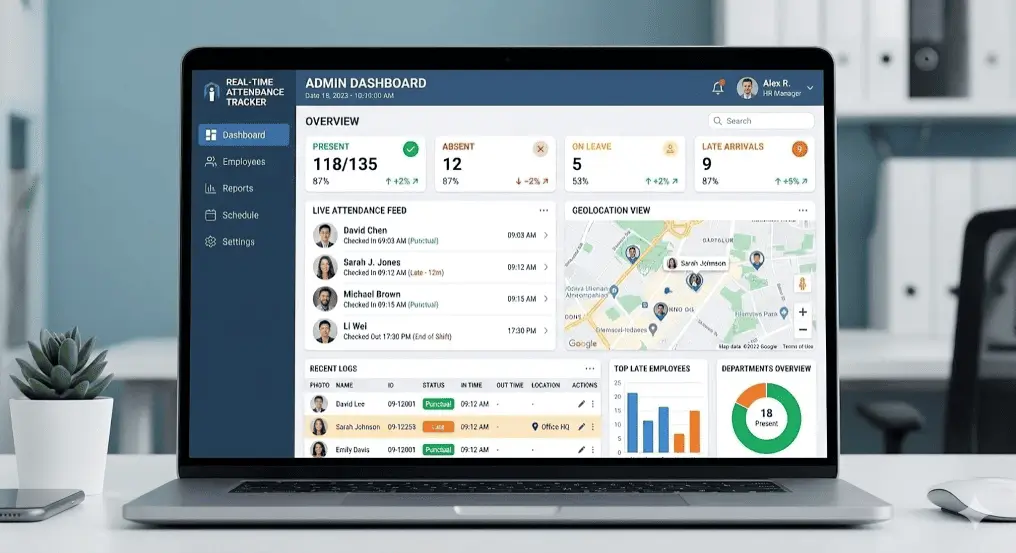
HRMS attendance tracking built for hospitals and healthcare
What is HRMS for hospitals?
HRMS for hospitals is a shift-based staff, attendance and payroll platform for healthcare. It schedules nurses, doctors and support teams 24/7, tracks duty and ward attendance, captures overtime correctly in a round, and reports the coverage and payroll across each hospital unit.
Best For
In This Complete Guide
By the end of this guide, you'll learn:
- Why a hospital cannot run on a generic office HRMS
- Designing 24x7 shifts and duty rosters for nurses and doctors
- Attendance measured by ward and department
- Overtime and night duty handling done fairly
- How duty rosters & coverage planning work
- Ward/department-wise reporting you will use
- Payroll and compliance for the hospital staff
- Evaluating a healthcare HRMS
- Frequently asked questions
Table of Contents
Why the hospital cannot run a generic office HRMS
A hospital is open all night and never declares a weekend. Coverage is the aim, not a pair of punches at an office clock.
In an office, "attendance" is a person checking in and out. In a hospital it is a bed, a ward, a surgery theatre that must never sit empty. A nurse does not simply "clock out" when a shift ends if the next duty is queued behind; a junior doctor on night duty stays through rounds. An HRMS for healthcare is designed around those responsibilities and does not fight the staff every morning.
So instead of forcing staff into a general fixed clock, you start from a per-ward duty roster. Healthcare HRMS is a category of its own for exactly this reason, and it is why this guide treats it separately.
Designing a 24x7 shift for a hospital
The classic morning / afternoon / night pattern is the backbone of a hospital, and all three must run at once on any given day.
You define your own patterns, say 07:00–15:00, 15:00–23:00 and 23:00–07:00 (or a 8–8 rotation), each with its own break, swap rule and "duty still running" behavior. The engine then knows that a nurse who starts at 22:30 on the 5th belongs to the night duty of the 5th, even though she leaves at 06:00 on the 6th.
| Feature | Office HRMS | Hospital HRMS |
|---|---|---|
| Shift scope | Single 9–6 | Multiple day/night duty patterns |
| 24x7 coverage | No | Live overnight |
| Night-cross punch | Fix manually | Solved automatically |
| Roster | Optional | Ward & coverage-centric |
| Nurse swap | Reconfigure | Single-click reschedule |
Duty roster planning done without spreadsheets
At rosters, hospital managers live. A ward needs X nurses in night, Y floor assistants, one ICU nurse at all times.
With a roster module, you assign shift and ward per person for a week or a month in a grid. Available and needed is checked live; where a gap exists, the system shows a yellow flag. A night ICU nurse goes on leave? The roster manager moves a colleague, and both the nurse and the ward update in seconds.
Coverage tip: Rely on the "short & long" report each week, the difference between staff that must be assigned and that it's actually called. It is the base of every good hospital staff audit.
Attendance measured across wards, floors and departments
All time in a hospital is not uniform. Registration, ICU, OT, wards, post-operative recovery and a doctor's floors all behave differently.
A hospital HRMS attaches the punch point, a device or the mobile app, to the ward itself. That way the "I was in ICU" answer can actually be verified. With attendance marked to wards, the admin tracks not just present or absent but whether a floor was adequately staffed at any given hour.
Clinic Ward Flow
Attendance nodes at ward, OT, primary and each busy floor.
Role Category
Nurse, doctor, technician, pharmacist and support tracked separately.
Mobile Mark-In
Mark in at ward or floor via app or device without any queue.
Roster-matched shifts
Attendance is judged against the assigned duty rather than a simple in-out.
Night duty, overtime and rotation that feel fair
When a night staff calls in sick, someone has to stretch their shift. Without a single source of truth, those long hours turn into arguments at month end.
A hospital HRMS captures overtime from the minutes worked beyond the scheduled duty, multiplied at the correct rate slab for day, night or weekend. It also flags a nurse who has already logged too many night rows in a week, so the roster can rotate her and protect both patients and staff safety. That single flag quietly prevents burnout and attrition.
Many care units also run a "duty overtime" practice where extra hours are partly paid in cash and partly converted into compensatory leave. The engine handles both sides at once, so nothing is lost or double-counted.
Fairness pro: Among the most common nurse grievances are overtime written off or underpaid. Choose a system that shows the OT hours to staff through self-service before payroll closes.
Ward and department-wise reports you'll actually use
The report a hospital operations manager needs is rarely a single attendance percentage. More often it is "How was ICU covered last night, cover or short?"
- Coverage per ward, per shift, for any chosen date.
- Night vs day ratio so overtime rotations don't skew the picture.
- Overtime totals for nurses, doctors and technical staff.
- Unplanned absence per department in the last week.
- Wage cost per unit to budget the next quarter.
When the head of nursing asks "who covered the night in July", a well-designed report answers in a few seconds instead of a day spent merging spreadsheets.
Payroll and compliance for hospital staff
Hospital pay has more moving parts than most: base, role-based grade, night component, overtime, allowances and medical deductions.
The payroll engine ties the roster, attendance and overtime together and pays each profile, be it a nurse, ward boy, technician or doctor, on its own salary components. Statutory items like PF, ESI and PT are applied per earnings, and the night premium that clinical staff earn is reflected through the documented hours rather than a guess.
Payslips land in self-service. A nurse logs in to verify pay, tax, leave and statutory figures, which cuts the daily grumbling at the counter. Everything feeds forward through shift management.
Evaluating a healthcare HRMS
Don't read the brochure. Run a roster demo on your own hospital's actual stress case.
- Run a night shift across 2 weeks & check the cross-day closes to the correct day.
- Move a nurse off a ward & confirm the swap and live coverage update.
- Render the ward-level attendance report your ICU manager needs.
- Capture a rotation overtime claim and pay it with the night component.
- Connect a biometric device and confirm the punches flow in.
When you're set, talk to our healthcare team about a MegaMind HRMS road; we help.
Every Role and Department a Hospital HRMS Must Know
A hospital is not one workforce; it is many several, each with different pay components, shifts, and compliance needs. A healthcare HRMS models this variety instead of flattening it into a generic employee file.
| Category | Typical Roles | What the HRMS Must Track |
|---|---|---|
| Clinical doctors | Consultants, residents, medical officers | Duty rosters, night on-calls, OPD hours, professional grade allowances |
| Nursing | Staff nurses, ward sisters, ICU nurses | Three-shift rotations, night-duty premiums, ward-wise punches, OT |
| Paramedical | Technicians, lab assistants, dieticians, physios | Department attendance, equipment-based shifts, skill allowances |
| Support staff | Ward boys, cleaning, security, pantry | Multi-site campuses, shift patterns, statutory PF/ESI tracking |
| Administration | Reception, billing, HR, accounts, stores | Office hours, informal shifts at OPD counters, leave and payroll |
| Contract staff | Housekeeping vendors, outsourced guards, trainees | Validity windows, vendor-linked records, contractor compliance |
Getting each category's duty rules right matters because payroll applies different components to each. A nurse's night premium, a resident's allowance, and a ward boy's basic shift cannot share a single rule template. Once the categories exist in the system, rosters, attendance, overtime, and payslips all inherit the correct behaviour automatically.
The Dummy Attendance Problem in Hospitals
Hospitals have a specific attendance failure pattern that office systems rarely see: a nurse marks in for a colleague, a ward punches on a shared device for the whole floor, or an on-call doctor's presence is "assumed" without proof. These dummy attendance habits quietly corrupt payroll and coverage.
The classic setup that allows dummy attendance is a single shared device at a nursing station. One person swipes the card or touches the biometric reader for everyone on shift, then the roster is built from hope. The hospital HRMS closes this in three ways: identity checks on every punch, ward-tagged devices so the location matches the claim, and exception flags when one device logs implausible sequences.
- Face or fingerprint verification at the ward device instead of a shared card on a desk
- Mobile mark-in with selfie and GPS for doctors on rounds and visiting consultants
- Rule that flags many employees punched from one device in a short window
- Roster-matched attendance so a "present" punch still needs the right ward and shift
- Audit trail for every manual correction, so fixes stay traceable through payroll
Note: The most valuable anti-dummy feature is a live coverage screen. When the head of nursing sees exactly who is physically on each ward at any hour, the incentive to fake punches disappears — coverage becomes visibly tied to real presence.
Statutory Compliance, PF, ESI & Night Duty for Hospitals
Hospital payroll sits inside a web of statutory obligations that vary by staff type, wage, and state. A healthcare HRMS keeps these rules current instead of relying on a spreadsheet updated once a year.
PF (Provident Fund)
Employee and employer contributions are computed per payroll cycle and filed with the correct codes, including for support staff whose wages fall in the covered bracket.
ESI
Employees below the wage threshold are covered under ESI with employer and employee contributions, and late or wrong deductions are caught by in-system checks.
Professional Tax
PT slabs differ by state; the system applies the correct deduction for every employee location, including Delhi NCR staff across different state boundaries.
Night duty & welfare records
Night premium hours, weekly rest, and overtime registers are maintained so the hospital can demonstrate fair payslips and complete records during audits.
Beyond deductions, hospitals also maintain attendance registers, wage registers, and overtime statements required by labour laws. When these are generated automatically from verified attendance, the compliance team's month-end effort drops from days of filing to a single review.
Leave Management for a Hospital Workforce
Leave in a hospital is not a personal calendar convenience; it is a coverage event. When a night ICU nurse is sick, someone else must cover. Leave management in a healthcare HRMS plans for that impact before the day arrives.
Different staff groups get different leave entitlements: clinical staff may accrue comp-off for the Sundays worked across a month, nursing staff earn extra leave for night rotations, and contractual staff have no-leave or limited paid leave policies. The system should hold these policy differences cleanly, apply them to balances, deduct them from attendance, and feed them into payroll in one flow.
- Policy templates per role: doctor, nurse, technician, support, contract
- Comp-off earned automatically for Sunday and holiday duty from verified punches
- Leave requests validated against minimum ward coverage before approval
- Sick leave linked to a note where the hospital policy requires one
- Maternity and paternity leave tracked separately for compliance and planning
- Balances visible to staff through self-service, ending "how much leave do I have?" queue calls
Mobile for Hospital Managers and On-the-Go Staff
Hospitals run on movement. Ward managers are on the floor, doctors are in surgeries, and HR cannot wait for a desktop to make a coverage decision at 11 pm. A mobile-first healthcare HRMS puts the essentials on the phone.
For staff, the mobile app handles mark-in at the ward with face or GPS selfie, leave requests and balances, payslips, and duty roster viewing. For managers, the same app shows live coverage per ward, approves or swaps roster changes in two taps, and reviews exception and overtime reports while on rounds. Waiting until the shift is nearly empty is no longer the only way to notice a gap.
Ward mark-in on mobile
Face or GPS-verified punches from the exact floor give presence proof without a device queue.
Live roster & swap
Managers see today's coverage and approve a shift swap from the OPD floor before a gap forms.
Self-service payslips
Nurses verify overtime and night premium on the phone, cutting the month-end counter queue.
Cost, Pricing & ROI of an HRMS for Hospitals
Hospitals often postpone HR technology because "payroll already works somehow". But the hidden costs of roster spreadsheets and dummy punches are real and recurring. Here is how hospital leaders evaluate the investment.
Most healthcare HRMS products are priced per employee per month, with device costs for biometric or face readers where wards need them, and a one-time implementation and training charge. Larger hospital groups negotiate enterprise plans covering multiple campuses, contract staff, and custom statutory rules. There is no universal price, so compare against what a manual process actually costs each month.
Recovered overtime errors
Wrongly paid or disputed night overtime is often the single largest recovery item. Verified punches pay exactly the hours worked.
Fewer payroll man-days
A hospital payroll team that spends a week merging rosters and Excel files each month moves to a review-and-run cycle in hours.
Better retention signals
Fair night rotations, verified overtime, and visible leave balances reduce the burnout grievances that drive nursing attrition.
Implementing an HRMS in a Live Hospital without Disruption
A hospital cannot pause its wards for a software rollout. The practical sequence is phased, respects the duty cycle, and keeps coverage intact at every step.
Map roles, wards & shift patterns
List departments, wards, roles, and every shift pattern before configuring any attendance rule.
Load a real month of roster data
Import one past month of rosters and payslips to validate rules against what staff actually earned.
Pilot one ward and one admin desk
Go live on a single ward and the HR desk, compare to the old register, and tune coverage rules.
Train floor managers & roll out shift by shift
Extend ward by ward and shift by shift, with 15-minute floor-side training for nursing leads.
Review the first full pay cycle
Reconcile the first payroll run against the previous month end-to-end before retiring the old sheets.
Night Rotations, 8 vs 12 Hour Shifts & Weekend Duty
The classic three-shift day is only the beginning. Modern hospitals also run 12-hour stretches, weekend premium duty, on-call pools, and rotations designed to respect both service needs and staff fatigue. The HRMS must express all of these honestly.
| Pattern | Typical Use | HRMS Considerations |
|---|---|---|
| Three-shift 8 hrs | General wards, OPD, most floors | Cross-midnight night duty closes to the correct calendar date |
| 12-hour rotation | ICU, emergency, trauma | Long-shift OT thresholds and fatigue-aware rotation rules |
| Weekend premium | Surgery, labour rooms, pharmacy | Extra rate component applied to weekend duties only |
| On-call / standby | Senior residents, cardiology, neurology | Standby allowances tracked separately from attendance punches |
| Guest/consultant visits | Visiting specialists on fixed days | Session-based attendance and per-visit pay components |
A good rule of thumb: any shift definition should capture its real hours, break windows, and overtime rules, so the roster decides who works and payroll decides how they are paid without a second manual step. Night-duty fatigue limits, like capping consecutive night rows, become policy rules the system enforces rather than a ward sister's guess.
Coverage tip: Review the "night ratio" each week — the share of a team's total hours that fall overnight. When it drifts, rotate before burnout turns into last-minute sick calls.
Attendance Devices & Punch Points for Hospital Wards
Where and how staff punch determines whether the attendance record is reliable. Hospitals combine a few device types, each suited to a different part of the campus.
Face recognition readers
Ideal near nursing stations and staff entrances: contactless, hygienic, mask-aware, and fast enough for shift changes without a queue. Nurses keep their gloves and masks on.
Fingerprint devices
A cost-effective option for admin corridors and support staff areas, where contact and moisture are less of a factor than on clinical floors.
Mobile app with GPS & selfie
For doctors on rounds, visiting consultants, and staff moving between campuses, the mobile app records presence with face or GPS proof at the exact ward.
RFID / access cards
Used where access control already exists, such as secure wings, pharmacy stores, and blood banks. Attendance rides the same card as door access.
Note: Whatever the device, the critical setting is that each punch point is mapped to a ward or floor. A punch from the second-floor device must not count as presence in ICU — ward-tagged punches are what make ward-wise reports trustworthy.
Dashboards Hospital Operations Teams Actually Use
The purpose of any hospital HRMS is a calm operations view: who is where, is any ward short, and what did it cost. These are the dashboards that answer those questions without delay.
Live ward coverage
A tile-map of wards showing present staff vs required, with red flags on gaps — refreshed continuously from real punches.
Night shift view
Overnight roster vs actual presence each hour, so the night coordinator sees a gap before it becomes a patient-safety issue.
Dept cost summary
Labour cost per unit for the month — wages, OT, and allowances — packed into a budget view the finance team can trust.
Overtime watch-list
Staff who keep crossing OT thresholds, so HR rotates them before cost or fatigue compounds.
Absence early alert
Unplanned absences flagged within hours of a missed shift, not discovered a week later in payroll.
Statutory health bar
PF/ESI/PT contribution summaries with filing deadlines so compliance never becomes a fire drill.
Common Mistakes When Selecting a Hospital HRMS
Most failed hospital HRMS projects fail in evaluation, not operation. These are the mistakes we see most often, and how to avoid each one during the demo stage.
Buying an office HRMS
Coverage, night crosses, and ward attendance are the core of hospital work. A general 9-to-5 HRMS will fight your staff every single day.
Skipping the real roster test
Demo with your own night roster and a real cross-midnight shift. If the demo data comes only from the vendor's brochure, the cross-day closes are unverified.
Ignoring the nursing workflow
If the ward sister cannot swap a shift or approve leave from the floor in under a minute, the system will be bypassed with WhatsApp.
Forgetting contract staff
Outsourced housekeeping and security staff are a large share of hospital headcount. The HRMS must model contractors with validity windows and vendor tracking.
Rigid statutory rules
PT slabs, ESI thresholds, and overtime norms change. Confirm the vendor updates statutory masters and that your state rules are configurable.
No parallel-run plan
Going live without comparing one real payroll cycle against the old register turns every error into a month-end crisis. Always plan a parallel run.
Hospital HRMS Buyer's Checklist
Use this checklist during demos, reference calls, and contract negotiations. It covers the specific circumstances of a hospital, not generic HR features.
- Do shifts handle cross-midnight night duty closes automatically?
- Can attendance punches be mapped to the actual ward or floor?
- Does overtime compute per role with correct day/night/weekend rates?
- Can the roster show live coverage and flag ward gaps?
- Does it model nurses, doctors, technicians, support, and contract staff separately?
- Are PF, ESI, and PT rules current and configurable per state?
- Do managers and nurses have a working mobile app for roster, swap, and pay?
- Can I run one full payroll cycle in parallel before cutting over?
- Is there an audited correction path for the inevitable human edits?
Staffing Coverage: From Roster Grid to Ward-Level Confidence
Hospitals plan staffing against hard coverage standards — a minimum number of nurses per occupied bed, at least one ICU nurse at every hour, a pharmacist in the dispensary during OPD hours. An HRMS turns those standards into a live planning tool instead of a Sunday-night panic calculation.
The roster builder starts by modelling each ward's required staffing per shift. That becomes the baseline the grid fills against. When a nurse is marked on leave, the system immediately recomputes the affected ward's coverage and shows the resulting gap. Supervisors can then fill the slot from a list of eligible colleagues, and once filled, attendance and overtime expectations update for everyone involved in the swap.
| Roster Scenario | Manual Spreadsheet | Hospital HRMS |
|---|---|---|
| Checking nightly ICU coverage | Manually count names per night | Live coverage screen, flag where short |
| Nurse goes on sick leave | Phone calls to find a substitute | Gap flagged; eligible colleagues listed |
| Shift swap approved | Notes in a register, dates cross-checked | Roster, attendance, OT update together |
| Month-end roster audit | Reconcile papers for days | One report with full history |
Coverage planning is also where fairness lives. When the roster is built against clear rules and visible coverage, night-duty load spreads fairly among eligible staff, and last-minute "you're on tonight" messages stop being a surprise. The grid becomes a shared, trusted plan rather than a personal favour.
Integrating HRMS with Hospital Management Systems
A hospital already runs clinical and management systems — HIS/HMS for patients and billing, pharmacy and lab modules, and a master patient index. The HRMS is not a replacement for those; it is the workforce layer that feeds them.
Practical integrations include sharing the employee master with departments that need it, pushing validated staff attendance to payroll and cost-centre reports, and passing rosters to the modules that schedule OPD slots or theatre time. Two-way data flows keep the HR side current without double entry, and a stable API or standard export makes the connection reliable rather than a fragile script that breaks every upgrade.
- Employee master shared once with all consuming modules
- Attendance, OT, and leave exported to payroll in the format your software expects
- Rosters and shift schedules visible to theatre and OPD planners
- Cost-centre summaries by department for finance
- Access control devices fused with attendance besides secure wings
Note: Ask during any demo how integration is delivered today, not next quarter. A hospital that buys a product with "integration coming soon" often ends up running two payrolls for a year.
How the Right HRMS Helps Retain Nurses and Doctors
Nursing and clinical attrition is driven as much by opaque hours and disputed pay as by workload itself. An HRMS that makes every hour visible and every payslip verifiable directly addresses the root complaint.
When a nurse can see her night-hours, overtime, and comp-off balances on her phone, the month-end disputes simply stop. When the roster rotates night duty fairly and openly, the "everyone else gets Sunday off" feeling fades. And when a nurse who worked extra during a flu surge sees that overtime appear correctly on her payslip, trust in the employer grows in a way no HR email can reproduce.
Transparent hours
Every punch, OT minute, and comp-off accrual is visible to the employee in self-service before payroll closes.
Fair rotations
Anti-fatigue rules cap consecutive night rows and distribute weekend duty, so staffing feels balanced.
Predictable support
Leave balances and swap requests work instantly on the floor, removing the "ask four people" loop of manual staffing.
Department and Ward Reports in Detail
Beyond a single attendance percentage, hospital operations need specific, answerable reports. These are the ones worth putting on the demo list.
Coverage per ward per shift per date
The single report that answers "was the night covered?" for any ward, on any date, in seconds — with the rosters behind it.
Overtime by department and role
OT totals per department, per role, per month, so cost and fatigue trends are visible before they become problems.
Unplanned absence per unit per week
A rolling view of sick calls and no-shows per ward, so patterns and over-used wards are named quickly.
Night vs day hour ratio
An honest split of hours worked overnight versus day, keeping rotations and premiums in balance.
Wage and allowance cost per unit
Budget-ready labour cost per ward and department, with components, ready for monthly financial review.
Statutory register export
PF, ESI, and PT detail in the format your accountant or compliance officer expects, without manual re-typing.
Scaling from a Nursing Home to a Hospital Group
The HRMS you choose for one hospital should survive the group's growth: new campuses, a nursing school, added departments, and thousands of staff. Scalability is tested by configuration, not by stories of the vendor's biggest client.
As a single hospital grows into multiple campuses, the system must keep each campus's wards, rosters, and cost-centres separate while consolidating the group view for finance. Adding a nursing school means new units with student-intake periods and academic rosters. Expanding contract staffing means vendor-linked records at scale. All of this should be configuration — new wards, new shifts, new roles — rather than custom development.
Tip: Ask the vendor how their largest hospital client is configured. If adding a second campus requires a rewrite, that is a scaling limit you can see during the demo rather than after the contract.
A Day in the Life of a Hospital HRMS
To make a hospital HRMS concrete, walk through one working day. It shows how the same system serves the night coordinator, the ward sister, the payroll team, and the nurse all at once.
06:00 — Night shift hands over
Nurses on the 23:00–07:00 duty mark out on the ward reader. The system closes their punch to the correct date and totals the night hours for the roster that began yesterday evening.
08:00 — Day shift begins
Ward staff punch in; the coverage screen shows every ward filling its required numbers. A gap on ward 3 flags instantly so the supervisor can reposition staff.
11:00 — A nurse calls in sick
The sick leave is marked from the mobile app; the roster recomputes coverage and lists eligible colleagues. The ward sister approves a swap in two taps without phoning around.
14:00 — Consultant checks OPD sessions
A visiting consultant records a session in the app; the system connects it to attendance and the session-based pay component for the month.
17:00 — Payroll team reviews
With all punches verified and exceptions approved, today's data is already payroll-ready. No overnight re-typing, no merge of spreadsheets.
23:00 — Night duty starts with proof
The night nurse marks in; the system confirms the ward, the shift, and the identity, and the coverage board updates for the midnight hour.
Takeaway: Every touchpoint of the day — clock-in, sick leave, swap, session, payroll — runs on the same verified record. That single thread is what makes hospital HRMS reliable where spreadsheets fail.
Hospital HRMS Across Delhi NCR and India
From multispecialty hospitals in Delhi and Noida to district hospitals and clinic chains in tier-2 cities, healthcare HR needs are the same in essence: coverage, night duty, ward-tagged attendance, and compliant payroll. Regional differences show up mainly in statutory and labour details.
In Delhi NCR, professional tax slabs differ between Delhi, Noida (UP), and Gurugram (Haryana), so a group with campuses on three sides of the border needs PT rules applied per campus. Minimum wage notifications for support staff also vary by state and occasionally by occupation. A configurable statutory engine handles this without separate maintenance per site.
Multispecialty hospitals
Many departments, heavy on-call pools, and dozens of roles need one unified roster and coverage view.
Nursing homes & clinics
Small teams still run night cover and weekend duty; a simple shift-first HRMS scales down cleanly without enterprise complexity.
Diagnostic labs & chains
Sample-run shifts, technician rosters, and collection-centre staff combine into starting attendance and payroll across branches.
Tip: Ask the vendor to show current statutory masters for the states where your hospitals sit — not a brochure list, but the actual PT slabs and ESI thresholds in the demo system.
When a Hospital Needs a Dedicated HRMS
Some small clinics can survive on a simple payroll tool and a paper roster. The point where a hospital genuinely needs a healthcare HRMS shows up in a few concrete symptoms.
Symptoms you need one now
- Payroll takes more than a week because rosters live in Excel
- Night shifts are tracked in WhatsApp messages
- Ward coverage is discovered after the fact, not planned
- Overtime is disputed every month at the HR counter
- Nurses cannot see their own leave balances or payslips easily
What you gain by switching
- One verified attendance register for every ward and shift
- Payroll closed in hours with OT and night premiums automatic
- Live coverage so gaps are fixed before they matter
- Statutory registers generated, not hand-built
- Staff self-service that ends counter queues and disputes
If even two or three of the symptoms above describe your hospital, a shift-first healthcare HRMS is not a luxury purchase — it is the cheapest way to stop paying for rosters and coverage problems twice, once in staff time and once in payroll errors.
Hospital Payroll Components, Simplified
Hospital payslips are dense: basic, allowances, role grade, night premium, weekend premium, overtime, incentives, and deductions. A healthcare HRMS assembles these per employee profile so the payslip is correct before it reaches the staff member.
| Component | How It Is Computed | Typical Use in Hospitals |
|---|---|---|
| Basic + DA | From the employee grade and joining record | Foundation for all percentage-based allowances |
| Role & skill allowance | Fixed or percentage component per role | ICU, OT, and specialised roles earn differentials |
| Night premium | Multiplied from verified night-duty hours | Nurses, residents, and technicians on overnight duty |
| Weekend/public-holiday premium | Rate applied from roster and calendar | Surgery, emergency, and pharmacy weekend cover |
| Overtime | Minutes beyond scheduled duty × OT rate | Flu surges, staff shortages, extended theatre time |
| Leave pay adjustments | Deductions or leave encashment per policy | Causal/sick leave, comp-off encashment at exit |
The payslip itself becomes a transparency tool. When every hour that earned a premium is visible on it, and the same data sits in the employee's self-service view, the month-end grievance queue empties. That is typically the first win hospital payroll teams notice within a pay cycle of going live.
Helping Hospital Staff Adopt the New System
Hospital staff are skilled at their clinical jobs, not at new software. Adoption fails when the system is dropped on a busy ward without a plan. A few deliberate steps make the difference between a tool that is used and one that is bypassed.
- Run ward-side, ten-minute sessions for nursing leads during shift handover gaps rather than one big classroom day
- Keep a printed one-page sheet at each nursing station covering mark-in, leave, swap, and payslip basics
- Name a "floor champion" per ward who answers day-to-day questions and feeds back issues to HR
- Show quick, visible wins in week one: a payslip everyone can verify, a swap done in seconds, a coverage gap caught early
- Run a generous exception policy for the first month to protect honest mistakes while habits form
Note: The personal phrase matters too. When staff hear "this proves the hours you actually worked" instead of "we are tracking you", usage follows. Frame the system as the staff member's evidence bank, not surveillance.
Frequently Asked Questions (FAQs)
1. What is HRMS for hospitals?
HRMS for hospitals is a staff platform built for nurses/doctors and support that manages shift schedules, duty rosters, attendance, overtime, ward reporting and payroll for healthcare.
2. Can hospital HRMS manage 24x7 shifts?
Yes. It runs day and night shifts all week, handles overnight changes correctly and adjusts scheduled hours automatically.
3. How is shift and doctor attendance tracked?
You use biometric/app in device attached to the ward and line; the system matches it to the roster and flags lot and mismatch.
4. How are duty rosters organized?
A roster assigns each person to ward/shift for the month, live coverage shows the gaps and swap is kept in place.
5. Can it report overtime and a shift?
Yes. Extra hours beyond scheduled shifts are captured, multiplied by the correct & slab and paid in the payslip.
6. Can it handle ward-wise reporting?
Yes, coverage, OT and absence are capable for ward and department level for ops and night.
7. Does it support compliance and statutory?
PF, ESI, PT done, registers kept, payslips/statutory holds for audit in a hospital.
8. Why a distinct healthcare HRMS?
Because a hospital cannot run workforce in a fixed 9–5 office; only a shift-first system models night covers.
9. Can staff transfer shifts easily?
Yes, change a ward/swap in roster and the populates benefits into attendance, OT and balance.
10. Is it cloud and mobile?
Yes, managers use the roster, night relief switching and coverage can be done remotely on mobile.
11. How does a hospital HRMS handle ward-wise attendance?
Each punch point — a face device, fingerprint reader, or mobile mark-in — is mapped to a ward or floor. Attendance is then reported per ward, so "present in ICU" can be verified rather than assumed.
12. Can it manage doctors on rounds and visiting consultants?
Yes. Doctors and consultants use the mobile app to mark presence at the ward with face or GPS selfie proof, and session-based attendance handles fixed visiting days and per-visit pay components.
13. How does it prevent dummy attendance?
Identity checks on every punch, ward-tagged devices, flags for one device logging many employees, and roster-matched attendance together make it hard to mark a colleague present from a shared desk.
14. Can it compute statutory deductions for hospital staff?
Yes. PF, ESI, and professional tax are deducted per employee earnings and wage bracket, and registers plus payslips are generated to support compliance and audits.
15. Can contract and housekeeping staff be managed?
Yes. Contract staff are enrolled with a validity window and vendor-linked records, separate from permanent employees, so their presence and payroll remain distinct and auditable.
16. Can nurses see their payslips and leave on their phone?
Yes. Employee self-service on mobile shows attendance, overtime, leave balances, and payslips, which sharply reduces month-end queues and disputes at the HR counter.
17. How long does a hospital HRMS implementation take?
A single-hospital rollout with roster data ready can typically go live in a few weeks, with a pilot ward running in parallel before full deployment. Multi-campus hospital groups plan over a month or more.
18. Is hospital HR data safe and accessible?
Reputable cloud products encrypt data in transit and at rest, restrict access by role, and back up records. Mobile and web access remain secure while staff and managers work from the floor or from home.
19. Can it handle nursing schools and training rolling intakes?
Yes. Nursing schools and training batches are modelled as separate units with student-intern attendance, academic-period rosters, and validity windows, separate from hospital payroll staff.
20. How does the HRMS tie into a hospital's existing systems?
Attendance and payroll data integrate with hospital management systems through standard exports and APIs, so staff files, rosters, and payslips sync where the hospital already keeps its master records.
MindWave HRMS, Built by Megamind Technosoft
When you are ready to choose, start with the vendor who built the software behind this guide. Rosters, shift cycles, and 24/7 staffing for healthcare are pre-tuned in our HRMS. Megamind Technosoft is an ISO 27001-certified HRMS and attendance software company in New Delhi, and its flagship product - MindWave HRMS - unites biometric and face attendance machines, mobile GPS attendance, leave, employee self-service (ESS) and payroll into one accurate, payroll-ready record built for Indian businesses, schools, hospitals and factories.
From a Delhi NCR office to pan-India rollout, our team handles biometric installation, face and fingerprint devices, mobile GPS apps and payroll statutory rules in one contract. You get a local partner who installs on-site in Delhi, Noida and NCR, plus India-time phone and WhatsApp support - not just a toll-free number.
- Company: Megamind Technosoft Solutions Pvt. Ltd.
- Product: MindWave HRMS - Attendance, Leave & Payroll
- Address: 3rd Floor, C-41, Pandav Nagar Complex, New Delhi - 110092, India
- Phone: +91-7982869398 | +91-9818442254
- Email: sales@megamindindia.in
- Website: www.megamindindia.in
- Timings: Mon - Sat, 9:30 AM - 6:30 PM IST