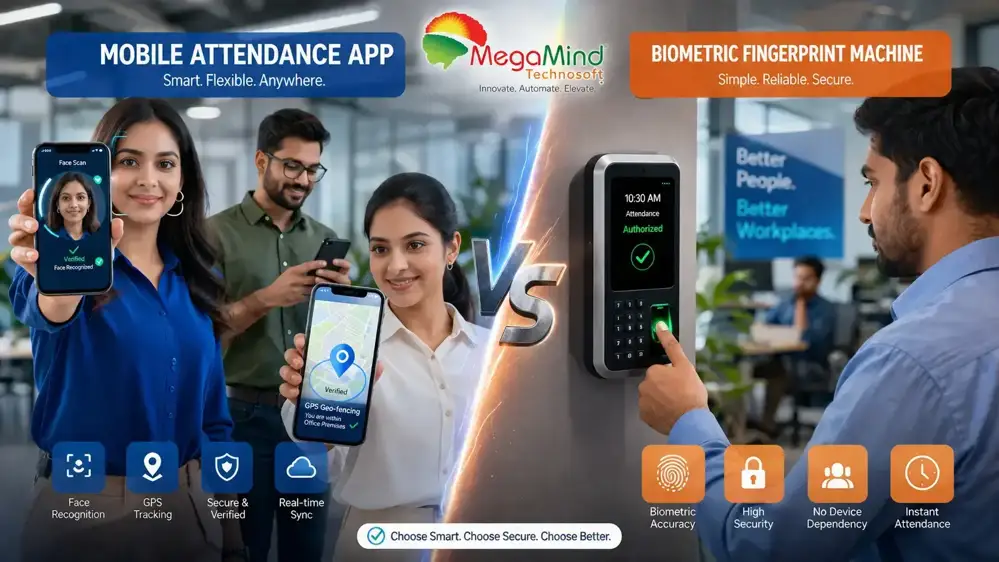
Mobile App vs Biometric Attendance Comparison
Mobile App vs Biometric Attendance: Which Is Better?
The best choice depends on how your employees work. Mobile attendance apps are ideal for remote, field and hybrid teams because they add GPS, geo-fencing and face checks to a smartphone, while biometric systems deliver the strongest identity verification for fixed workplaces like offices, factories and hospitals. Many businesses get the best results by combining both in one hybrid attendance platform.
Table of Contents
What Is a Mobile Attendance App?
A mobile attendance app is a cloud app that records attendance from a smartphone. The app checks the punch with GPS, geo-fencing, QR codes, face or PIN. No extra attendance hardware is needed.
Most staff already carry a smartphone. So mobile attendance removes the fixed device. A sales person checks in at a client site. A technician logs a field visit. A remote employee punches from home. Every record lands in the same register that payroll reads later.
GPS attendance
The app records where the punch happened, giving managers a live view of field operations.
Geo-fencing
Attendance is accepted only inside an approved radius around offices, sites or customer premises.
Selfie & face verification
Optional liveness check confirms it is really the employee who is punching in.
QR code attendance
Employees scan a site QR to check in - fast, contactless and hard to share across locations.
Shifts & history
Shift scheduling, attendance history, leave requests and notifications live in one app.
Employee self-service
Employees check their own punches, raise corrections and track approvals without HR.
How mobile attendance works, step by step
- The employee opens the attendance app on their smartphone.
- GPS verifies the employee's current location.
- A geo-fence confirms the location is inside an approved work area (if configured).
- The employee marks attendance with one tap.
- An optional selfie or facial verification strengthens the record.
- The attendance record uploads to the cloud.
- Managers review attendance in real time.
- Approved attendance synchronizes directly with payroll.
Advantages
- Perfect for remote and hybrid work: attendance can be marked from approved locations without visiting the office.
- GPS verification: managers know where the punch was recorded, improving field transparency.
- Lower hardware investment: employees already own smartphones, so no dedicated devices are needed.
- Faster deployment: cloud-based rollout can reach multiple locations in days.
- Better employee experience: attendance, shifts, leave balances and notifications in a single app.
Limitations
- Depends on internet connectivity for real-time synchronization, though most apps buffer punches offline.
- GPS accuracy can vary indoors and in dense urban areas.
- Requires employees to carry compatible smartphones.
- Strong location and device security policies are important to prevent misuse.
Pair location with identity: the most reliable mobile attendance combines GPS or geo-fence plus an optional face check, because location alone can sometimes be spoofed.
What Is a Biometric Attendance System?
A biometric attendance system records attendance by verifying a unique physical characteristic - a fingerprint, facial features, or a palm pattern. Because these traits are difficult to replicate, biometric attendance delivers a very high level of identity verification and is the strongest defence against proxy or buddy punching at fixed work locations.
Modern devices extend well beyond the old fingerprint reader. Face recognition terminals with liveness detection, multi-biometric machines, and RFID-plus-fingerprint combinations all feed the same attendance database, so the record is accurate and payroll-ready.
Common biometric technologies
Fingerprint recognition
The proven workhorse of attendance, fast and familiar for fixed workforces.
Face recognition
Contactless and ideal for manual workers whose hands are dirty or gloved.
Palm & multi-factor
Palm scans and multi-biometric devices add another layer where security matters most.
How biometric attendance works
- The employee approaches the biometric device at the entry point.
- The system captures the biometric input - fingerprint, face or palm.
- The captured data is matched against the enrolled template.
- If verified, attendance is recorded automatically.
- The record synchronizes with the attendance management system.
- Payroll and reporting modules use the verified data.
Advantages
- High identity verification: employees cannot easily mark attendance for someone else.
- Accurate records: fingerprint and face checks raise confidence in every punch.
- Excellent for fixed workplaces: offices, factories, warehouses, schools, hospitals.
- Seamless payroll integration: verified data flows straight into salary calculation.
- Reduced administrative effort: automatic capture minimizes manual corrections.
Limitations
- Requires dedicated hardware at each site.
- Installation and maintenance cost more than mobile-only solutions.
- Less suitable for employees who mostly work in the field.
- Device availability is tied to fixed locations unless portable units are deployed.
Security depends on the model you choose: older fingerprint units without liveness checks have documented workarounds. Face recognition with liveness and modern fingerprint sensors close those gaps, so compare the hardware generation, not just the price.
Mobile vs Biometric: Quick Comparison Snapshot
Both systems automate attendance tracking, but they solve different business problems. Here is the thirty-second summary before the deeper comparison.
| Feature | Mobile Attendance App | Biometric Attendance |
|---|---|---|
| Remote employees | Excellent | Weak |
| Office employees | Good | Excellent |
| Manufacturing | Moderate | Excellent |
| GPS tracking | Yes | No |
| Fingerprint authentication | No | Yes |
| Face recognition | App dependent | Device supported |
| Geo-fencing | Yes | No |
| Hardware required | Smartphone | Biometric device |
| Initial cost | Lower | Higher |
| Payroll integration | Yes | Yes |
The real question is not which one is better in the abstract, but which one best fits your workforce, business model and long-term growth - and, in most organizations, whether a combination of both is the answer.
Feature-by-Feature Comparison
Selecting an attendance solution is not about chasing the newest technology; it is about finding the system that matches how your workforce actually operates. This comparison table walks through the business factors that matter most.
| Factor | Mobile Attendance App | Biometric Attendance |
|---|---|---|
| Hardware requirement | Smartphone | Dedicated device |
| GPS tracking | Yes | No |
| Geo-fencing | Yes | No |
| Fingerprint authentication | No | Yes |
| Face recognition | Optional | Common |
| Remote workforce support | Excellent | Limited |
| Office workforce support | Good | Excellent |
| Installation cost | Lower | Higher |
| Maintenance | Lower | Moderate |
| Scalability | High | High |
| Attendance accuracy | High with verification | Very high |
| Payroll integration | Yes | Yes |
| Multi-branch deployment | Excellent | Good |
What the winners look like per area
- Ease of deployment: mobile wins because employees only install an app and log in; biometric systems need device installation, networking and enrollment.
- Attendance accuracy: biometric wins because physical characteristics are hard to fake; mobile accuracy depends on how much verification is configured.
- Security in the office: biometric wins with fingerprint or face control at the gate; mobile wins for remote verification with GPS and geo-fencing.
- Offline capability: a slight edge to biometric because enterprise devices store records locally, though modern apps also buffer punches offline.
- Employee experience: mobile wins because attendance, history, corrections, shifts and leave all live in one app the employee already uses.
- Payroll integration: a tie - both methods feed the same payroll engines for working days, overtime, shift allowances and deductions.
Read the tie-breakers carefully: if your staff sits in fixed sites, biometric buys you identity confidence; if your staff moves, mobile buys you coverage. Neither column is "better" until you know your workforce.
Pricing, Total Cost of Ownership & ROI
One of the biggest factors in the mobile vs biometric decision is cost. The lowest-priced option is not always the most economical over three to five years, so evaluate the total cost of ownership (TCO) rather than the purchase price alone.
What drives the price of each solution
Mobile attendance pricing factors
- Number of employees
- Monthly or annual subscription
- GPS tracking and geo-fencing modules
- Face verification and liveness
- Cloud storage, ESS portal and analytics
- Payroll integration
Biometric attendance pricing factors
- Biometric hardware purchase
- Installation, networking and enrollment
- Software license and annual maintenance
- Device replacement over time
- Multi-location deployment
- Payroll integration
| Expense | Mobile Attendance | Biometric Attendance |
|---|---|---|
| Initial investment | Low | Medium to high |
| Hardware purchase | Not required | Required |
| Installation cost | Very low | Medium |
| Annual maintenance | Low | Medium |
| Device replacement | Not required | Possible over time |
| Cloud subscription | Yes (SaaS) | Depends on vendor |
| Software updates | Included in SaaS | Varies |
| IT infrastructure | Minimal | Moderate |
Implementation timeline
| Business size | Mobile Attendance | Biometric Attendance |
|---|---|---|
| Small business | 1-3 days | 3-7 days |
| Medium business | 3-7 days | 1-3 weeks |
| Enterprise | 1-2 weeks | 2-6 weeks |
Where the return comes from
Mobile attendance ROI shows up in reduced paperwork, faster submission, better field visibility and lower administrative effort. Biometric ROI shows up in reduced proxy attendance, accurate office records, reliable overtime data and stronger compliance. Both cut the hours HR spends reconciling attendance before payroll.
Lower upfront cost
Mobile has a clear edge on the first invoice because it reuses phones employees already own.
TCO over 3-5 years
Biometric TCO rises with hardware, maintenance and multi-location device rollouts.
Recurring labour cost
The cheapest device with no software still needs a person to reconcile data every month - often the biggest hidden cost.
Compare like for like: ask each vendor for the same items - platform licence, hardware, installation, training, annual maintenance and support - bundled into one number before comparing.
Which Solution Fits Your Business?
Workforce shape decides the answer. Remote and multi-location teams lean mobile; fixed workplaces lean biometric; mixed workforces lean hybrid. Match your own industry against the recommendation below.
| Industry | Best approach | Why |
|---|---|---|
| Manufacturing | Biometric | High identity verification at controlled factory entry points. |
| IT & services | Mobile | Hybrid and remote work, flexible shifts and self-service. |
| Construction | Mobile | Employees move between temporary project sites. |
| Healthcare | Biometric | Secure attendance for rotating shifts and continuous operations. |
| Retail | Biometric + mobile | Fixed store staff plus traveling managers. |
| Logistics | Mobile | Drivers and delivery executives work outside the office all day. |
| Education | Biometric | Fixed campuses with shift and department reporting. |
| Hospitality | Hybrid | Biometric for staff, mobile for outdoor and field teams. |
| Banking | Biometric | Secure, auditable records are non-negotiable. |
| Government | Biometric + mobile | Office devices plus mobile for field inspections. |
Companies that fit mobile attendance
Sales teams
Punch from customer sites with GPS verification.
Field engineers
Verify every service visit on location.
Delivery & logistics
Route-based attendance for drivers.
Construction
Payroll on new sites without installing hardware.
Remote & hybrid
Work-from-home records that payroll trusts.
Multi-city operations
One app across every branch and client.
Companies that fit biometric attendance
Manufacturing plants
Fast, secure punches at entry points.
Corporate offices
Strong identity checks for fixed staff.
Hospitals
Reliable records across 24/7 shifts.
Banks & government
Auditable, tamper-resistant attendance.
Warehouses
Face readers work despite dirty hands.
Retail stores
Per-store devices with centralized reports.
A real case: a 350-employee logistics firm with six branches used biometrics only at warehouses while its delivery executives worked outside. Attendance records were incomplete and payroll was delayed every cycle. Moving the field team to a mobile app with GPS and geo-fencing, while keeping devices for warehouse staff, cleaned the register and cut payroll correction time dramatically.
The Hybrid Approach: One Register for Office, Remote and Field Teams
If your workforce mixes desks and field visits, the hybrid approach is usually the answer - and it is simpler than most teams expect. The guiding rule is one attendance register that accepts every method, so payroll always reads a single source of truth.
The office team
A biometric reader at the gate with liveness checking - fast, touchless where possible, and payroll-ready on the spot.
The field team
A mobile app with GPS and geo-fencing around customer sites, so visits are verified at the location and time they happened.
One register
Both streams flow into the same attendance system, grade against the same shift rules, and reach payroll as one clean export.
The rule that makes hybrid work: agree the verification standard per employee group before go-live. Managers decide which team uses the device, which uses the app, and what the fallback is for a broken reader or a dead phone battery. With that decided in advance, the register stays clean and payroll never waits on a reconciliation puzzle.
For most growing businesses a unified Attendance Management System that supports both methods is the most scalable answer. It lets you move employees from one group to another without buying or removing hardware, and it gives HR a single dashboard whatever workspace each person works from.
Start hybrid and measure: pilot on one office floor plus one field team for three weeks and watch three numbers - failed or missed punches, payroll correction time, and how often employees need a manual override. Those three figures decide which method deserves to be primary far more honestly than a specification sheet.
Security & Data Privacy in an Indian Context
Either method you choose touches employee personal data. Mobile attendance records location and device identity; biometric attendance records fingerprints or facial templates. Both now sit inside India's data protection conversation, and the responsible approach is the same for both.
| Security feature | Mobile App | Biometric |
|---|---|---|
| GPS validation | Yes | No |
| Fingerprint authentication | No | Yes |
| Face recognition | Optional | Standard |
| Device authentication | Yes | Yes |
| Geo-fencing | Yes | No |
| Proxy attendance prevention | High with verification | Very high |
Mobile attendance data
- Explain that GPS location is captured only while punching, to verify work attendance.
- Retain location history only as long as attendance records require it.
- Limit admin access to the location trail so it is used for audit, not surveillance.
Biometric attendance data
- Store templates encrypted - never raw images - and only what matching requires.
- Collect consent at enrollment and document the purpose in a short policy.
- Delete the template on the day the employee leaves the organization.
The practical takeaway for buyers: ask the vendor where data is stored, whether it is encrypted in transit and at rest, how long it is kept, and how deletion works on exit. Vague answers signal a weak compliance posture - and that posture becomes your responsibility the day a dispute or inspection arrives. Aligning with the principles of the Digital Personal Data Protection Act is not a legal formality for attendance; it keeps a modern rollout defensible and employee-friendly at the same time.
Ask before you buy: data residency, encryption, retention periods and instant deactivation of a departing employee should all be contract items, not afterthoughts.
Buyer's Decision Framework & Common Mistakes
Choosing the right attendance solution is about matching the technology to your workforce. Use this framework to decide, then avoid the mistakes that most often turn a purchase into a second job for HR.
Choose mobile if you
Have remote employees, field sales teams, multi-city operations or work-from-home, and if GPS, geo-fencing, quick deployment or lower upfront costs matter.
Choose biometric if you
Run fixed workplaces, need to stop proxy attendance, operate plants or production facilities, or have strict compliance and entry-point control needs.
Choose hybrid if you
Have both office and field employees, run multiple branches, support hybrid work, or want one attendance database with unified payroll integration.
Five common myths to ignore
- Myth: mobile attendance is just a self-reporting checkbox. Reality: modern apps pair GPS pinning, geo-fencing and optional face verification, so the app records the actual location of the punch.
- Myth: biometric machines never let anyone cheat. Reality: older fingerprint units without liveness checks have workarounds; face recognition with liveness and newer sensors close those gaps.
- Myth: you must pick one and abandon the other. Reality: the most common production setup is hybrid - readers at the office, app for field staff, both writing to one register.
- Myth: mobile attendance needs good internet everywhere. Reality: most apps buffer punches offline and sync when connectivity returns, like a biometric device during a network outage.
- Myth: the cheapest option is the cheapest. Reality: a device with no software still needs a person to export and reconcile data monthly, and that recurring labour cost usually dwarfs the price difference in two years.
Common buying mistakes
Buying on price alone
The least expensive solution may not meet your security, scalability or integration requirements.
Buying hardware before requirements
Some organizations buy devices first, then discover half their employees never visit the office.
Ignoring hybrid work
Office, remote and field workers usually share one company; the platform should cover all three.
Overlooking integration
Attendance must feed payroll, leave, ESS and shift scheduling. Disconnected systems increase errors.
Underestimating employee experience
A difficult punch process reduces adoption and creates unnecessary support requests.
Questions to ask every vendor
Can mobile and biometric attendance work together in one system?
Which biometric devices and face terminals are supported?
Is GPS attendance and geo-fencing included in the base plan?
Can attendance be recorded offline and synced later?
Is payroll and leave integration included or an add-on?
How long does implementation take and is training included?
Test with your real users: run a pilot with actual employee names and sites instead of a fictional demo, so the issues your own workforce will hit surface before you commit.
Frequently Asked Questions (FAQs)
1. Which is better: Mobile Attendance or Biometric Attendance?
Neither is universally better. Mobile attendance is ideal for remote and field employees, while biometric attendance is more suitable for fixed workplaces requiring strong identity verification.
2. What is Mobile Attendance?
Mobile attendance allows employees to mark attendance using a smartphone, often with GPS, geo-fencing, and optional face verification - no dedicated hardware required.
3. What is Biometric Attendance?
Biometric attendance verifies employee identity using physical characteristics such as fingerprints or facial recognition before recording attendance.
4. Is Mobile Attendance accurate?
Yes. When combined with GPS, geo-fencing, and identity verification, mobile attendance provides reliable records for remote and field employees.
5. Can GPS prevent fake attendance?
GPS helps verify where attendance is recorded. Combined with geo-fencing and identity verification, it strengthens attendance validation, though organizations should implement appropriate policies and controls.
6. Is fingerprint attendance secure?
Fingerprint authentication provides strong identity verification for fixed workplaces and helps reduce proxy attendance.
7. Which solution costs less?
Mobile attendance generally requires lower upfront investment because it typically doesn't require dedicated attendance hardware.
8. Can one system support both attendance methods?
Yes. Many enterprise Attendance Management Systems allow organizations to manage mobile attendance and biometric attendance from a single centralized platform.
Conclusion
The mobile app vs biometric attendance debate is not about which technology is universally superior. It is about matching the right method - or the right combination - to the way your employees work. Mobile attendance wins for flexibility, GPS verification and remote teams; biometric attendance wins for identity confidence and fixed workplaces; and the hybrid register wins when your workforce includes both.
Evaluate workforce needs, integration capabilities, security and long-term scalability, and you will choose a solution that improves productivity, simplifies payroll and supports future growth. See the full picture in our attendance management guide, dive deeper into mobile attendance apps, and compare the cloud vs biometric approaches before you decide.
MindWave HRMS, Built by Megamind Technosoft
When you are ready to choose, start with the vendor who built the software behind this guide. Mobile-first and biometric attendance both feed one unified record in our platform. Megamind Technosoft is an ISO 27001-certified HRMS and attendance software company in New Delhi, and its flagship product - MindWave HRMS - unites biometric and face attendance machines, mobile GPS attendance, leave, employee self-service (ESS) and payroll into one accurate, payroll-ready record built for Indian businesses, schools, hospitals and factories.
From a Delhi NCR office to pan-India rollout, our team handles biometric installation, face and fingerprint devices, mobile GPS apps and payroll statutory rules in one contract. You get a local partner who installs on-site in Delhi, Noida and NCR, plus India-time phone and WhatsApp support - not just a toll-free number.
- Company: Megamind Technosoft Solutions Pvt. Ltd.
- Product: MindWave HRMS - Attendance, Leave & Payroll
- Address: 3rd Floor, C-41, Pandav Nagar Complex, New Delhi - 110092, India
- Phone: +91-7982869398 | +91-9818442254
- Email: sales@megamindindia.in
- Website: www.megamindindia.in
- Timings: Mon - Sat, 9:30 AM - 6:30 PM IST