



HRMS vs Attendance Software: The Complete 2026 Comparison for Indian Businesses
Buying HR software in India is rarely a simple decision. You are choosing between biometric machines, mobile attendance apps, standalone attendance software, full cloud HRMS suites, on-premise systems, ERP modules, and even plain spreadsheets still running payroll for thousands of companies. Each option solves a real problem, but each solves it differently. This guide compares every practical approach side by side — biometric vs mobile attendance, cloud vs on premise HRMS, HRMS vs spreadsheet, and attendance software comparison in the Indian context — so you can pick the right tool for your headcount, industry, and budget rather than the most advertised one.
What This Comparison Guide Covers
We do not assume one winner. A 12-employee trading office in Ghaziabad, a 400-seat BPO in Noida, a manufacturing plant in Pune with shift workers, and a hospital chain in Delhi NCR all need attendance and HR software, but their requirements are materially different. So this guide works through a clear decision framework: we define each option, compare them feature by feature, list honest pros and cons, discuss total cost in practical terms, look at what fits which company size and industry, explain how to migrate, how long implementation really takes, and what security and compliance look like under Indian law. By the end, you will have a shortlist, not a headache.
Why This Guide Exists: The Real Bus Problem
Ask any Indian HR manager what their attendance situation actually looks like and you will hear a familiar story: a fingerprint machine near the office door that works most of the time, an Excel tracker maintained by one overworked executive, a what quick-app for the sales team that nobody audits, salaries computed by copy-pasting between files, and a monthly panic whenever a payslip is questioned. The comparison, in other words, is seldom between two clean software options. It is between habits that have grown organically and a market that now offers a genuinely better way to run the same tasks. The purpose of this article is to take the comparison seriously — looking at biometric vs mobile attendance, cloud vs on premise HRMS, HRMS vs spreadsheet, and the wider attendance software comparison — and to give you a decision you can defend to your finance team, your employees, and, if it ever comes to that, to a labour officer.
The Indian market is uniquely crowded. You will find home-grown tools that quote a suspiciously attractive per-user price and global platforms that quote a figure requiring board approval. Between them sit regional vendors with strong onsite installation teams in cities like Delhi, Noida and NCR, whose real advantage is a human being who shows up when the machine jams. Throughout this guide, we evaluate options on how they behave in the Indian context — statutory payroll, festival and gazetted holidays, casual and sick leave conventions, the two-system reality of office and field workforces — because a recommendation that works in London or Singapore is not automatically a recommendation that works in Mumbai or Indore.
Head-to-Head Comparison
Every common HR and attendance option is compared against every other option — not just against an ideal marketing demo.
Cost Realism
Cost is discussed in terms of best value, minimum price bands, and total cost of ownership — never as a single misleading number.
Made for India
Statutory compliance, EPF and ESI payroll readiness, state-level rules, and local vendor support are treated as first-class requirements.
Understanding the Options You Are Really Comparing
Before comparing anything, we need a common vocabulary. Vendors use overlapping words — HRMS, HRIS, HCM, attendance software, workforce management, time and attendance — and the overlap is intentional. In practical Indian terms, the market breaks into six recognizable buckets, and most real purchases are a measured choice between two or three of them.
1. Manual Tracking: Registers, Excel and WhatsApp
Attendance recorded in paper registers, forwarded as WhatsApp messages, or maintained in Excel sheets by a clerk who reconciles leave and payroll manually at month end. Still astonishingly common in small Indian businesses, schools, and shops, where headcount is low and formal HR processes are immature.
2. Standalone Biometric Attendance Machines
Fingerprint or face recognition machines installed at one or more entry points, connected to a desktop application that produces raw punch reports. This is the classic 'attendance machine' purchase — hardware first, software portal included or optional.
3. Mobile / GPS Attendance Apps
Employees mark attendance from their phones using GPS, geo-fenced check-ins, selfies with optional face verification, or WiFi-based verification. Built for field teams, sales forces, couriers, and hybrid offices where a fixed machine is impossible.
4. Cloud HRMS Platforms
Browser- and app-driven suites that unite attendance, leaves, employee self-service, payroll, expenses, and sometimes recruitment into one database. This is the fastest-growing category in India and the default recommendation for growing and mid-size organisations.
5. On-Premise / License-Based HRMS
Software installed on your own servers, bought as a licence and maintained by your IT team or a local vendor. Still favoured by banks, government-adjacent institutions, factories with strict data policies, and companies that refuse outbound data movement.
6. ERP Modules and Global Suites
HR as an attachment to an already-running ERP, Tally integration, ERPNext, SAP, Oracle, or global HCM tools like Zoho People, Workday, and BambooHR. Powerful, but frequently over-specified, overpriced, or poorly localised for Indian statutory payroll.
The Four Comparisons That Actually Matter
Whatever you buy, your decision real runs through four head-to-heads: biometric vs mobile attendance, cloud vs on premise HRMS, HRMS vs spreadsheet, and attendance software comparison between standalone tools and full HRMS suites. We cover each in depth below.
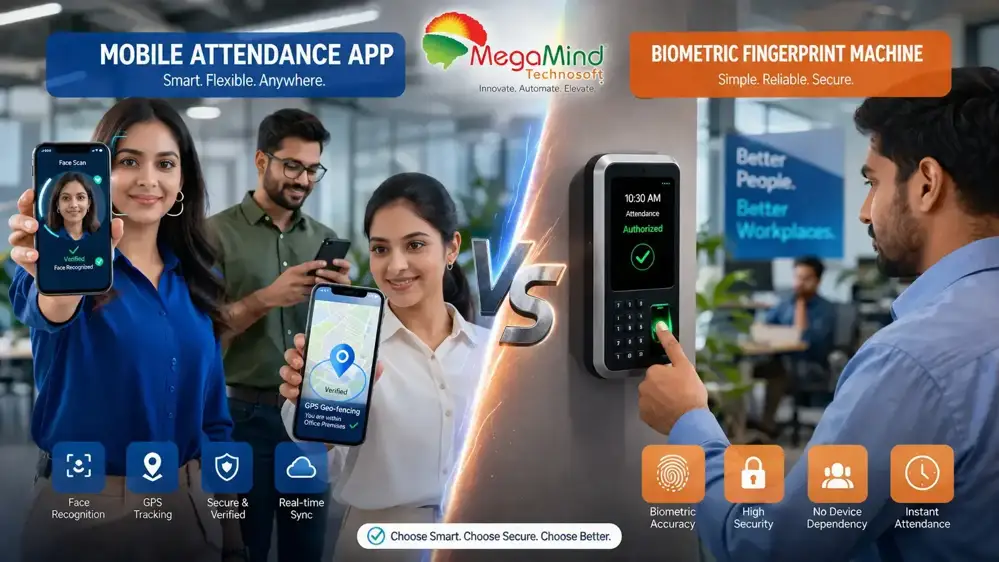
Biometric vs Mobile Attendance: The Field Every Indian Business Debates
The most asked comparison in India today is biometric attendance versus mobile attendance. Biometric hardware — fingerprint and face machines — has been the default since the early 2000s wave of attendance machine adoption. Mobile attendance apps arrived later but spread fast because every employee already carries a phone. The honest position is that they are not always substitutes; for many organisations they are complementary layers. Yet you still must pick a primary mechanism, and that choice shapes everything downstream: where data lives, what your field staff do at the start of their shift, how payroll reconciles, and how much your company spends on hardware that can be damaged or bypassed.
Biometric machines win on identity certainty for people at a fixed location. A fingerprint or face punch at the office door is difficult to fake in a way that a colleague punching in on your behalf is not. Face recognition machines now address the old problems of calloused or dusty fingerprints on shop floors and allow contactless check-in, which matters in factories and hospitals. The downside is straightforward: a machine is fixed to a location. If you have salespeople in the field, technicians visiting customers, or employees who genuinely work from home, the office-door machine is simply not available to them, and companies quickly end up with two or three disconnected systems just to cover the workforce.
Mobile attendance solves that coverage problem elegantly. Employees check in from anywhere using GPS position, geo-fenced perimeters around client sites or territories, selfie verification, and in the better apps, a face-match check that ties the identity to the location. For field-heavy Indian businesses — distributors, FMCG sales, courier and logistics, security agencies, plumbing and equipment service teams — mobile attendance is often the only realistic option, because there is no desk to mount a machine on. The costs are also lower at the margin: no hardware to buy, install, or maintain, and employees use phones they already own.
The trade-off is that mobile attendance relies on phone honesty and network health. GPS can be spoofed in basic apps, though modern geo-fencing with an actual site boundary, random selfie checks, and periodic face verification closes most loopholes. Some workers genuinely face a practical barrier: not every employee in a factory or on a construction site carries a smartphone, and battery or network dead zones remain. Finally, mobile punching can feel 'softer' on culture; a dedicated machine at the door tends to discourage late arrivals more firmly than a phone tap in bed. The best Indian HRMS products therefore combine both: biometric machines at fixed locations for office and factory, mobile app for the field, and one consolidated attendance record feeding leave and payroll in a single place.
Which should you pick? If your workforce is mostly under one roof, buy biometric machines and integrate them into a cloud HRMS. If your workforce is mostly moving, deploy mobile GPS attendance. If your workforce is mixed — and most Indian companies today are mixed — do not choose between them: demand an HRMS that does both, with the same policy rules applied to both mechanisms. That is the difference between an attendance system and an attendance strategy.
Cloud vs On Premise HRMS: Where Should Your Employee Data Live?
The second structural decision is cloud vs on premise HRMS. On-premise means the software is installed on servers you own or rent exclusively, and your data never leaves that environment. Cloud (SaaS) means the HRMS runs on the vendor's infrastructure, you access it through a browser or app, and the vendor manages updates, backups, and security. For most Indian businesses the practical differences are enormous, and they go far beyond the initial licence fee.
A cloud HRMS wins on total cost, speed, and modernity. There is no server to buy, no IT headcount dedicated to keeping an old stack alive, no licence-related upgrade project every few years. Updates — including changes to statutory payroll rules such as EPF contribution rate adjustments or income tax slabs — are pushed by the vendor centrally, which is a genuine relief in a country where compliance rules change and every year brings new forms and thresholds. Employees get anywhere access through a mobile app for leave requests, self-service payslips, and attendance correction requests, which dramatically reduces the HR inbox workload.
On-premise HRMS still has a real role. Government-adjacent organisations, public sector units, listed companies under strict data-gravity policies, banks, and some manufacturing groups refuse cloud out of principle. They may be required by group policy to keep personnel data on controlled infrastructure, or they already run an entire ERP estate and want HR on the same metal. On-site software also gives an organisation a sense of permanence: the software is 'theirs', not a subscription that could be discontinued if the vendor changes strategy. The costs, however, are significant and hidden: you pay for servers, backups, security audits, OS patching, and a local implementation partner who must still come for every upgrade.
For 90 percent of Indian companies — from 10 employees to 5000 — a cloud HRMS is the rational choice. The argument for cloud becomes stronger still when you combine it with biometric devices and a mobile app, because the cloud becomes the single truth that merges machine punches, field check-ins, leaves, and payroll. Unless your organisation has an explicit policy reason to keep data on your own premises, start with cloud. The data isolation fears that justified on-premise a decade ago are largely answered today by Indian data residency, ISO 27001-certified vendors, and robust access controls that define exactly who sees the payroll file.
HRMS vs Spreadsheet: When Excel Stops Being Free
Every HR team in India has a spreadsheet phase. A clever clerk builds a beautiful attendance and leave tracker in Excel, and for the first year it genuinely works. Then the company grows from 15 to 40 people, branches open, shifts begin, and the spreadsheet quietly stops being a tool and starts being a liability. The HRMS vs spreadsheet comparison looks trivial on paper but decides real operational disaster risk for thousands of small businesses.
The spreadsheet fails on the three things that cause payroll errors: concurrent edits, version history, and control. Two people can hold different copies, edits overwrite each other, and by March you no longer know which version carries the approved absentee list. There is no employee self-service, so leave histories are negotiated over email. There is no audit trail, which matters the moment a dispute lands at the labour inspectorate or employment tribunal. And there is no integration: someone re-types numbers from the Excel sheet into the payroll software, and re-typing is where accuracy dies.
A proper HRMS removes the human reconciliation layer entirely. The attendance machine or mobile app pushes punches. Leave balances compute automatically against policy. Payroll pulls the same record, so the salary for a month is computed on the same data the employee saw in their self-service dashboard. The intangible benefit is culture: when attendance and leave are transparent, objective, and rule-driven rather than dependent on who has the latest version of a file, fairness complaints collapse.
The spreadsheet is not worthless. It is a fine scoping tool — write your policy in Excel first, define shifts and leave types, and you have the blueprint for the HRMS build. But it is a poor production system. The rule of thumb in Indian HR consulting: the moment you find yourself building macros, sharing 'master files', or emailing attendance screenshots, you have passed the size at which a spreadsheet is cheaper than an HRMS. The switch usually pays for itself within a single payroll cycle once you count the hours of reconciliation you stop paying.
Feature-by-Feature Comparison Matrix
The table below scores each option against the capabilities Indian HR teams actually use. Use it as your shopping checklist rather than a vendor's marketing sheet.
| Feature / Capability | Spreadsheet | Biometric Machine | Mobile App | Cloud HRMS | On-Premise HRMS |
|---|---|---|---|---|---|
| Fixed-office attendance capture | Partial | Excellent | Good | Excellent | Excellent |
| Field / remote workforce capture | Poor | Poor | Excellent | Excellent | Limited |
| Identity verification strength | None | Very High | Medium (face-match) | High (depends) | High |
| Shift & overtime rules | Manual | Limited | Good | Excellent | Good |
| Leave & holiday policy engine | Manual | None | Good | Excellent | Good |
| Employee self-service (ESS) | None | None | Good | Excellent | Limited |
| Payroll-ready output | Re-keyed manually | Raw punches | via export | Built-in | Built-in |
| Statutory compliance (EPF, ESI, PT) | By hand | None | Limited | Excellent | Good, if updated |
| Audit trail & complaints record | Poor | Fair | Good | Excellent | Good |
| Implementation speed | Instant | 1-3 days | 1-7 days | 1-6 weeks | 4-12 weeks |
| Upfront hardware investment | Nil | High | Nil | Optional | High |
| Scalability to 1000+ users | No | No | Yes | Yes | Yes, with effort |
The pattern is unmistakable: a cloud HRMS that connects biometric devices and a mobile app has no meaningful gaps across the whole matrix. Spreadsheets and standalone machines win only on entry price.
Pros and Cons of Each Option
Honest trade-offs, not salesmanship. Read both columns before you shortlist.
Spreadsheet or Register
- Zero software cost and zero learning curve.
- Full flexibility: you set every rule by hand.
- Works fine for capital of under roughly 20 employees.
- No dependency on vendors or connectivity.
Cons
- Reconcile by hand every month; errors compound.
- No version control, no audit trail, no self-service.
- Buddy punching and fairness disputes are common.
- Payroll re-entry invites statutory mismatches.
Biometric Machine (Standalone)
- Strong identity check — ideal for office and factory floors.
- Modern face devices are contactless and dust-tolerant.
- Simple concept staff already understand.
Cons
- Useless for field, remote, and travelling staff.
- Hardware cost, installation, and maintenance add up.
- Standalone software does not handle leave, ESS, or payroll.
- Data locked in one vendor portal without an HRMS.
Mobile / GPS Attendance App
- Reaches field teams, distributors, and hybrid staff.
- Geo-fencing and random face checks deter proxy cheating.
- No hardware investment; rolls out in days.
Cons
- Relies on smartphone ownership and network coverage.
- Claims of 'point from home' culture if geo-fence is loose.
- Weak apps can be GPS-spoofed or shared-login misused.
Cloud HRMS (Integrated)
- One record for attendance, leave, ESS, and payroll.
- Statutory rules are updated by the vendor, not you.
- Scale from 20 to 5000 users without new software.
- Audit trails, dashboards, and employee self-service.
Cons
- Subscription cost — a recurring line, not a one-time buy.
- Relies on decent connectivity for real-time syncing.
- Requires disciplined data entry during onboarding.
On-Premise HRMS
- Data stays inside your own infrastructure.
- Handles large, complex, custom organisational rules.
- Often the only permitted choice in regulated sectors.
Cons
- High upfront licence, server, and maintenance cost.
- Your IT team carries patching, backup, and security.
- Upgrade projects cost like mini-implementations.
ERP / Global HCM Modules
- One platform for finance and HR data.
- Deep customisation for complex group structures.
Cons
- Expensive for the HR-only use case.
- Indian statutory payroll often needs heavy add-ons.
- Long implementations and specialist consultants.
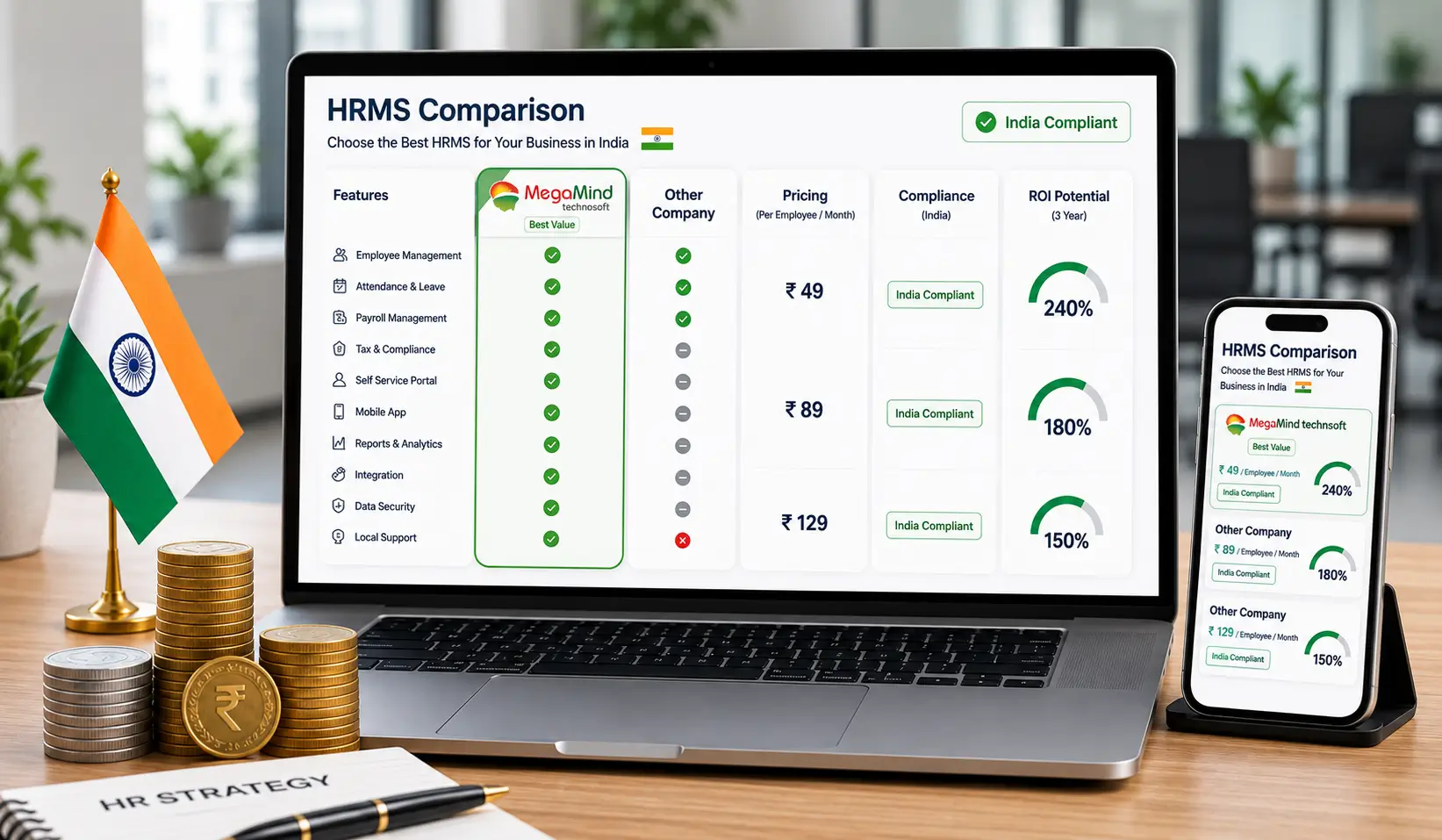
Cost Considerations: What Each Option Really Costs
Honest guidance instead of pricing tables. Every vendor prices differently, so our goal here is to teach you how to compare, not to quote figures that will be outdated next month.
Spreadsheet / Manual
Nominal money for the software — you already own Excel. The real cost is people-hours: hours of monthly reconciliation, error correction, follow-up emails, and the quiet risk of payroll mistakes landing as statutory issues. For most teams this hidden labour cost exceeds what a paid HRMS would cost within two payroll cycles.
Biometric Machine (Standalone)
A classic capital purchase: the machine itself, installation, cabling, optional biometric software licence, AMC for repairs, and the annual cost of replacement parts. Per-device prices span a wide band from basic fingerprint units to premium face-terminal models. The minimum price for a decent fingerprint machine is modest, but multiply it across every branch, plus visits from a dealer in Delhi, Noida or NCR when a device dies, and the total cost of ownership becomes very real.
Mobile Attendance App
Subscription-based, usually billed per active employee per month. There is no hardware, but watch the fine print: some vendors charge per check-in, some per user, and some charge extra for face verification, GPS, or support. The total depends on headcount, so compare per-employee-per-month rates and demand a flat per-user price that includes geo-fencing and face-match at the advertised tier.
Cloud HRMS
Also per-employee-per-month, but it consolidates what you would otherwise buy separately: attendance, leave, ESS, and payroll in one invoice. The minimum price for a capable cloud HRMS for a small team is reachable, and since it replaces re-keying labour and reduces statutory errors, the net business case is usually positive from day one. Always ask what the per-user price includes — reports, mobile access, support, and a data exit path — before comparing two quotes that sound similar.
On-Premise HRMS
A licence fee plus annual maintenance, plus servers, plus a deployment partner, plus time from your own IT staff forever after. It is the most expensive per-capita model at the start and only makes sense where data residency policy demands it. Treat the quoted licence as roughly half the real five-year cost; the rest is infrastructure and upkeep.
ERP / Global HCM
Consultant fees and multi-module licences quickly dwarf any standalone HR purchase. Justified only when your enterprise genuinely runs finance and HR on one ERP for reporting, or when a global parent mandates a global platform. For payroll alone it is usually the worst value of all six options.
How to Compare Pricing Like a Buyer
- Normalise every quote to per-user-per-month so different models are comparable.
- Separate the one-time setup, hardware, or migration cost from the recurring fee.
- Ask explicitly what support, training, and data exports the price includes.
- Compute five-year total cost, not first-year sticker price.
- Value the labour you save: reconciliation hours are real money.
- Ask the vendor for "best value" plans — the flagship tier is rarely the best value.
For current pricing in your employee band, contact the vendor directly for a minimum price on the starter plan — most Indian HRMS vendors publish tier pricing only after a call. Negotiate on per-user rate at volume, never on features.
Best Fit by Company Size and Industry
Match your organisation, not the market average. The right choice changes with team size, worksites, and how your people actually spend their day.
Startups & Small Offices (up to 20)
A mobile attendance app plus a cloud HRMS on its starter tier is the fastest, lowest-friction combination. Skip hardware until you have a fixed office with a solid desk. If you are truly under ten people and cash-constrained, a disciplined Excel tracker works — but define the exit trigger now so you switch before chaos, not after.
SMEs & Offices (20–200)
Cloud HRMS with biometric machines at reception or per floor, plus mobile attendance for any field staff. This is the band where spreadsheet reconciliation hurts most and where integrated payroll saves real hours. Choose a vendor with local on-site installation in your city — a partner who can cable, mount, and repair machines, not just email login URLs.
Manufacturing & Factories
Biometric (preferably face-recognition) machines at floors and gates, shift management, overtime rules, and a cloud tier that tolerates poor internet with offline buffering. Hygiene and dusty environments demand contactless devices; mobile GPS is a fallback for night-shift and yard staff.
Sales & Field Workforces
Mobile GPS attendance with geo-fencing around routes, territories, and client sites is non-negotiable. Pair it with selfie or remote face-check on random days to keep proxy marking down. CRM integration for visit logs is a plus. There is no machine-based alternative that makes sense.
Schools, Colleges & Coaching Centres
Staff attendance plus student-attendance-optional reporting, leave for teachers, and simple payroll. Face or fingerprint machines work at gate and reception; cloud software lets the administrator manage everything from one dashboard without an IT department. Look for dedicated education modules or proven school deployments.
Hospitals & Clinics
Shift rotations across 24×7 duty rosters need robust shift configuration and night-shift overtime logic. Contactless face attendance keeps touchpoints hygienic. Compliance-grade leave audit trails matter if you report to accreditation bodies. Cloud HRMS with strong sick-leave policy engines is the typical strong fit.
Large Enterprises & Groups (1000+)
Multi-branch, multi-state, multi-company structures need a cloud HRMS with organisation hierarchies, cross-entity payroll, and role-based access. If strict data policy blocks cloud, evaluate on-premise candidates carefully — but budget for the server and IT team the implementation will consume. Enterprise-grade vetting procedures for EPF/ESI across entities are essential.
Gig, Agencies & Seasonal Workforces
High-attrition, part-time, or vendor-managed teams need fast onboarding, daily payout data, and per-project attendance. Mobile attendance with instant punching and simple policy rules beats any machine here. Verify per-user pricing at high turnover — you want the ability to deactivate users instantly so you never pay for ghosts.
Common Buying Mistakes Indian Companies Make
Most failed HR software projects fail in the same few predictable places. Avoid these and you have already outperformed most of the market.
Mistake 1: Buying Hardware Before Software
Companies frequently install biometric machines first and panic about the software later, ending up with a machine portal that cannot talk to payroll. Reverse the order: choose the HRMS, then confirm which machines it integrates with. The hardware follows the platform, never the other way around.
Mistake 2: Pricing-First Shortlisting
Picking the cheapest per-user price before checking statutory coverage is how companies end up paying a CA to fix payroll manually anyway. Run the statutory checklist (EPF, ESI, PT, TDS, form generation) before you run the pricing comparison. The cheapest tool that fails payroll is the most expensive tool in the room.
Mistake 3: Forgetting the Field Workforce
Offices buy systems for the people sitting in offices. Then the sales team is retrofitted with a second app, becomes a standalone island of data, and the field payroll never reconciles cleanly. Define your mobile and remote needs in the requirements on day one, even if the field team is currently small — it almost certainly will not stay that way.
Mistake 4: Skipping the Parallel Run
Cutting over directly on a busy payroll month is how errors become employee grievances. Run one payroll cycle in parallel between the old method and the new HRMS, reconcile line by line, and only then switch. A single skipped parallel cycle costs more in correction time than it ever saves.
Mistake 5: Ignoring the Data Exit Clause
Vendors change products, pricing, and ownership. Before signing, confirm in writing that you can export your complete employee, attendance, leave, and payroll history in a usable format. The company that cannot answer 'how do we leave' has not earned your data yet.
Mistake 6: Buying Enterprise Features Nobody Will Use
Biometric terminals with fancy extras, global HCM talent modules, or AI dashboards look impressive in demos but add cost and complexity a forty-person firm never touches. Buy the features at your headcount band, with headroom to grow — not the features designed for a five-thousand-employee group.
Migration Path Between Options
Most companies do not buy HR software once; they step up as they grow. Here is the sane migration ladder, and how to cross each rung without losing a month of payroll history.
Step 1: Spreadsheet → Cloud HRMS (with mobile or machine capture)
The most common jump. Export your employee master list, past leave balances, and opening attendance as clean CSV files before go-live. Run payroll in parallel for one cycle if the team is nervous — the parallel run is where you catch mapping mistakes. Set up your leave policy in the new system first, then shifts, then import the roster. Blueprint: keep the old Excel file read-only for six months as the reference record.
Do not import raw punches as everything: import opening balances and future leaves, and let attendance start fresh on go-live day. That keeps the record unambiguous and simple to audit.
Step 2: Standalone Biometric Software → Integrated Cloud HRMS
Plug the existing biometric machines into the cloud HRMS rather than replacing hardware and tradition simultaneously. Most modern HRMS platforms accept common device models over the network and continue reading the same machines, so employees see the same terminal while the back-end record becomes payroll-ready. Keep the door devices; change what happens behind them.
Reconcile the last month of standalone-punch data into the HRMS as opening balances. Hand the old desktop software its retirement notice — no more dual entry from two dashboards.
Step 3: Adding Mobile Attendance to Existing Biometric Setup
Rarely a full migration — often an extension. Add a mobile app layer for field and remote staff while machines continue for office and factory. The critical work is policy: geo-fenced areas for field teams, random face verification, shift definitions for both channels, and a clear rule that both mechanisms punch into one accgoy. Communicate the policy in writing so no one charges 'favouritism' between channels.
Monitor the first month closely: late-night punches, geo-fence boundary disputes, and forgotten check-outs are the teething problems you will gatekeep during rollout.
Step 4: On-Premise Legacy → Cloud
The slow, careful move. Extract three things before decommissioning: historical payslip data tax years, leave balances sanctioned by management, and statutory records required by current regulations. Do a data mapping workshop with the vendor, run your old and new systems in parallel for two complete payroll cycles, then cutover. If a regulated data policy forbids cloud entirely, consider the alternative: upgrade the in-house system to a modern on-premise release rather than migrating to cloud at all.
The most expensive migration mistake is rushing it. Parallel running of two payroll cycles is not wasted effort; it is the insurance premium on the single most important monthly output your finance team produces.
Implementation Effort: What Go-Live Really Looks Like
Spreadsheet / Manual
Instant, by definition — the tracker already exists and everyone already knows Excel. The 'implementation' is the template you will abandon. Expect zero vendor work and ongoing daily human effort instead.
Biometric Machine
Fast physical job: a dealer mounts the device, runs the cable, enrols staff fingerprints or faces, and shows the administrator the desktop portal. One branch can go live in a couple of days. The catch is per-branch repetition: every site needs its own visit, enrolment drive, and occasional re-enrolment when machines are replaced.
Cloud HRMS
More complete but still measured in weeks, not months. For a single office you can go live in about a week once policy definitions, employee master import, leave setup, and payroll mapping are done. Multi-site and multi-entity go-lives take longer because each site needs roles, shifts, and verification. Budget for a structured rollout: design (week 1), build and import (week 2), pilot and parallel payroll (week 3), training and go-live (week 4).
On-Premise HRMS
Deliberately slow. Server procurement, installation, security hardening, licence activation, consultant-led configuration, and user training easily span two to three months. Your IT team will carry sessions the whole way. Only pursue this effort where cloud is genuinely off the table.
Training & Change Management
No option succeeds without communication. Employees need to know where to punch, how to claim leave, and what happens to late days. Run a two-week familiarisation period with live data before the strict month, and appoint one HR owner who owns the system and becomes the internal expert. Training is where most cloud deployments quietly succeed or fail.
Go-Live Checklist
- Employee master and department tree imported and reviewed.
- Leave policy, holidays, and shift templates verified.
- Biometric devices or mobile app routes tested end to end.
- Payroll run on test data matches your old calculation.
- Backup of old records completed and archived.
- Support contact and escalation path shared with HR.
Security, Privacy and Indian Statutory Compliance
HR systems hold the most sensitive data a company owns: salaries, addresses, PAN and Aadhaar-adjacent identifiers, bank details, and disciplinary records. Comparing by features alone is a mistake; compare what the vendor does with that trust.
Data Security Beyond the Brochure
Ask every candidate vendor the same five security questions, regardless of whether they are a spreadsheet vendor, a machine dealer, or a cloud HRMS. First, who in the vendor organisation can access your payroll data, and is it audited? Second, where is data stored — inside India or abroad — and what is the data-residency policy? Third, do you get role-based access control so a branch manager cannot see salaries from other branches? Fourth, how are backups done and how quickly can data be restored? Fifth, and most importantly, do you get a clean, complete data export on exit — ownership of your own history in an open format, not locked inside a proprietary portal?
For cloud vendors, certifications such as ISO 27001 signal that security management processes are formally audited rather than claimed. For on-premise, your own IT or a third-party auditor bears that responsibility. Either way, the payroll file is a walking target for phishing and internal misuse; access to it should be need-to-know, logged, and reviewable by the HR head.
Biometric Data & the Privacy Question
Fingerprint and face templates are personally identifiable data under evolving Indian privacy law and its link to global data-protection thinking. A machine that simply stores raw templates on a local device, or a cloud system that keeps face images without consent, is a liability. In India, as in global practice, the responsible pattern is consent-aware collection, retention limited to what is operationally needed, and an option for alternative access channels where security permits.
In practice, good HRMS platforms store templates as encrypted biometric identifiers rather than plain records, prevent unauthorised export, and let you purge an employee's biometric data on exit. If your deployment is in a hospital, school, or factory, where you manage public visitors too, extend this discipline to visitor logs. Obtain clear written consent at enrolment and show the employee exactly what happens to their biometric record when they leave the organisation.
A pragmatic middle ground used widely in India: biometrics for identity at the door, a standard user-record HRMS on the back end, and explicit consent documents signed at onboarding. The biometric record does not need to flow into global analytics; keeping it out of reports is both a privacy win and a simplification.
Statutory Compliance the Software Must Carry
- Provident Fund: employee and employer contribution calculations, forms, and transfer handling as mandated include existing employees.
- ESI: eligibility thresholds, contribution slabs, and state-specific ESI return generation where applicable.
- Professional Tax: state-by-state slabs and deduction logic; Maharashtra, Karnataka, Telangana and Tamil Nadu rules differ.
- Income Tax: TDS on salary, Form 16 and Form 16A generation, and annual return data as per current thresholds.
- Shops and Establishments and attendance records: retain and present leaves, working hours, and overtime records in the format local inspectors expect.
- Labour codes readiness: shifting statutory language toward the new labour codes; verify your vendor tracks these transitions.
Any HRMS you choose for an Indian workforce must either compute these directly or hand clean data to your CA without transcription. The moment attendance data must be re-keyed before it can become EPF or ESI inputs is the moment statutory risk enters your business.
Roles, Access and the Audit Trail
A mature implementation separates roles: the head of HR who sees everything, the payroll officer who touches only payroll and corrections, the branch administrator who handles attendance but not salaries, and the employee who sees only their own records. Assign access by job, log who modified what when, and generate the quarterly reports auditors will ask for when you bid for contracts, renew ISO certification, or face a labour office inspection.
The audit trail is not a compliance chore; it is your defence. When an employee disputes a salary deduction or an attendance record surfaces in a tribunal, the log showing who, what, and when proves the system was handled properly. Spreadsheets simply cannot produce this; it is one of the strongest reasons the HRMS vs spreadsheet comparison resolves in favour of software the moment you step past the smallest team sizes.
Frequently Asked Questions
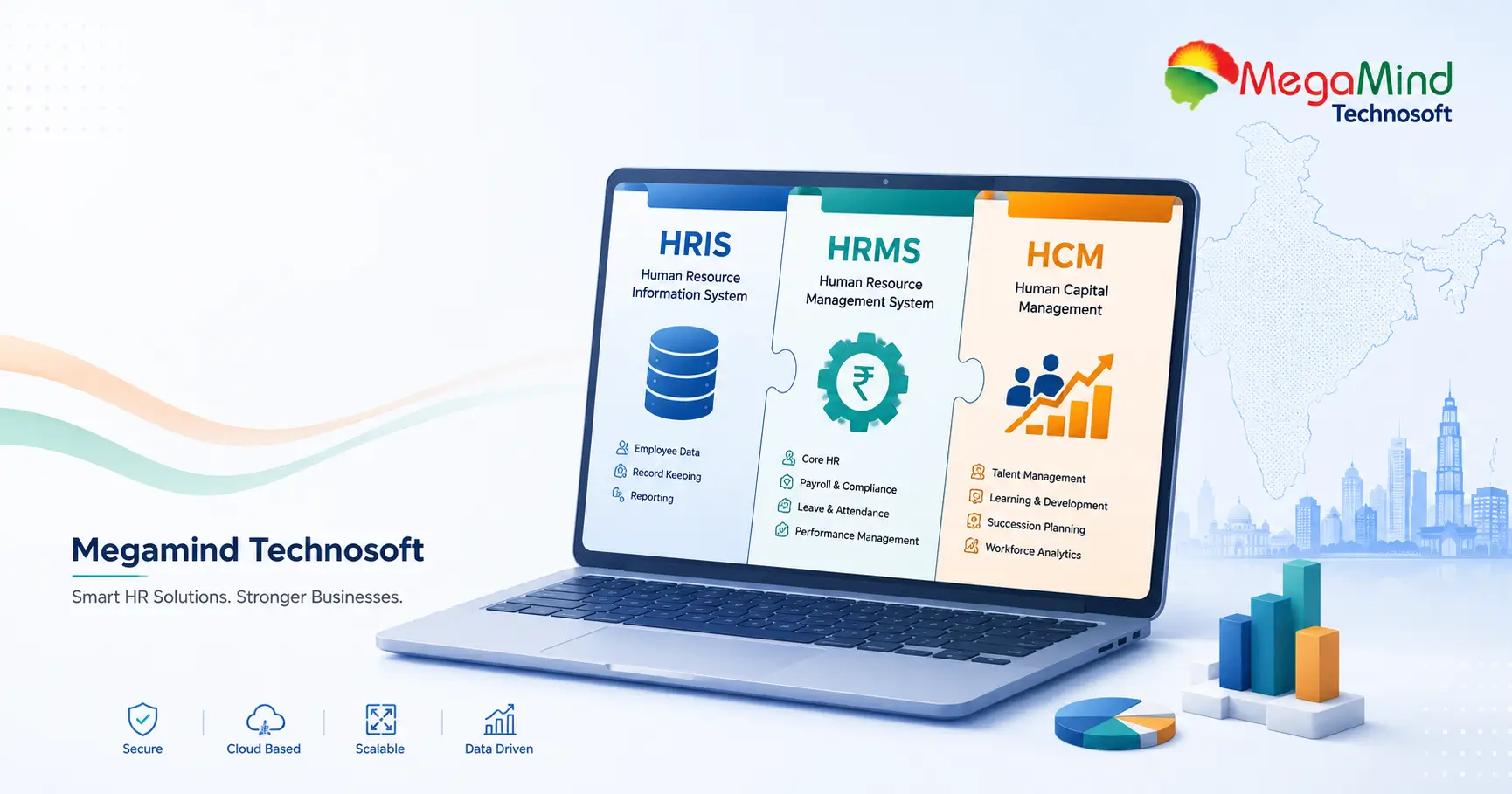
What is the difference between HRMS, HRIS and HCM?
HRIS conventionally means the records-and-data foundation — employee master, attendance, leave, and documents. HCM is the wider talent view — recruitment, performance, learning, and career. HRMS is the operational, payroll-centric suite most Indian buyers actually want: the record plus payroll and compliance working together. In practice Indian vendors use the terms interchangeably, so compare features and statutory coverage rather than labels.
Which is better for Indian businesses: biometric or mobile attendance?
It depends on where your people work. Biometric machines give the strongest identity check for employees who report to a fixed office or factory. Mobile GPS attendance is the only practical option for field sales, couriers, and remote staff. For the majority of Indian companies with mixed workforces, the best answer is a system like MindWave HRMS that supports both mechanisms and merges them into one payroll-ready record.
Is cloud or on-premise HRMS more cost-effective in India?
For virtually every Indian company, cloud is more cost-effective when you include servers, upgrades, IT time, and statutory updates over five years. On-premise is only rational where a data-residency policy or regulated sector genuinely requires it. Cloud pricing is per-user-per-month with the minimum price for starter plans being reachable for small teams; contact vendors directly for the current minimum price in your headcount band.
When should we move from Excel to an HRMS?
Move the moment reconciliation takes a day each month, when two people hold different versions of the tracker, when you cannot answer 'what is the exact leave balance of employee X right now', or when attendance errors start appearing in payslips. If you are past roughly twenty employees or have multiple branches, the spreadsheet has already cost more than the software would.
How long does HRMS implementation really take?
A single-office cloud HRMS can go live in about a week: policy definition, employee import, leave setup, one parallel payroll run, then go-live. Multi-branch or multi-entity rollouts take three to six weeks, largely for per-site device installation, role setup, and training. On-premise implementations typically span two to three months and need committed IT time throughout.
Can we keep our existing biometric machines when moving to cloud HRMS?
Usually yes. Modern cloud HRMS platforms integrate common fingerprint and face terminal models over the network, so you keep the door device and change only the back-end. Confirm compatibility with your machine model before purchase, and ask the vendor to demonstrate the data flow so you are not surprised on launch day.
How do we handle night shifts and overtime in attendance software?
Choose software with true shift-management: shift templates spanning midnight, weekly off arrangements, overtime calculation rules, and an approvals workflow for extra hours. Factories, hospitals, and BPOs should test this specifically because generic attendance tools treat all punches as a single day, which silently miscalculates OT.
What security certifications should an Indian HRMS have?
Look at least for ISO 27001 as a process certification for information security management, data residency in India if that matters to your policy, role-based access controls, encrypted storage of payroll and biometric data, and an auditable export path. Also confirm a documented backup and restoration procedure — ask for the recovery time objective, not just a claim.
Is a global platform like SAP or Workday suitable for a mid-size Indian company?
Purely for HR and payroll, usually not. Global HCM platforms bring powerful talent features but heavyweight licences, consultant fees, and frequent gaps in Indian statutory payroll that must be bridged with add-ons. They become rational where a global parent mandates them or where finance runs the same ERP. For the Indian payroll-heavy use case, a purpose-built Indian HRMS delivers more for far less.
Do we need both biometric machines and a mobile attendance app?
Only if you manage both on-site and field staff. If everyone reports to the same office, biometrics are sufficient. If the workforce is fully remote or travelling, mobile app attendance is sufficient. Mixed teams — an office plus a sales floor — genuinely benefit from both channels writing into a single HRMS record, which is exactly the situation many Indian companies actually live in.
What happens to biometric data when an employee leaves?
The responsible practice is to purge the employee's biometric template from the system at exit, either automatically on deactivation or through a documented manual step, and to disclose this policy at enrolment. Keeping templates of former employees indefinitely is both a security liability and a privacy concern. A good HRMS should make this process explicit rather than silently retaining records.
Can cloud HRMS work in areas with unreliable internet?
Yes, when the system buffers punches on devices and syncs them later. Biometric machines and mobile apps in good deployments store check-ins locally and upload when connectivity returns, so attendance is not lost during a power cut or network outage at a branch. Ask the vendor how their devices handle offline mode and how conflicts are resolved when resync happens.
Quick Decision Reference at a Glance
| Your Situation | Most Sensible First Step |
|---|---|
| Under 10 people, no fixed office | Continue disciplined manual tracking and set a switch trigger. |
| Small office, all staff on site | One biometric machine wired into a cloud HRMS starter plan. |
| Sales and field workforce | Mobile GPS attendance with geo-fencing from day one. |
| Mixed office plus field staff | Cloud HRMS combining biometric machines and mobile app. |
| Factory with shifts and overtime | Face biometric terminals plus shift and OT engine. |
| School or hospital | Contactless face attendance with strong leave and audit records. |
| Data policy forbids cloud | Modern on-premise HRMS with a vendor-run statutory update plan. |
| Global group mandate | Keep the global platform but add an Indian statutory payroll layer. |
Final Recommendation: Our Verdict
After comparing every option head to head, the direction is clear for most Indian businesses. Here is our verdict, and the honest conditions under which you should deviate.
The Default Answer: Cloud HRMS + Biometric + Mobile
For a typical Indian SME, office, school, hospital, or factory, the best value combination is a cloud HRMS that unites biometric face and fingerprint machines for fixed locations, mobile GPS attendance for field teams, and integrated leave, ESS, and statutory payroll — with all channels writing into one record. This is not the cheapest sticker price of the six options, but it is overwhelmingly the best value, because it eliminates the reconciliation labour, statutory risk, and dual-entry chaos that quietly drain the alternatives.
Deviate only under clear conditions. Stay on a disciplined spreadsheet if you are truly under roughly twenty people and have no fixed office — but set your switch trigger in writing today. Buy a standalone machine only if you need identity at the door and already run payroll elsewhere without friction. Go on-premise only when regulated policy forbids cloud. Buy a global HCM only when a parent or ERP strategy mandates it.
For every other situation, shortlist two or three Indian HRMS vendors that demonstrate biometric integration, mobile attendance, and payroll in one product, ask them for a free demo on your own live data, and compare implementation support quality — for a Delhi NCR office or pan-India rollout, a local partner who installs machines on-site and answers in India time is worth far more than a marginally lower per-user rate.
Quick Decision Flowchart in Words
- 1. Do you have a fixed office or plant with most staff on site? If yes, include biometric machines. If mostly field staff, skip straight to mobile app.
- 2. Are you below roughly twenty people with no branches? A disciplined spreadsheet can hold while you design policy; switch by twenty-five.
- 3. Does any policy forbid employee data on the cloud? If yes, evaluate on-premise seriously. If no, choose cloud.
- 4. Does payroll need statutory EPF, ESI, PT, and TDS output? If yes, demand a true HRMS, not an attendance-only app.
- 5. Confirm the vendor keeps machines, mobile, leave, and payroll in one record with a clean data export.
What to Do Differently If You Are the Exception
- Regulated sector with cloud ban: budget for the on-premise licence, server, and a vendor who will keep statutory rules patched for you.
- Global parent: accept the mandated platform, but insist the statutory payroll layer be handled by a local calculation module or an Indian partner.
- Large variable workforce: negotiate per-user pricing with instant deactivation so churn never inflates the invoice.
- Multi-state operations: verify every state's professional tax and local metering rules before signing; state coverage varies by platform.
Getting Started: Your First Week Action Plan
You do not need a three-month project to move forward. Here is a realistic first-week plan that takes you from comparison paralysis to a live pilot.
Day 1–2: Lock the Requirements
Write down your headcount, number of branches, whether staff are office-based, field-based, or both, how many shifts you run, which leave types you must support, and whether payroll already flows through another tool or needs to come into this one. This one page of requirements will disqualified half your vendor list before any demo.
Day 3: Request Demos With Your Data
Shortlist three vendors and insist every demo uses your employee master and a sample week of attendance — not their pretty showcase data. Ask the vendor to configure your shifts and leave policy live in the session. If they cannot, the implementation later will be painful. During the demo, verify mobile app behaviour on your phone, geo-fence flexibility, and biometric integration steps.
Day 4–5: Compare Contracts, Not Just Prices
Compare per-user cost, what is included at the minimum price, setup or hardware extras, support hours, renewal terms, the data export clause, and the statement on backups. Negotiate the best value plan with a realistic headcount, and get the data-export commitment in writing — that single clause decides how trapped you ever are.
Day 6–7: Run the Pilot, Then Launch
Start with one branch or one team. Import the employee master, define leave policy, enrol the pilot group, and run attendance on real days for a week. Compare one payroll run against your old calculation line by line. When the matches line up and the pilot team is comfortable, roll out branch by branch with a two-week familiarisation period. Announce the change in writing, appoint an HR owner, and document the support escalation path.
A Final Note Before You Choose
An HRMS decision is not a permanent identity decision for your company; it is a scaling decision. The right tool is the one that moves you from manual reconciliation to a single, accurate, payroll-ready record — and that twelve months from now still fits a company one-third larger. Compare honestly, pilot quickly, and choose the partner who is accountable after the signature, not just during the sales call.
If you are comparing cloud HRMS options for an Indian workforce and want a straight answer on biometric-machine integration, mobile attendance for field teams, or statutory payroll readiness, the Megamind Technosoft team builds and supports one of the platforms this guide was written around — MindWave HRMS — and will give you an honest fit conversation, demo, and best-value pricing for your headcount.