
HRMS Implementation Guides
Practical step-by-step implementation guides covering everything from HRMS vendor selection and project planning to employee onboarding, data migration, and successful go-live execution for Indian businesses.
- 8 articles
- 177 min of expert guidance
- By the MegaMind HR team
HRMS Implementation: Planning a Rollout That Sticks
Most HRMS projects succeed or fail on planning, not software. Clean employee data, clear policies, defined approval flows and trained users matter more than any single feature. A structured rollout reduces surprises at go-live and avoids the parallel-run fatigue that makes teams revert to spreadsheets.
The implementation guide walks through requirement gathering, data migration, configuration, testing, training and go-live. The selection and pricing articles help you scope the project realistically, and the industry guides for schools, hospitals and manufacturing show what changes when you have shifts, large staff numbers or special compliance needs.
If you are still evaluating options, begin with how to choose an HRMS; if you have already chosen, jump straight to the implementation guide.
What you will learn
- The phases of an HRMS rollout and who owns each one
- How to prepare employee data before migration
- Training and change management so adoption sticks
- Industry-specific rollout considerations
All HRMS Implementation Articles (8)
 HRMS Implementation
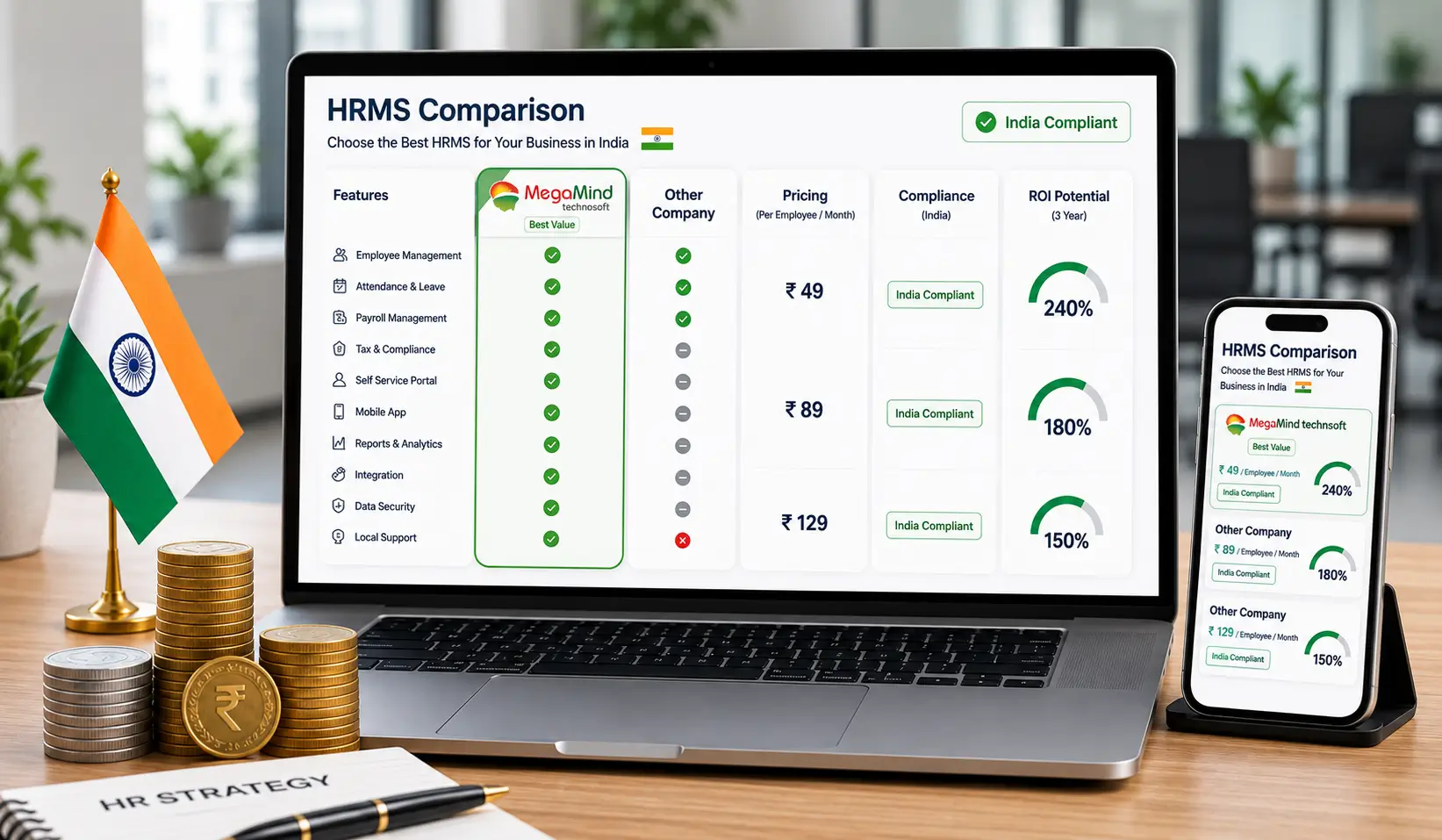
How to Choose the Best HRMS Software
Complete guide to help Indian businesses compare features, pricing, compliance, and ROI when selecting HRMS.Read article HRMS Implementation
Complete HRMS Solution: Everything in One Platform
Discover how a complete HRMS solution brings payroll, attendance, leave, ESS and analytics into one integrated platform.Read article HRMS Implementation
HRMS Software Price in India: Full 2026 Cost Guide
How much does HRMS software cost in India? See per-employee pricing, subscription options, hidden charges and cost drivers.Read article HRMS Implementation
Attendance Machine Buying Guide: 12 Factors
A complete attendance machine buying guide covering types, workforce size, memory, connectivity, software integration, maintenance and cost.Read article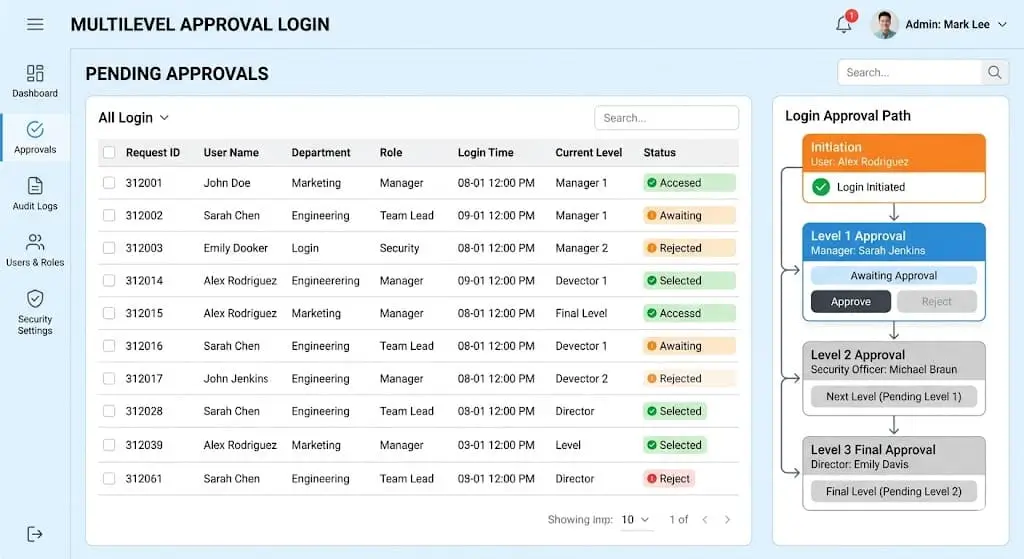 HRMS Implementation
HRMS for Schools & Education: Staff Management
HRMS for schools explained: manage teaching & non-teaching staff, multiple campuses, term-wise payroll, CL/EL leave and large staff attendance.Read article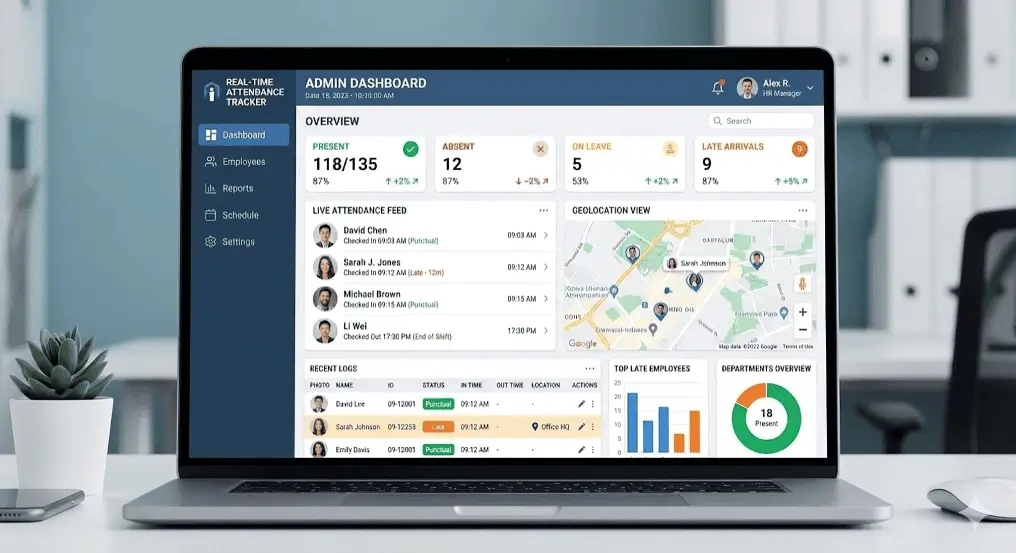 HRMS Implementation
HRMS for Hospitals: Shift-based Staff Management
HRMS for hospitals explained: manage nurses and doctors, 24x7 shifts, duty rosters, overtime and department-wise attendance with a healthcare HRMS.Read article HRMS Implementation
HRMS for Manufacturing: Shifts & Factory Payroll
HRMS for manufacturing explained: manage night shifts, overtime, operator attendance, biometric gates, piece-rate wages and multiple plants.Read articleFrequently Asked Questions
What should we prepare before HRMS implementation?
Collect accurate employee records, attendance and leave policies, salary structures and approval hierarchies. Clean data before migration saves the most time.
Do we need to run the old and new system in parallel?
Many companies run one payroll cycle in parallel to validate results. The implementation guide explains how to do this without doubling the workload.
How do we get employees to actually use the new system?
Train managers first, communicate the benefits, and use self-service so employees see value quickly. Adoption is a project task, not an afterthought.
The Complete HRMS Implementation Guide for Indian Businesses
A practical, end-to-end playbook covering rollout planning, data migration, go-live, training, change management and long-term adoption success.
Choosing an HRMS is the easy part. Implementing it well is where most Indian companies trip. Between the day you sign the contract and the day your payroll runs correctly on the new system, dozens of small decisions decide whether your HRMS rollout becomes a smooth exercise or a six-month struggle. This HRMS implementation guide is written for that in-between period — the weeks of rollout planning, data migration to HRMS, configuration, training and go-live that turn software into a working business system.
The reality across Indian companies — from a 50-person office in Jaipur to a 2,000-employee factory in Coimbatore and a hospital chain in Bangalore — is remarkably consistent. Teams buy HR software for what it promises: automated attendance, error-free payroll, self-service for employees. They run into trouble not because the software under-delivers, but because the organisation was not ready for the change. Old spreadsheets hold uncleaned employee data. Salary structures exist only in the payroll executive's head. Approvals happen on WhatsApp. None of this disappears on its own when you switch systems.
This guide walks you through the complete HRMS implementation journey in the order it actually happens. We cover readiness assessment and scoping before you sign, how to pick the right implementation partner, the hard grind of data migration and data cleaning, configuration versus customisation, testing and parallel run, HRMS training for employees at every level, change management and adoption, a practical HRMS go-live checklist, post-go-live support and SLAs, measuring return on investment, and rollout patterns for specific industries. The aim is straightforward: by the end of this article you should be able to run your HRMS implementation project with confidence, whether you do it with your internal IT team or bring in a partner.
What this HRMS rollout playbook covers
- Why implementations fail — and how to avoid the most common traps
- Readiness assessment and scoping before you sign the contract
- Choosing the right implementation partner for cloud HRMS implementation
- Data migration to HRMS — employee master, attendance history, salary data and cleaning
- Configuration versus customisation — and why less code is usually more
- Testing, parallel run, training strategy and the final HRMS go-live checklist
- Change management, adoption, post-go-live support and ROI measurement
The style of this guide is deliberately practical. HRMS for mid-size companies rarely needs an eight-month enterprise ERP-style methodology. What it needs is discipline: clear owners, a dated milestone plan, clean data, honest testing and a training programme that treats people as the point of the whole exercise. Keep those four things intact and your HRMS rollout India-style will very likely finish early, not late.
Before you read section by section, one piece of advice that applies at every stage: appoint a single project sponsor with sign-off authority. In mid-size Indian businesses this person is usually the promoter, the chief financial officer or a senior HR head — someone who can unblock decisions about policies, data and exceptions within a day. Projects without a sponsor stall at the first ambiguity, and every stalled week costs the business payroll errors it did not need to pay.
Why HRMS Implementations Fail
Almost never because the software is bad. Almost always because of decisions made — or postponed — around it.
Walk into any Indian HR team that switched HRMS in the last three years and you will hear the same post-mortem. The tool itself handled attendance and payroll well in the demo. What collapsed was everything around it — data was messy, nobody trained the branch staff, the manager approval matrix was documented only after go-live, and half the team quietly kept using Excel "just in case". Within four months the new system was running alongside the old spreadsheets, and nobody could say which one was correct.
Understanding failure modes before you begin is the cheapest insurance this HRMS implementation guide can offer. Here are the patterns we see most often across Indian SMEs, factories, schools and hospitals:
Seven classic failure patterns
The project starts without agreed priorities — payroll-first or attendance-first — so every week the team changes direction mid-build and the rollout date keeps sliding.
When policy decisions land with a sponsor who is always busy, teammates improvise on the spot and bury inconsistency in live payroll data.
Duplicate employee IDs, missing PF numbers and salary structures that exist only in old Excel files make even an accurate system look wrong.
A single two-hour session for forty employees before go-live guarantees a flood of support tickets and quick manual workarounds.
Teams test the main screens but never test leave encashment of a resigned employee or a monthly attendance closing, then find the gaps in production.
Employees read "no more manual attendance" as "my overtime will now be tracked". Without communication, quiet resistance becomes default behaviour.
When the team winds down after launch day, adoption stagnates. Go-live is a beginning; the first payroll cycle is the true measure of success.
Notice the pattern — none of these failures is technical. Every one of them is an organisational or process gap that a well-run HRMS rollout plan closes before it becomes a crisis. The rest of this guide is organised around exactly those gaps.
Readiness Assessment & Scoping Before You Sign
The quality of your HRMS implementation begins on paper, before a single screen is configured.
Too many Indian companies pick an HRMS by watching a vendor demo, sign the contract and only start thinking about rollout during the HR software onboarding call. That is backwards. The best HRMS rollouts in India begin with an internal readiness assessment that answers three questions: what exactly are we automating, what is wrong with our current data and processes, and who in the organisation will own each part of the change.
A readiness assessment is not a formality. It is the document that saves you from scope creep six weeks later, when the payroll manager asks for "just one more salary component" and the operations head asks for a new attendance rule mid-configuration. When you write down what is in scope and what is out of scope — and get the sponsor to sign it — those requests become visible decisions instead of silent additions.
What to map in your readiness assessment
- Current process map: how attendance is captured today (biometric machine, register, mobile), how leave is applied and approved, and how the payroll executive assembles monthly data from multiple sources.
- Policy inventory: shift timings, overtime rules, leave policy, half-day rules, weekly offs, late-mark grace periods and the festival holiday calendar for each location.
- Entity structure: company branches, departments, cost centres, designations and reporting lines — this becomes the hierarchy inside the new system.
- Statutory footprint: PF, ESIC, professional tax, TDS, state-wise PT slabs, gratuity eligibility and minimum-wage applicability for each location.
- Data inventory: what employee master data exists, in which files, in what format and how accurate it is — this feeds directly into your data migration to HRMS plan.
- People and roles: who will be the system admin, who approves attendance corrections, who runs payroll, and who simply needs read-only or employee self-service access.
- Integration needs: biometric and face device connectivity, GPS-based mobile attendance for field staff, bank file formats for salary disbursal, and any ERP or Tally integration required.
Writing the scope statement that protects your project
Once the assessment is complete, write a one-page scope. Name the modules in scope (attendance, leave, payroll, employee self-service, biometric integration), the items that are deliberately out of scope, the number of employees, branches and devices, the expected go-live month, and the named sponsor and admin owners. Then decide your deployment order.
For most mid-size companies, a staged HR software onboarding is far safer than a big-bang switch. The popular sequence is attendance and leave first (simple, high-frequency, visible relief), then payroll (now fed by clean attendance), then employee self-service and reports last, once people trust the data. Some teams prefer payroll-first when a year-end revision forces it. Either order works, provided the scope document says so explicitly.
One more scoping decision deserves explicit attention: how much history do you really need to carry forward? Many businesses assume they must migrate five years of attendance and salary history. In practice, HRMS for mid-size companies usually needs twelve months of employee master and statutory reports for continuity, three to six months of salary and leave history for opening balances and appeals, and only the current cycle of attendance for day-to-day operation. Scope the history up front so data migration volume is decided by data, not by anxiety.
Choosing the Right Implementation Partner
The software is a tool. The implementation partner decides whether it becomes an asset or a shelf ornament.
A capable cloud HRMS implementation partner does far more than install software. They ask about your shift rules before mapping attendance. They trail your payroll executive for a morning to learn how statutory deductions are actually computed. They bring checklists for data quality and they push back politely when your scope says "attendance for all branches from day one" but your head office data is not ready. That kind of partner prevents problems instead of billing for them later.
Choosing this partner is different from choosing the software. Many Indian companies evaluate products hard and ignore implementation capability entirely, then discover mid-project that their vendor treats "implementation" as a week of screen configuration and a phone number for queries. Ask the right questions before you sign, because the answers reveal how your rollout will actually feel.
Ten questions to ask before you engage
- Who is my project manager? A named individual you can reach, not a shared inbox. Ask them about the last three projects of a similar size they delivered.
- What is in the implementation price? Confirm what the quoted figure covers: data migration, configuration, training, parallel-run support and post-go-live support — or just setup. Ask for the exact scope in writing.
- How many of your reference clients are Indian mid-size companies? HRMS for mid-size companies is its own discipline; an enterprise template does not fit a 200-employee business with one IT person.
- Do you handle biometric and face devices? If your rollout includes hardware, the partner should own device installation, enrolment and firmware updates, not just the software.
- What statutory expertise do you have? PF, ESIC, PT and TDS change frequently. The partner should confirm they keep payroll rules current across states and that the annual updates are covered.
- What does your training program look like? You want separate sessions for admins, managers and employees, plus materials users can refer to after go-live.
- What is the change-management support? Ask specifically how the partner helps adoption — champion workshops, communication templates, adoption reviews in week four and week eight.
- What SLAs do you commit to post-go-live? Response time for critical issues, escalation path and whether support is in IST working hours you recognise.
- Where is your support team based? A partner with India-time phone and WhatsApp support beats a toll-free queue answered from another time zone during your peak payroll week.
- Can I speak to two live references? Ask a client who went live in the last year about data migration, training quality and how issues were handled after go-live.
Two delivery models dominate the market. In the first, the software vendor implements its own product end to end. This is usually the cleanest option for mid-size companies because there is no third party translating between your business and the software. In the second, a systems integrator or reseller implements — useful when you need multiple vendors integrated, but it adds a layer on every question. For a typical Indian SME, the vendor-implemented model keeps accountability in one place and shortens the distance between your problem and the person who can fix it.
Finally, honest guidance on budget: a "best value" arrangement is one where the implementation effort is proportional to your organisation's size and complexity — not a fixed template. Good partners quote scope, not seat count alone. Ask the vendor to explain what their effort estimate covers in hours, and you will quickly distinguish a thoughtful quote from a guess. And remember that the cheapest implementation is the one that ends on time; a low quote that leaves data migration and training out will always cost more in the end.
Data Migration to HRMS: Master, History & Cleaning
Data migration is the least glamorous and most decisive part of any HRMS implementation. Bad data makes people distrust good software.
Data migration to HRMS is where most Indian implementations either shine or sink. It is slow, unglamorous work that lives in Excel, old payroll registers, biometric export files and the memory of your payroll executive. Nobody celebrates it, and everybody feels its consequences for the first six months on the new system. Get this part right and your HRMS go-live feels boring and uneventful. Get it wrong and every screen seems broken even when the software is perfect.
Think of migration in three separate streams, each with its own rules and its own cleaning pass:
1. Employee master data
This is the permanent record: employee code, name, date of birth, gender, father or spouse name, PAN, Aadhaar, bank account and IFSC, UAN, ESIC number, designation, department, branch, date of joining, date of confirmation, and separation details for ex-staff. The cleaning rules are simple but relentless. Enforce one unique employee code — do not let the same person float under two IDs. Standardise date formats so 05/04/2025 means the same thing in every row. Fix PAN numbers that fail the standard checksum. Complete bank details before payroll run, or the salary file fails at the bank stage. And decide how you handle duplicate records where a match by name and DOB suggests the same person exists twice.
2. Attendance history
Attendance history migrates at a coarser level than master data. In nearly every practical project, you migrate raw punches only for the current cycle, then aggregate older months as "worked days, leaves, absents, overtime hours" per employee per month. This keeps the file size sane and is what payroll actually needs for averages, encashment and arrears. If your old system's data is itself unreliable — compatible with the reality at many Indian sites — do not import the mess. Import what the payroll executive trusts, and for the rest declare a data-cleaning day where both HR and the vendor reconcile month by month.
3. Salary and statutory data
Salary migration is the stream with the least tolerance for error. Each employee needs their current salary structure — basic, HRA, special allowance, conveyance, incentives and every deduction — mapped to the new system's components so that the first payroll on the new software reconciles to the old payslip rupee by rupee. Alongside the structure, carry over the running balances that statutory authorities care about: EPF employee and employer accumulation, ESIC contribution, professional tax paid to date, TDS already deducted, and any arrears pending. Leave balances should follow their own agreed rule — for example, carry forward the opening balance as on a freeze date, and let the new system record every leave from that date forward.
Two habits separate teams that enjoy painless migrations from teams that do not. First, do a pilot migration on a sample of employees — say fifty records covering every salary component and every type of leave — and reconcile the output before you migrate the rest. Second, keep a "sign-off by exception" register where every record that could not be cleaned is listed with an owner and a resolution date. An exception register that shrinks every week is the best indicator your data migration to HRMS is on track.
A practical data-cleaning checklist before migration
- Reconcile employee count against the last statutory return, not against memory.
- List all inactive and absent IDs; mark separated staff and archive, do not delete.
- Standardise department, designation and location names so reports group correctly.
- Freeze opening leave balances on a single date and get finance to sign them off.
- Verify bank details for every active employee before the first payroll run.
- Agree a golden source: one system owns employee data, and others read from it.
- Back up everything before go-live, and keep the backup for at least six months.
Configuration vs Customisation
The discipline of using out-of-the-box features well is the single biggest cost lever in any HRMS rollout.
Configuration is picking options the software already offers: setting your shift timings, defining leave types, naming salary components, choosing approval hierarchies, setting the attendance rounding rule. Customisation is writing new code — a new screen, a new module, a new integration — something the product cannot do without development. Both are legal, both are useful, and confusing the two is where HRMS projects learn to burn budget.
A good rule of thumb for HRMS for mid-size companies: configure first, and only customise when a genuine business reason — a statutory requirement, a real need shared by several departments, or an integration to a system that cannot be changed — genuinely requires it. The temptation to customise is almost always stronger than the need. A manager asks for a special report; the easier route is often a saved filter, not a new build.
When customisation actually makes sense
- Statutory or compliance output that the standard module does not produce (for example, an uncommon state deduction format required by your inspectorate).
- Integration to an in-house ERP or accounting package that cannot move to a standard export.
- A scheduling logic so unusual that hundreds of employees would otherwise be corrected manually every month.
The quiet costs of customisation deserve respect. Every bespoke piece of work must be tested at upgrade, supported when the person who wrote it leaves, and explained to every future admin. Customisation also chains you to a version: the safer a vendor keeps you on a custom build, the harder a product upgrade becomes. A quality partner will first show you what the product can already do — many "requirements" from the readiness meeting dissolve the moment someone competent demonstrates the configuration.
Practical advice: put customisation requests through a weekly "configuration council" during implementation. A short meeting where the sponsor, HR head and vendor decide each request as either configure, customise, integrate or baseline-defer. You will be surprised how many tool ideas turn out to be configuration, and how many disappear entirely once the team sees the standard product updated with their inputs.
Testing & the Parallel Run
Testing is where the system earns trust before payroll does. A good parallel run turns skeptics into partners.
Most failed HRMS rollouts share one quiet confession: we did not really test. Teams click through screens, confirm fields exist and call it done. But an HRMS lives or dies on edge cases — the employee who joins on the last working day of the month, the staff member on two shifts in one week, the leave application that crosses a salary cycle, the overtime rounding at 11:59 pm. Every such edge case is a small payroll calculation, and a miscalculation surfaces as an angry employee or a statutory discrepancy.
Build your test plan from real business events, not from the vendor's demo script. Use actual employees, actual shifts, actual leave requests and actual salary components from your company. Run the full monthly cycle end to end: capture attendance, apply corrections, close the month, process leave encashment, run payroll, generate payslips and produce the PF-ECR and ESIC return files. If the output matches what your manual process produced, the system has earned the right to go live.
A core set of test scenarios worth writing
- Employee joining mid-month and resigning mid-month, with pro-rated salary both ways.
- Overtime computed across a shift that begins one day and ends the next.
- Leave approved across a month boundary, with encashment of unavailed leave at exit.
- A rest-day or festival holiday clashing with a scheduled shift and overtime rule.
- Missed biometric punch, corrected by the manager and routed into payroll correctly.
- Statutory ceilings — an employee crossing the EPF wage ceiling mid-year, and a PT slab change.
Parallel run: your safety net and your persuasion tool
A parallel run means operating the new HRMS alongside the old process for at least one full month, and usually two, before cutting over. Both systems produce payroll; the payroll executive compares line by line and the differences become a list of genuine fixes rather than a vague sense of unease. The parallel run also produces the single most persuasive argument for change in an Indian organisation: reconciliation. When the new system matches the old payslips to the rupee for a full month, the doubters stop arguing and start adopting.
Manage the parallel run with discipline or it becomes a double data-entry burden. The new system is the primary capture point for attendance, leave and employee self-service. The old spreadsheets continue to produce payroll only. Every difference is logged in a register with an owner and a resolution date, and the team meets weekly to close them. Set a cut-over criterion in advance: go live when the previous month's payroll reconciles fully and the open-exception count drops below an agreed number. Do not go live on hope alone.
Training Strategy: Admins, Managers, Employees
The right training budget has a better return than any customisation you will ever buy. Different roles need different depth, not the same content more times.
HRMS training for employees is too often a single mass presentation before go-live, delivered as "here is the new software, please use it", followed by confusion and phone calls to HR for weeks. A durable training strategy distributes the effort across three audiences, each with a different syllabus, schedule and success measure.
1. System administrators — the two-week experts
Your admin (usually the payroll executive, HR executive or a small HR-IT pair) must know the system better than the vendor's support team. Their training is hands-on and deep: configuring shifts and holidays, handling attendance corrections, managing the approval matrix, running payroll, generating payslips and statutory returns, handling bank file exports and resolving employee queries. Schedule this training first — the admins must be confident before anyone else trains. Give them recorded walkthroughs they can replay and a private sandbox where they can break things safely. If your admin cannot run the monthly close without a call to support, the rollout is not finished.
2. Managers and approvers — the workflow gatekeepers
Managers approve leaves, correct attendance and view team reports, and their fluency decides whether the workflow actually flows. Their session is short and scenario-based: approve a leave from the mobile app, correct a team member's missed punch, check a team attendance report. Managers also need one message loud and clear — approvals not done in the system block payroll and delay salaries, so there is a personal reason to change. Give every manager a one-page quick reference card. Managers are not power users; respect that and keep their training to ninety minutes.
3. Employees — the 15-minute confidence session
For most employees, the HRMS is two actions: mark attendance on the device or mobile app, and apply leave from the account or app. Their training should be short, practical and beneficial-explanation included. Show a live demo on a shared screen: how attendance is captured, how a leave application is submitted, how the payslip and leave balance appear in the self-service portal and mobile app. Then let every employee try it on the spot and raise their hand with a query. Follow up the mass session with a week of floor walkers — an admin or trained champion who moves between desks and departments answering questions, because the real learning happens on the second and third day of use, not the first hour.
Training mechanics that actually stick
- Train in the user's language. In Hindi, Tamil, Telugu or Kannada first, with the software in English — the flow matters more than the vocabulary.
- Record every session and keep recordings on the employee self-service page for self-serve reference.
- Appoint department champions — one respected colleague per team who answers everyday questions and reports systemic issues.
- Time the training close to go-live, not a month before, so people do not forget the taps and clicks before they use them.
- Run a short refresher at the start of the first payroll cycle and again at the start of the new financial year, when processes change.
Change Management & Adoption
People do not resist software. They resist the uncertainty it brings. HRMS change management is really about reducing that uncertainty well before go-live.
Every employee forms an opinion about the new HRMS inside the first week it is announced, and most opinions form from rumour rather than information. Ravi on the factory floor hears that attendance will now be monitored "minute to minute" and worries about his bank overtime. Priya in sales hears the portal will hold her payslips and wonders whether her bonus structure will be public. Neither rumour is your change management problem; the silence that let them spread is. HRMS change management is the discipline of replacing silence with honesty, and rumour with a schedule nobody can argue with.
Start by naming the reasons for the change. Indian teams respond strongly to a clear "why": the payroll errors that cost overtime money, the missing EPF data that annoyed inspectors, the forty hours a month the HR team spends re-typing attendance. When people understand the system fixes something that actually hurt them, they stop treating it as a whim of management.
A realistic adoption campaign, week by week
- Announcement week: management message from the promoter or CEO, the go-live date, what changes for each team, and the reassurance that salaries will not be affected by the switch.
- Preview week: demo stations at head office and key branches, plus screenshots of the employee self-service portal on notice boards and in WhatsApp groups for every department.
- Training week: the admin, manager and employee sessions described in this guide, scheduled close to go-live so learning is fresh.
- Go-live week: floor walkers stationed at every location, a dedicated support line with quick response, and a daily issues huddle between HR and the vendor.
- Adoption review — week four: measure login rates, leave submissions through the system, and the share of payroll corrections; publish the numbers to the management team.
- Culture check — week eight: walk the floors, collect honest feedback, fix the top three annoyances, and celebrate the process improvements publicly.
The adoption metrics that warn you early
Track four numbers from the first day: the percentage of employees who have logged into the employee self-service portal at least once this month; the percentage of leave applications submitted through the system rather than email or paper; the percentage of attendance corrections handled inside the system; and the payroll correction count at each monthly close. Falling values in any of the four are an early alarm that HRMS change management needs more attention — usually more walking the floor, not more features. Rising values, and a fourth consecutive month of payroll closing without a manual correction, are the signals that the implementation has become adoption.
The HRMS Go-Live Checklist
A punchlist, not a ceremony. Work through it in the two weeks before go-live and launch will feel anticlimactic — which is exactly how it should feel.
Two weeks before go-live
- Complete the pilot migration, reconcile the sample payroll, and sign off the migration dashboard.
- Freeze the employee master, salary structures and opening leave balances on a single signed-off date.
- Finish configuration review for shifts, holidays, leave rules and the approval matrix across all branches.
- Complete end-to-end testing scenarios, including statutory exports and bank salary files.
- Enrol all employees on biometric or face devices; verify every active employee maps to one user account.
- Publish the announcement, preview material and go-live date to every location.
- Assign floor walkers, the support line and the internal champion list for each department.
One week before go-live
- Run the first full parallel payroll cycle and reconcile it to the previous month line by line.
- Complete admin and manager training; deliver employee sessions at every location; distribute quick-reference cards.
- Confirm device clocks, network and mobile-app access at every branch with a live test of punches.
- Do a full backup; keep the rollback path documented and agreed with the vendor.
- Set up the go-live incident register and the escalation list with names and mobile numbers.
Go-live day and the first month
- Floor walkers on-site from the first punch of the morning; support line answered in India working hours.
- Daily issues huddle for the first week; weekly review for the rest of the month.
- Stop the old manual capture on the cut-over date so there is one source of truth, not two.
- Run the first payroll on the new system, reconcile fully, and generate payslips and statutory returns.
- Hold the go-live retrospective: what blocked us, what surprised us, what do we do differently in the next rollout phase.
Post-Go-Live Support & SLAs
The first payroll cycles after go-live tell you more about your vendor than the demo ever did. Plan for them deliberately.
Go-live day is the start of the real support test. The first monthly closing will surface questions no one predicted, the first payroll correction will test how quickly issues escalate, and the first statutory return will reveal how well the system's outputs match your inspector's expectations. A mature post-go-live plan treats these weeks as an extension of implementation, not the beginning of "us versus them" support.
Before go-live, put the support model in writing. Who is the primary contact for each class of issue? What is the response time for a payroll-blocking problem versus a cosmetic report question? What hours is the support line answered — and is there a WhatsApp path your HR team actually prefers to use? For an Indian business, a support partner that answers in India time, in English or Hindi, and holds the phone when the problem involves a biometric device on the shop floor is worth more than any toll-free number routed elsewhere.
What a sensible SLA looks like
- Critical (payroll deadline risk): acknowledgment within two working hours; someone working on it the same day.
- High (core function blocked for several users): acknowledgment within one working day; workaround or fix inside two working days.
- Medium (report or configuration query): acknowledged within two working days, resolved within five.
- Statutory and upgrade updates: a named schedule for PF, ESIC, PT and TDS rule updates, including the process for annual slab changes.
- Monthly payroll assurance: the vendor supports each month-end close with live assistance during Indian business hours.
Running the first three months with discipline
Maintain a monthly health review for the first three cycles. The review covers: how many tickets were raised and how long each took, which questions appear repeatedly (each one signals a training or documentation gap, not a software bug), whether payroll closed on schedule, and whether the exception register from migration has shrunk to zero. Ask the vendor to attend these reviews in person or on a video call. A vendor who shows up for the monthly health review cares about adoption; a vendor who only responds to tickets is selling you a licence, not a partnership. HRMS change management does not end at go-live — the first three months are the period where your investment is either entrenched or quietly abandoned.
Document the internal support knowledge too. Your admin should maintain a simple issue-and-solution log so that common questions get answered without opening tickets. By the end of month three, the goal is that routine questions never reach the vendor at all — they stay inside the business — and the escalation path is reserved for genuine problems. That is the signature of a healthy post-go-live operating model.
Measuring Success & ROI After Go-Live
ROI on an HRMS is best demonstrated with time reclaimed, errors eliminated and statutory rhythm restored — not with abstract savings nobody can verify.
Every HRMS implementation guide should end its how-to section on measurement, because an implemented system no one measures is a system drifting back toward spreadsheets. Set your measurement baseline during the readiness phase — capture how many hours payroll takes each month, how many payroll corrections the old process needed, how many days late the statutory returns ran, and how many days employees waited for a leave approval. Those are your "before" numbers. Then measure the same numbers on the new system at month three, month six and month twelve, and let the trend write the business case.
The metrics that matter, and how to read them
Drops by half in the first two cycles and keeps falling as the admin masters monthly close. Climbing hours signal a process problem, not a tool problem.
Falls toward zero within three months. A monthly close with zero post-corrections is the single strongest sign of implementation health.
PF, ESIC, PT and TDS returns filed on the due date, every period, without a grace-week scramble. Reports generated inside the system remove manual assembly.
The weekly hour-and-a-half attendance cross-check from three sources collapses to a ten-minute exception review once data is captured once, at the source.
Logins, leave applications and payslip views rising month on month. The employee self-service portal that replaces forty office visits a month is worth more than any dashboard.
A manager pulls an attendance or leave report for a staff review in minutes instead of requesting it from HR and waiting until tomorrow.
Writing the honest ROI story
Translate the metrics into the business's own language. A payroll executive who saves four days a month is not a new headcount — but that time goes into reconciliations, employee queries and statutory preparation that genuinely improve accuracy. A leave approval answered in an hour instead of two days raises employees' sense of being treated fairly. A statutory return filed on time avoids penalty conversations you never want to have. Track these outcomes in the quarterly management review, and quantify what you can with hours and error counts rather than invented savings.
If you are building the business case for a future module — expanded self-service, a recruitment module, analytics — the twelve-month measurement record is your evidence. Indian companies rarely regret a well-measured HRMS implementation that demonstrably cut payroll errors and statutory stress. Set the baseline, measure the trend, and let a calm twelve months speak better than any sales pitch.
Industry-Specific Rollout Patterns
An HRMS rollout in a factory and an HRMS rollout in a hospital differ in detail, not in spirit. Here is how the playbook adapts.
Manufacturing and factory sites bring shift complexities, overtime rules, statutory rest days and floor-level device reliability into the rollout. Enrol every worker on a biometric or face device well before go-live, harden the network that connects devices to the cloud, and write the overtime and rest-day rules into the test scenarios before configuring. The parallel run matters most here because a single overtime miscalculation across five hundred workers is a payroll disaster. HRMS for mid-size companies in manufacturing also benefits from GPS-based mobile attendance for the service and delivery staff who move between customer sites all day.
Hospital and clinic rollouts add round-the-clock shifts, rapid roster changes and the reality that clinical staff have small windows to train. Keep employee sessions short at shift handover times, put the leave application and payslip on mobile apps, and plan device coverage near every entry point where staff badge in or out. The compliance stakes are high because hospital staff rosters feed statutory monthly returns just like any payroll run.
Educational institutions — schools, colleges and coaching centres — have a seasonal rhythm that decides rollout timing. Go live during a vacation window so teacher training and data migration happen without disrupting classes, begin a fresh term cleanly, and include parent or student touchpoints only if the institution genuinely needs them. Logistics and delivery companies roll out GPS mobile attendance as the primary capture method and biometric devices at depots as the secondary one; their adoption metric is the daily active user rate of the mobile app, which should be visible on a single dashboard.
Retail and hospitality chains share a pattern of many small locations, high staff turnover and hands-on store managers. Phase the rollout branch by branch rather than nationally, giving each location a full cycle of training and support before the next wave begins. The essential rule across every industry is the same: buy the time to train properly, and never let the urgency of the go-live date crowd out the readiness of the people who will use the system every day.
Common Pitfalls in HRMS Rollout India
Ten traps that repeat across Indian implementations, and the small habit that sidesteps each one.
Selection focuses on feature counts instead of the specific pains the system must remove. Define the three outcomes you want and evaluate against those first.
The contract quotes migration assuming your data is clean. Survey your data first, and let the exception count shape the migration timeline and the scope.
Piloting only at head office hides branch conditions — weak networks, older devices, fewer resident IT skills. Pilot at your most representative site, including one remote one.
Training reaches star performers and the head office clique; floor staff and night-shift teams learn from rumours. Deliver the same course at every shift and every location.
Keeping old spreadsheets "just in case" guarantees they become the actual books within two months. Publish the cut-over date and enforce one source of truth.
If only the payroll executive knows the system, a sick day or a resignation becomes a support crisis. Train a second admin shadow from day one.
A system that shows English forms to staff who read Hindi, Tamil or Telugu quietly fails adoption. Schedule language-aware training and bilingual quick-reference cards.
The project ends only when three payroll cycles run clean and adoption metrics are climbing. Keep the monthly health review alive for a full quarter.
Central clocking over a flaky network produces either double punches or none. Test connection stability at every site and plan offline-capable capture before promising perfect data.
Without before-numbers you cannot prove improvement or justify the next module. Capture hours, error counts and on-time rates before go-live, not after.
FAQ: HRMS Implementation for Indian Businesses
Straight answers to the questions HR and business leaders in India ask most during their rollout.
How long does an HRMS implementation take for a mid-size Indian company?
Three to six weeks is realistic for a focused rollout covering attendance, leave and payroll for up to a few hundred employees — configuration, migration of the current attendance cycle, cleaning of master data and one parallel payroll cycle included. Organisation complexity, data quality and device rollout extend the timeline far more than the seat count does.
Can we implement attendance first and payroll later?
Yes, and most mid-size companies choose exactly that order. Attendance and leave deliver immediate, visible relief, and by the time payroll goes live the data feeding it is already trustworthy. The readiness and scope documents in this guide help you sequence the modules safely.
How much historical data should we migrate to the new HRMS?
A full year of employee master and statutory data, three to six months of salary and leave history for balances and appeals, and the current cycle of attendance. Reconciling the first full year of payroll on the new system is the practical standard most Indian implementations adopt.
Should we run payroll in both the old and new systems at the same time?
Yes — at least one full parallel payroll cycle before cut-over and ideally two. The reconciliation output, proving the new payslips match the old ones exactly, is the strongest signal that the system is ready and the most persuasive argument for employees to trust it.
What is the biggest cause of HRMS failure in India?
Not the software. The biggest causes are uncleaned legacy data, training left for the final week, a scope that changes weekly, and no single sponsor to unblock decisions. This HRMS implementation guide exists largely to keep those four from meeting in your project.
Does HRMS implementation need customisation for Indian statutory requirements?
Statutory compliance — PF, ESIC, professional tax, TDS, gratuity — is a configurable capability in a well-built Indian HRMS, not a customisation. Reserve customisations for genuine, unavoidable business logic, as covered in the configuration versus customisation section of this guide, and choose a vendor with proven statutory updating discipline across states.
How do we handle employees who are not comfortable with the new system?
Pair the mass training with floor walkers, department champions and short how-to videos in the local language for the first month. Show what is in it for each person — the phone app for field staff, the faster payslip for everyone. Resistance almost always falls once people see the system solves a problem they personally felt.
What should an HRMS implementation cost for a mid-size company?
Implementation pricing for HRMS for mid-size companies depends on data volume, number of branches, devices, statutory complexity and scope width, so it is quoted per project rather than per seat. The best value comes from a partner who scopes effort to your actual data and processes. Contact our team for a project-specific estimate and you will receive a clear scope, not a minimum-price guess.
How do we know the implementation really succeeded?
Three clean payroll cycles, a shrinking issue count, rising employee self-service logins, statutory returns filed on time, and attendance reconciliation effort down to a ten-minute check. Use the measurement baseline in this guide to prove the trend with numbers.
Should we go live at the start of the Indian financial year?
April is the busiest month for payroll teams in India, so most businesses time the go-live to a fresh term, quarter or month instead. Aim to launch when your payroll team has slack, and let the first couple of payroll cycles run calmly before the year-end scramble.
Final Thoughts
The difference between an HRMS you bought and an HRMS that runs your business is not technology. It is execution discipline from announcement to first clean payroll.
Read this guide as a sequence of decisions, each with a clear owner and a date. Define the scope before you sign. Clean the data before you migrate. Configure before you customise. Test the edge cases, run the parallel cycle, and train everyone twice as much as feels necessary. Name the sponsor, name the admin, and name the second admin. Go live to a punchlist, measure the first three payroll cycles, and let a calm year prove the investment.
Applied in that order, an HRMS implementation for an Indian business — a thirty-branch retail chain, a 300-bed hospital, a 1,500-worker factory — stops being a project you worry about and starts being the quiet infrastructure that makes payroll accurate, attendance honest and employees self-sufficient. The organisations that get this right rarely talk about their HRMS at all, because it has become simply the way the business runs.
If you are planning a rollout and want a partner who treats implementation as seriously as the software itself, that is exactly what we do at MegaMind Technosoft. Our team handles cloud HRMS implementation, on-site biometric and face device installation in Delhi, Noida and the NCR, data migration, training and monthly payroll assurance in one contract — with India-time phone and WhatsApp support. You can speak to a human about your scope before you commit to anything.
A Realistic HRMS Implementation Timeline
Put dates on the decisions. A written timeline is the difference between a rollout that drifts and a rollout that lands.
Most Indian mid-size companies can complete the core HRMS rollout in six to eight weeks when the scope is disciplined. The timeline below is a starting point, not a promise; your data quality, number of branches and device rollout will reshape the middle weeks. Whatever the exact weeks, publish a dated plan and review it weekly so that slippage always shows up in the meeting, never in the surprise.
A six-week reference plan
Complete the readiness assessment, freeze scope, survey data quality, agree the migration freeze dates and name the sponsor, admins and champions.
Set up the company structure, shifts, holiday calendar, leave policy, salary components and approval matrix. Configuration council clears the first requests.
Pilot migration, then full employee master, leave balances and salary structure migration. End-to-end testing, including statutory and bank file outputs, while devices are enrolled site by site.
First full parallel payroll cycle with reconciliation. Admin training early in the week, manager and employee sessions closer to go-live. Floor walkers briefed.
Work the go-live checklist, cut over to single capture, run the first payroll on the new system, hold daily huddles and begin the monthly health review rhythm.
Two timing cautions worth recording. First, do not schedule go-live in the week your statutory returns are due or when the payroll team is closing a year-end — the clash converts ordinary issues into emergencies. Second, if your payroll calendar runs to the first week of the month, plan the parallel run to cover a full month boundary so that leave carried across salary cycles is tested well. A timeline worked around the company's own rhythm is a timeline that holds.
The First 90 Days: What a Healthy Rollout Looks Like
A rollout is healthy when the support tickets decline, payroll closes clean and people stop talking about the old system. Here is what to expect.
Month one after go-live is the busiest: the support line rings daily, managers discover forgotten approval flows, and the first payroll on the new system is watched closely by everyone. This is normal and healthy. The corrections made in month one are learning, not failure. What matters is the trend. In month two the ticket count should halve as common questions get answered by champions and quick-reference cards. By month three, routine payroll should close without manual corrections, statutory returns should be filing on time, and employee self-service logins should be climbing on their own.
Hold the monthly health review relentlessly: tickets and trends, open migration exceptions, payroll close rhythm, adoption metrics and a short list of the top three annoyances from the floor. Fix the annoyances fast. A manager who asked twice for a report and got it the second week becomes a sponsor of the system; the same manager waiting a month becomes the leader of the resistance. Small, visible responsiveness in the first 90 days buys years of goodwill for the change.
Two final habits make the first quarter end in celebration rather than fatigue. First, retire the old process loudly: publish a date when the legacy files are archived and the old system goes read-only, and keep it. A single source of truth protects the data and forces adoption. Second, schedule the 90-day success review with the vendor and the sponsor together, compare the before-and-after metrics collected at readiness, and decide what the next phase will be — additional branches, the next module, deeper analytics. When the first 90 days close with a calm payroll and a plan, the HRMS stops being a project and quietly becomes part of how your business runs.
MindWave HRMS, Built by Megamind Technosoft
When you are ready to choose, start with the vendor who built the software behind this guide. From discovery to go-live, we follow the structured rollout described in this guide. Megamind Technosoft is an ISO 27001-certified HRMS and attendance software company in New Delhi, and its flagship product - MindWave HRMS - unites biometric and face attendance machines, mobile GPS attendance, leave, employee self-service (ESS) and payroll into one accurate, payroll-ready record built for Indian businesses, schools, hospitals and factories.
From a Delhi NCR office to pan-India rollout, our team handles biometric installation, face and fingerprint devices, mobile GPS apps and payroll statutory rules in one contract. You get a local partner who installs on-site in Delhi, Noida and NCR, plus India-time phone and WhatsApp support - not just a toll-free number.
- Company: Megamind Technosoft Solutions Pvt. Ltd.
- Product: MindWave HRMS - Attendance, Leave & Payroll
- Address: 3rd Floor, C-41, Pandav Nagar Complex, New Delhi - 110092, India
- Phone: +91-7982869398 | +91-9818442254
- Email: sales@megamindindia.in
- Website: www.megamindindia.in
- Timings: Mon - Sat, 9:30 AM - 6:30 PM IST