


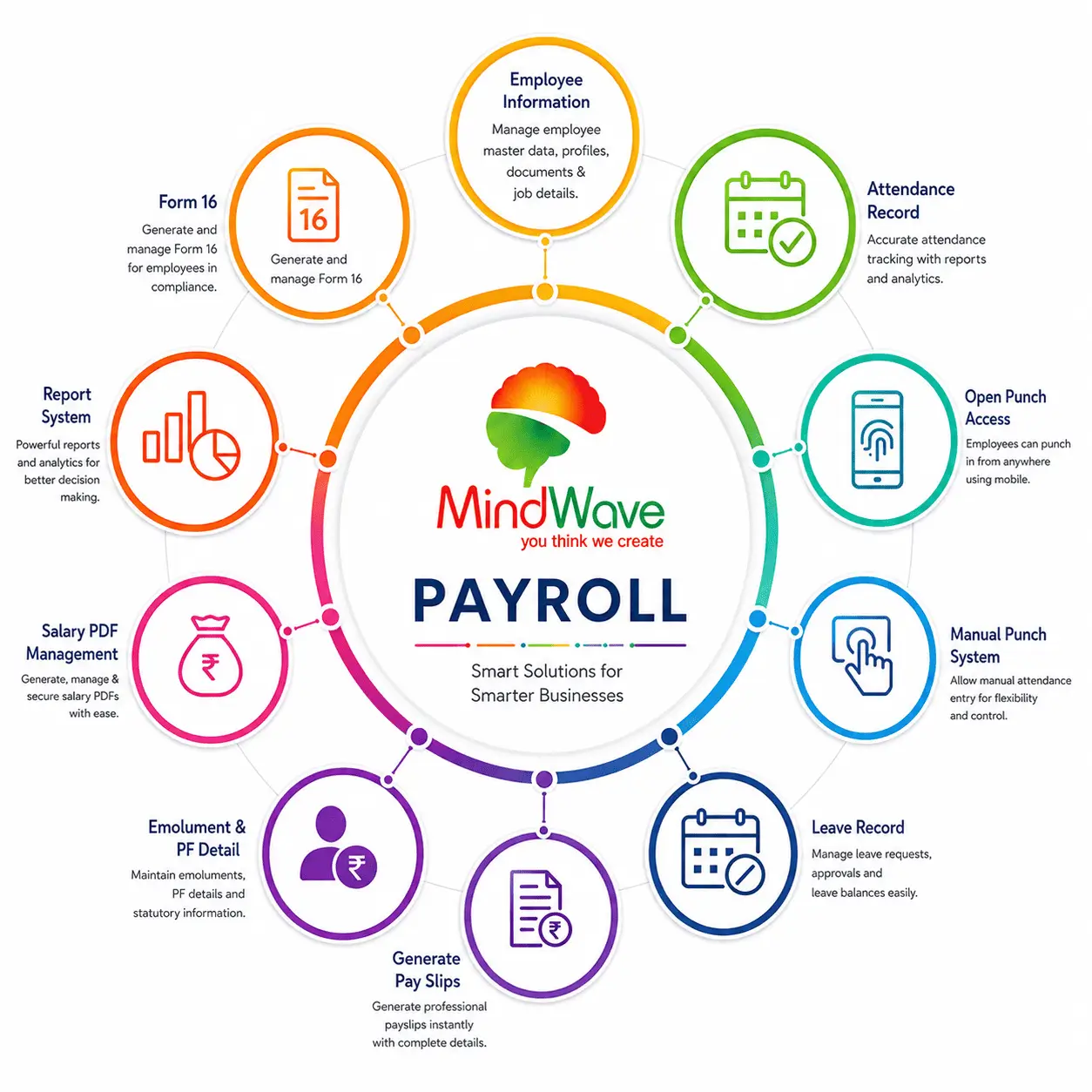
Payroll Software for Indian Businesses: The Complete Guide
A practical, plain-language walkthrough of payroll processing in India — salary structure, statutory compliance like EPF, ESI, Professional Tax and TDS, payslips, full and final settlement, and how payroll software turns it all into a reliable monthly routine.
Table of Contents
What is Payroll Software and Why Do Indian Businesses Need It?
Payroll software is a system that automates the process of calculating, confirming and disbursing employee salaries every month. It takes inputs like attendance, leaves, salary structure, increments and statutory rules, and then produces accurate payslips, bank files, statutory challans and registers without the need for manual spreadsheets. For Indian businesses, the phrase "payroll software India" usually brings to mind a cloud payroll software that also handles employer obligations such as Provident Fund, ESIC, Professional Tax and TDS from salary.
Why does this matter so much in India? Because payroll here is not just about paying salaries. Every month, an employer must reconcile earnings with a long list of statutory deductions, keep hard-to-trust registers, and file returns that attract penalties if filed late or incorrectly. New companies often start payroll on Excel, and it works reasonably well for a handful of employees. But the moment the headcount crosses the twenties or the business opens a second branch, Excel payroll begins to leak time: someone forgets to update a slab, a new joiner is missed from the PF register, or a Pratham app catches a mismatch in the EPF challan.
The core promise of payroll software is simple. It keeps every statutory rule built-in and up to date, so the human team concentrates on the exceptions rather than the arithmetic. It produces every document an auditor or inspector might ask for — pay slips, Form 16, PF and ESI registers, Professional Tax challan summaries — at the click of a button. And it connects to attendance and leave so that the salary for each employee reflects what actually happened on the ground, not what a clerk assumed happened.
A useful way to think about payroll software
It is the difference between a monthly fire-fighting exercise and a routine that runs on rails. With the right tool, payroll processing stops being an end-of-month anxiety and becomes a quiet, repeatable operation — usually completed in a few hours instead of a few days.
Businesses across every sector in India — manufacturing units with shift workers, IT services firms with consultants, clinics and hospitals with nurses on rotation, schools with teaching and non-teaching staff, and retail chains with store-level employees — all face the same monthly challenge. Payroll automation removes the repetitive work, keeps the compliance clock running, and gives owners back their evenings near the month-end.
How Payroll Processing Works: The Monthly Payroll Cycle in India
Every organisation follows a payroll cycle, which is simply the sequence of activities that repeats each month from the first day of the cycle to the day salaries are paid. In most Indian companies the cutoff for attendance and leave data falls between the 25th and the last day of the month, salaries are processed in the first few days of the following month, and disbursement happens on a fixed salary date — typically the 1st, 5th, 7th or 10th of the month.
A standard payroll processing cycle looks like this:
- Data collection: attendance is locked, leave and overtime are finalised, new joiners and resignees are recorded, and any changes in salary structure, shifts or branches are captured before closing the month.
- Data verification: the payroll team checks exceptions such as half-day records, pending leaves, salary revisions with arrears, and any adjustment like a special allowance or a recovery.
- Computation: the system computes gross earnings, statutory deductions such as EPF, ESI and Professional Tax, income tax TDS from salary, and net pay for every employee.
- Validation and approval: managers and the finance head review a payroll summary, approve it, and the payroll then becomes the pay date run.
- Disbursement and statutory filing: a bank file is generated and uploaded for salary transfer, payslips are released to employees, and PF, ESI, PT and TDS challans and returns are filed before their statutory due dates.
- Record keeping and audits: all payroll data is archived in registers and reports for auditors, banks and government portals.
- Start the next cycle: monthly and yearly statutory trackers reset, new hires are added, and the cycle repeats with data already in place.
Timelines deserve attention because statutory deadlines are unforgiving. EPF contribution payment for a month is due by the 15th of the following month, ESI by the 15th, Professional Tax by the date notified by the state, and TDS on salary must be deposited by the 7th of the next month. Cloud payroll software keeps a statutory tracker against each of these dates so that no return is rushed at the last moment or missed entirely.
Frequent payroll or a staggered cycle does not change the underlying steps. Companies that pay weekly or twice a month compress the same workflow, which is precisely why automation shows its value fastest in organisations running more than one pay cycle a month.
First-time setup deserves its own mention in the cycle. When an organisation migrates from manual to software payroll, the onboarding month includes mapping the existing salary structures, verifying the employee master against statutory records, importing leave balances and running a parallel run of the previous month. It is a one-time effort with a lasting payoff: every cycle after the first is shorter, quieter and more accurate because the foundation is a single, verified record.
Understanding the Indian Salary Structure: Components That Make Up CTC
Before any payroll software can compute a salary, it has to understand the salary structure India uses. A compensation offer in Indian companies is made in terms of Cost to Company (CTC), which is an annual figure. Monthly Earned gross is what the employee actually receives before deductions each month (or an allowance called Fixed gross in cases where CTC differs), and the difference between CTC and gross is usually made up of employer statutory contributions like employer EPF, employer ESI, gratuity provision and a few non-cash perks such as fuel and driver allowance.
The easiest way to read a pay slip is to place the components in three groups:
- Earnings: everything that adds to the employee's gross, such as Basic pay, House Rent Allowance, Conveyance Allowance, Special Allowance, incentives and overtime.
- Statutory deductions: Employee PF, Employee ESI, Professional Tax and Income Tax (TDS), which are deducted from gross to arrive at net pay.
- Other deductions: loan EMI recoveries, advance recoveries, telephone bills, as well as voluntary items like insurance or scheme contributions the employee has opted into.
The major salary components explained
Basic Pay: This is the fixed, permanent part of the salary and is generally 40 to 50 per cent of the CTC. It is fully taxable and is the base for statutory calculations — PF and ESI are computed on a combination of Basic plus Dearness Allowance, so a well-designed Basic ratio keeps EPF/ESI deductions aligned with what was promised. Basic Pay also drives Gratuity entitlement, per-diem calculations and holiday pay.
House Rent Allowance (HRA): HRA is paid to employees towards rent and is mostly exempt from tax under Section 10(13A) of the Income-tax Act, subject to the minimum of three conditions, with the classic rules being actual rent paid minus 10 per cent of Basic plus DA. HRA exemption therefore depends on the city of residence, which is why payroll software asks for the employee's location. Employees living at home without paying rent may not get full HRA exemption, and this is handled at the TDS level.
Conveyance, Special and other allowances: A conveyance allowance covers travel to and from the workplace and carried a fixed exemption slot under the old regime. A Special Allowance is a flexible residual component used to balance the structure so that the monthly gross matches the promised figure. Allowances such as Telephone, Education and Books are usually small and taxable, while items like Uniform and Gifts can be exempt within limits. Because a salary structure India widely uses contains up to ten or more small lines, software is the practical way to keep them consistent with the offer letter.
Performance incentives and overtime: Variable pay, target-based incentives and shift allowance are computed separately and merged into the payroll run. Overtime is common in factories and hospitals, where it is paid at a multiple of the per-day rate and must itself feed into ESI on one side and overtime registers on the other.
When a payroll system is configured correctly, every component has a rule behind it: which element is PF-applicable, which is exempt for TDS, which pulls from attendance, and which is paid only on certain months. This configuration is what saves the payroll team hundreds of small decisions every pay cycle.
Statutory Payroll Compliance in India: EPF, ESI, Professional Tax, TDS and LWF
Payroll compliance India obligations can look intimidating to a new HR manager, but they are a finite, knowable list. The statutes that affect almost every regular employee are the Employees' Provident Funds and Miscellaneous Provisions Act (EPF), the Employees' State Insurance Act for ESIC, the state-level Professional Tax enactments, the Income-tax Act for TDS on salary, and for some states the Labour Welfare Fund (LWF).
The employer is on the hook first
Under Indian labour law the employer must register, deduct, deposit and file returns on behalf of the employee — even if the employee's share is later recovered from the salary. A PF or ESI miss is an employer non-compliance, not an employee one.
Statutory deductions are computed within the payroll run itself, because they are percentages of salary components. EPF is a percentage of Basic plus DA, ESI is a percentage of gross wages, Professional Tax is a slab based on gross monthly earnings, and TDS is computed on annualised taxable salary. When these rules live inside the software, the arithmetic is consistent across every employee, every branch and every month — which is exactly the kind of consistency an auditor looks for.
A well-configured payroll module therefore is not merely a calculator; it is a small compliance officer. It remembers when each employee crossed a wage ceiling, when a new state branch should start paying Professional Tax, whether the monthly PF return has been filed, and whether the year-end Form 16 has been generated for every active employee.
EPF and ESI Calculation: How the Numbers Actually Work
EPF (Provident Fund): EPF is mandatory for establishments where the number of employees is at least twenty, and for many smaller establishments once voluntarily enrolled. The employee contributes 12 per cent of Basic plus Dearness Allowance. The employer also contributes 12 per cent, but this is split two ways: up to 8.33 per cent goes to the Employees' Pension Scheme (EPS) but only on a wage ceiling, and the balance goes to the employee's EPF account. The employer also pays 0.50 per cent of covered wages as EDLI premium and a nominal administrative levy.
The wage ceiling is the detail that trips people up. EPF applies on wages up to a notified ceiling; earnings above the ceiling need not be included unless the employee and employer opt in. Below the ceiling month, the full 12 per cent of Basic plus DA is deducted on the employee's side. When an employee earns less than the ceiling, the entire Basic plus DA is PF-applicable — this is where a misunderstanding between "12 per cent of Basic" and "12 per cent of gross with allowances exempted" can change a pay slip by hundreds every month.
Simplified EPF example
If an employee's Basic plus DA is within the ceiling, the employee contributes 12 per cent of that amount to EPF and the employer contributes 12 per cent as well. Looking at the employer side of a typical payslip: roughly 8.33 percentage points go to the pension scheme (capped as per rules) and the remainder to the employee's PF account, with EDLI and admin levy added on top of the employer's total cost.
ESI (Employee State Insurance): ESIC applies to factories and establishments above a specified size limit in eligible areas, covering employees whose gross wages are within the wage ceiling. The employee contributes 0.75 per cent of gross wages and the employer 3.25 per cent, making a combined 4 per cent of gross wages paid into the ESI fund. ESI is not an age-or-wage pyramid like PF; it is paid on every rupee of gross monthly salary up to the ceiling.
ESIC compliance is monthly and now largely runs through the ESIC portal: an employee joining mid-month earns a proportionate number of contribution days and must be shown as covered in the monthly contribution return even if the salary was for only those days. Payroll software automatically links the days of employment in the month to the ESI contribution days, which removes one of the most common reasons for ESIC inspection objections.
Both EPF and ESI calculations flow through a single, versioned tax-look-up table inside payroll software. When the government changes a rate or a ceiling, the update is released once and every payslip in that month's run reflects it automatically — there is no room for a stale percentage hidden in a spreadsheet.
TDS Payroll: Income Tax Deduction at Source on Salary
TDS on salary under Section 192 of the Income-tax Act is the mechanism through which the employer collects income tax from employees and hands it to the government across the year. The employer is the "deductor" and is responsible for computing the employee's estimated annual income, deducting tax in fixed amounts each month, depositing it by the 7th of the following month, filing quarterly TDS returns (Form 24Q) and finally issuing Form 16.
Modern payroll software handles TDS with more sophistication than the older calculators. At the start of the year the employee submits investment declarations for old regime deductions and proof of rent, home loan or previous employment. The software tax statement then tracks actual salary as it is paid, recomputes tax after each pay cycle, and adjusts the monthly deduction so that the total collected is neither a surprise at year-end nor a monthly horror.
Deduction management is a year-long task
Employees declare Section 80C investment (EPF, PPF, ELSS, life insurance premiums, home loan principal), Section 80D health insurance, HRA exemption, and standard deduction. Good payroll software tracks declaration versus actual proof, flags employees whose declared amounts are unsupported, and lets an employee switch between the old and new tax regimes — with each change recalculating the deduction from the start of the financial year.
Salary tax nuances matter at payroll time. Relieving employees need to be issued Form 16 during the assessment process, and a full and final settlement must deduct tax on accumulated leave encashment, gratuity and any arrears paid in that month. Payroll software keeps these one-off, year-ending events inside the same tax computation so the TDS figure on the final payslip is correct in context, not adjusted painfully in April.
The year-end documents are only as good as the monthly data behind them. Form 24Q filed each quarter must tally with the deposit challans, and the annual Form 16 must reconcile with what was actually deducted — which is why payroll systems reconcile TDS at every run and again at financial year close. For employees, this means no awkward follow-ups from their income tax return filing; for the employer, it means the 24Q return and the annual statement never contradict each other on an inspector's desk.
Professional Tax and Labour Welfare Fund: State-Level Taxes on Payroll
Professional Tax (PT): Professional Tax is a tax on employment levied by Indian states, and unlike PF or ESI it is collected directly from the employee and remitted to the state. It is a slab-based amount — the monthly deduction rises in steps with gross salary and generally stops at a maximum monthly cap per year in each state, so employees above the top slab pay the same fixed amount. States like Maharashtra, Karnataka, West Bengal, Tamil Nadu, Delhi, Gujarat, Andhra Pradesh and Telangana all levy it, while some states do not charge it at all.
The employer's responsibilities are to register as a PT deductor with the state, deduct the correct slab, deposit the monthly or half-yearly amounts as notified, and file the professional tax return on schedule. Because each state has a different slab table and different filing frequency, multi-state payroll software maintains the correct table per branch city — the same company can be paying PT for its Noida office employees and nothing for a Rajasthan branch in the same payroll run.
Labour Welfare Fund (LWF): LWF is a small contribution towards state welfare schemes, applicable in states that have enacted it — for example Maharashtra, Karnataka, West Bengal, Uttar Pradesh, Punjab and a few others. The employee pays a small fixed monthly amount and the employer typically matches it, and the combined sum is deposited with the state periodically. Like Professional Tax, LWF is state-specific and its applicability depends on eligibility thresholds, which are again best relied upon in software rather than in memory.
Neither PT nor LWF is large in value, but both are notorious for penalties — a missed Professional Tax return in one state can snowball into interest and penalties that exceed the tax itself. Payroll compliance India is largely a discipline of small recurring filings, and the software's dashboard for pending statutory filings is the antidote.
Arrears and Other Allowances: Handling Back-Dated Changes in Payroll
Very few payroll matters cause more confusion than arrears. An arrear arises when a salary change is authorised with effect from a date in the past: a promotion announced in March but effective from January, a DA revision applied from the beginning of the financial year, a pay commission stage revision, or an incentive scheme decided after the month was already closed. The difference between what was paid and what should have been paid is the arrears amount, and it must be added in the current month's payroll together with the statutory consequences.
Arrears are not simply a lump-sum add-on. They affect Employee PF and ESI (arrears of PF-eligible earnings invite PF on the arrear), Professional Tax (the arrear may push the month's gross above a PT slab), and most importantly TDS on salary, where the entire back period's income is re-taxed in the current computation. A system that simply adds a "+12,000 arrears" line and closes the month can land the employer in a TDS mismatch that shows up only at Form 16 time.
Allowances that behave differently
Beyond the monthly constants, organisations run allowances that appear only occasionally: a night-shift allowance for a hospital, a field allowance for a sales team, a Uniform and meals allowance in a factory, an academic-grade allowance in a school, or a special project allowance for consultants. Each needs its own PF and TDS treatment, and each must be visible on the payslip so that the employee can see exactly what was received, for what and why.
Payroll software handles arrears by keeping the "effective from" date on every salary change and computing the arrear on the difference between the earlier structure and the new one, applying each statutory element to the arrear. That disciplined handling is one of the strongest arguments for payroll automation in companies that review salaries annually or carry festival-period incentives.
Closely related to arrears is the annual or festival performance bonus. A bonus is usually a percentage of annual earnings rather than a monthly entitlement, and under the Payment of Bonus Act a statutory minimum is payable once a company crosses the specified workforce and profit thresholds. In payroll, a bonus is paid in a specific month — often linked to the festival or the financial year end — and that month's payslip must show it separately, while the TDS computation absorbs the jump in income for that period. Software treats these one-off payments as events with their own date and rules, so the bonus month never corrupts the regular monthly structure.
The New Labour Codes and the Wage Code: What They Mean for Payroll
India is in the middle of consolidating 29 central labour laws into four new codes: the Code on Wages, the Industrial Relations Code, the Social Security Code and the Occupational Safety, Health and Working Conditions Code. Their most payroll-relevant outcome is the introduction of a uniform definition of "wages" across all labour laws, a national floor wage concept, and changes to how allowances must be structured so that some portion of remuneration is always treated as wages.
Under the Code on Wages, wages are defined as a broad base that excludes only clearly listed items, and any allowance paid by an employer must ensure that the "wages" component of the structure does not fall below a prescribed proportion of the total remuneration. This changes the comfortable old habit of pushing almost everything into a special allowance and keeping Basic artificially low. Companies preparing salary structures today need to verify that their Basic plus statutory-wage components respect the new proportion so that PF, ESI, gratuity and the minimum wage calculations all draw from the same compliant base.
The Social Security Code significantly widens the net of who must be covered. It brings gig workers and platform workers under the social security umbrella for the first time and reworks thresholds for coverage such as the ESI eligibility. The Wage Code also introduces a concept of a floors wage that the central government can notify, with states topping it up, and centralises the definition so that an amount either counts as part of wages for every statute or is excluded everywhere. For payroll teams this means one consistent wage definition feeding PF, ESI, gratuity, minimum wages and bonus calculations — a simplification, provided their software is updated the moment the codes are notified into force.
Why this matters on a payslip
Under the new regime, the same salary line must satisfy several masters at once: the minimum wage notification, the gratuity calculation, PF applicability and the 50-50 (or state-notified) split of remuneration between wages and allowances. When the codes are fully in force, legacy Excel payslips built on old assumptions will be a compliance risk; configurable payroll software lets an organisation re-map its salary structures without re-keying every employee.
Implementation of the codes is being staggered state-by-state as rules are notified, so an "all-India" payroll team must track applicability separately for each location. Software that maintains rules per state, and ships the updated wage definitions when a state notification arrives, is the practical way to keep this moving target under control.
What should a payroll team do today, ahead of full enforcement? Audit each salary structure against the new wage definition and the prescribed wage-remuneration split; check that Basic and statutory-wage components are defensible in every branch state; confirm gratuity and bonus provisions in the structures your organisation actually pays; and insist that your payroll vendor maintains a documented mapping to the code provisions. Teams that prepare now will find the switch when the notification lands is a rules update — not a redesign of their payroll from scratch.
Payroll Accuracy and Error Prevention: Where Mistakes Actually Come From
Payroll errors are rarely arithmetic. They are almost always data-transcription, timing and versioning mistakes. A manual payroll run goes wrong when the person who typed an UAN transposed two digits, when the increment list from January is applied in the April payroll by mistake, when an ESI wage ceiling change is entered for only some employees, or when a resignation letter is processed after the month had already closed the employee out of a payslip.
Automation attacks these errors at their source. Payroll software holds a single employee master — PAN, Aadhaar, bank account, UAN, ESI number, branch, department, PF applicability and salary structure — and every month's run reads from the same master. There is no re-typing of the bank account in the disbursement file, because the account is verified once and reused. There is no second copy of the PF register, because the register is generated from the same run that produced the challan.
Built-in checks that catch the almost-missed
Good payroll tools run validation passes before the month closes: employees with no bank account in the file, PAN screens that are not formatted, EPF applicability mismatches between the payslip and the register, ESI days that do not equal the days of employment, and arrears that break the month's ceiling. An approval workflow ensures that the payroll summary is reviewed and signed before a single rupee moves.
The visible payoff is fewer complaint calls on salary date. But the quieter payoff matters more: the statutory registers are clean, the reconciliation between the payslip sum and the bank file sum is automatic, and an auditor's request for a month's full payroll — structure, deductions, registers, challans — is answered in minutes rather than in a nervous reread of spreadsheets.
Error prevention is also about who can change what. Every salary revision, every bank account change and every deduction override should carry an audit trail — who did it, when, from what to what. That habit alone eliminates the "salary was changed by accident" class of dispute that HR teams spend days untangling.
Attendance and Leave Integration: Payroll-Ready Records
A payslip is only as good as the attendance it is built on. In a manual setup, attendance from biometric devices, Excel rosters or paper registers is touched several times before it becomes a salary: time data is exported, cleaned, matched with leave applications, and pasted into the payroll sheet — and at every touch a record can be lost or a late punch misinterpreted as a half-day. Integrated payroll software closes that gap by treating attendance and leave as part of the same payroll record.
Biometric attendance, mobile GPS attendance for field staff, access-control punch data and leave portals all feed the same engine. Approved leave is recognised automatically — a sanctioned casual leave is not turned into a loss of pay, and a system-reported holiday does not become a deduction. Half-days, odd shifts, overtime, night shifts and compensatory off all resolve into a clean "attendance summary" that the payroll run consumes directly.
This integration has a second, subtler benefit: accuracy of days. PF, ESI and Professional Tax depend on the number of days paid in a month, which changes with every mid-month joiner and resignee. When attendance and payroll share one record, the software computes the correct days for each employee and applies the deductions on the correct base — the single most common statutory query at inspections is exactly this days-versus-wages reconciliation.
A clear payroll calendar completes the picture. It marks the attendance cutoff, the leave-lock date, the final verification window and the salary date, so every stakeholder — employees, branch heads, finance, bank — moves on the same schedule. When attendance closes on time, the payroll has calm days to verify before money moves.
Attendance is also a cost question
Once attendance flows into payroll automatically, the same data answers management questions: what a new factory shift costs, how overtime has moved after a policy change, which department loses the most to leave, and what the absenteeism pattern looks like over six months. Payroll stops being a back-office chore and becomes an operating report.
Payslip Software and Employee Self-Service: Digital Pay Slips Done Right
The monthly payslip is the employee's most-read document about their job, and it deserves better than a PDF dropped into an email list that is inevitably incomplete. Payslip software generates a clean, branded salary slip for every employee that shows earnings and deductions line by line, statutory components clearly, arrears or recoveries separately, and both the month's totals and cumulative year-to-date figures for TDS purposes.
Employee Self-Service (ESS) takes the payslip further. Through a web or mobile portal, each employee can view current and past pay slips, download Form 16 at year-end, see their leave balance, submit leave applications and check their PF and ESI deduction history. For the HR team this means the month-end flood of "please send my slip again" and "what does this line mean" requests largely disappears — the answers are one login away, and common questions are answered by the payslip itself.
ESS also improves data quality because employees update their own details. Address, bank account, PAN declaration changes and investment declarations are entered by the person who knows them best, reviewed once, and flow directly into the payroll master — removing the classic "my bank account changed last week but salary went to the old one" incident.
A payslip is a retention tool too
Employees judge how an organisation treats them on salary date. An accurate, clearly explained payslip released on time, every time, with a simple way to ask questions and a professional year-end summary, is a small but constant signal of competence. It protects the brand in the same way a clean interview process builds it.
Full and Final Settlement and the Relieving Process
When an employee resigns or is released, payroll owes them a full and final (F&F) settlement: the final salary for the days worked in the exit month, any earned leave encashment, gratuity once the service is eligible, professional tax adjustments, and the settlement of TDS on the total exit income. In return, the employer deducts any recoveries — notice period shortfall, pending advances, unreturned assets or scheme balances — and issues the relieving letter and experience certificate once the clearance is complete.
The components of a typical settlement stack are:
- Final salary: the pro-rated pay for the last working days of the month, computed on the same salary structure as any other month.
- Earned leave encashment: the value of accrued but unavailed earned leave, paid as per policy and taxed in the exit month.
- Gratuity: payable after continuous service of at least five completed years, calculated as fifteen days' wages per completed year of service up to a statutory maximum.
- Statutory settlement: PF transfers happen through the UAN so the employee's money moves on job change; ESI and PT are de-registered for the month; and Form 16 is issued for the exit financial year.
- Clearance and relieving: after departmental and finance clearance, the relieving letter, experience letter and settlement summary are released, usually within a stipulated working days after the last working day.
F&F is legally time-sensitive. Like the payment of dues, it must be completed within the framed timeline after the last working day, and a delay carries interest liability in some states. Good payroll software runs a settlement tracker that lists every exiting employee with their exit date, holds the final salary in a pending settlement bucket until F&F inputs are received, and then computes the entire settlement in one go — days, leave, gratuity, TDS and recoveries — from the same payroll master used for active employees.
Gratuity deserves special care at exit because small service lapses change the answer completely. Only completed years count, a resigning employee falling short by even a few days of the qualifying period loses eligibility, and month-end vs. mid-month service boundaries affect the count of completed years. Combined with leave encashment rules that vary by policy — on basic, on gross, capped at a number of days — a settlement can differ meaningfully depending on how the terms are configured. Payroll software holds these policy rules per organisation and computes the settlement statement so the employee receives a clear, defensible summary of exactly how each amount was derived.
F&F is a reputation moment
Alumni employees talk. A settlement that is accurate and on time turns a resignee into a reference; one that is disputed turns them into a review on every job portal. The discipline of the relieving process — clear warnings, date-based settlement, a printed statement of dues — is the difference between a professional exit and a personal dispute.
Payroll Security and Data Privacy: Protecting Salary and Personal Data
Payroll data is the most sensitive dataset most Indian companies hold. It combines names, addresses, PAN and Aadhaar numbers with bank accounts, UANs, ESI numbers, salaries and medical deduction records. A leaked payroll file is not just embarrassing; it is a breach of personal data with the clear potential for identity misuse, and under the Digital Personal Data Protection Act the employer is firmly in the position of a data fiduciary accountable for the protection of that information.
Payroll security starts with access. Only designated HR and accounts users should see salary figures or full employee files, and the software should offer role-based permissions — an attendance manager sees attendance, a branch supervisor sees only their branch, an auditor gets read-only access tied to a period. Strong authentication, password expiry and optional two-step verification raise the bar on the user side, while the platform itself should encrypt data at rest and in transit, keep encrypted backups, and store any Aadhaar-linked data under recognised handling norms.
The practical checklist for payroll data protection is short and sharp: restrict file exports to authorised roles, log every export and download, mask PAN and Aadhaar in reports where possible, never include full bank account numbers in incidental communications, and agree in writing how the vendor handles data, where it is hosted, and how it is destroyed when the contract ends. For companies running HRMS with biometric data, the obligations extend still further to the handling of biometric templates per the DPDP rules.
Security is reviewed, not assumed
When vendors like Megamind Technosoft carry certifications such as ISO 27001, they are giving you an independent statement that information security controls have been examined and found sound. Ask every payroll software vendor the same questions: who can see the data, who approves exports, what the breach-response process is, and what happened last time compliance was reviewed.
Multi-Location Payroll: One Payroll, Many States
Retail chains, distribution companies, nursing home groups and manufacturing units with plants in several cities face a payroll puzzle their single-office counterparts never see: every location can carry a different set of statutory rules at the same time. An employee in Maharashtra pays Professional Tax and LWF, a colleague in Rajasthan pays neither, an ESIC registration might be required for the factory location but not the corporate office, and PF applicability can differ at the establishment level.
Multi-location payroll scenarios usually run through a matrix of rules: location-driven Professional Tax slab tables, location-specific LWF rates and eligibility, establishment-specific ESI registrations, shift and zone allowances like metro or hilly-area pay, and state-notified minimum wages that vary widely even within one industry. Payroll software stores employee "setup" — branch, state, establishment, PF and ESI registrations — and applies the right rule set per employee automatically.
Consolidated reporting is the hidden win. Head office can see pay cost by branch, statutory deduction split by state, and headcount and rates across the country on one dashboard, while each branch retains the local registers its inspector will ask for. Decentralised data entry with centralised control — branch HR enters leaves, corporate owns the salary master — is the operating model most growing companies settle on.
Watch the coverage thresholds
Coverage limits like the ESI establishment threshold are applied per establishment, not per company. A company of 300 people across four small branches may owe PF, ESI or LWF obligations differently in each location, and the payroll software should respect those establishment boundaries rather than force one all-India rule on everyone.
Payroll Reports and Audit Trails: The Paper Trail an Auditor Expects
A compliant payroll is a documented payroll. Registers and returns that Indian businesses must be able to produce include the PF 3A and consolidated 6A statements, the monthly ESI contribution return, the Professional Tax return, the register of employees maintained under the Factories Act appraisals, the wage register, the muster behind it, and the TDS quarterly statement feeding Form 16. When these are generated from the live payroll run rather than recreated for a visit, they reconcile with the payslips by definition.
Beyond statutory documents, reporting answers operating questions. A pay revision impact report shows what next month's cost will be four moving lines at a time. A headcount and attrition report connects joining and exit data with F&F payouts. A leave or overtime report exposes cost before it crystallises into salary. An organisation-wide compensation review becomes a set of filters over the payroll database instead of a week of spreadsheet archaeology.
The audit trail is a quiet hero
Every salary change, deduction override, retro-revision and payroll approval should leave a dated log of who did what and what the values were before and after. This trail is what lets an organisation answer "why was this month different?" with evidence instead of memory — and it dissuades the differential treatment of employees before it starts.
Finally, reconciliation. Payroll software should reconcile the sum of payslip nets against the bank disbursement file, statutory deductions against the challans deposited, and the year-to-date figures against the Form 16 issued. A zero-difference reconciliation is the strongest single indicator that the payroll is right — and it is only available when every layer of payroll shares one source of truth.
Payroll Automation and Cloud Payroll Software: Why Cloud Makes Sense in India
Payroll automation is the collapse of a multi-day manual chore into an hour of flow: data is pulled, rules are applied, cheques are validated, statutory profiles are updated, and the only human decisions left are the ones that genuinely need a human — a special recovery, an unusual exit clause, a disputed attendance. The payroll team's role shifts from doing arithmetic to owning exceptions, which is a far better use of their salaries and a far smaller error surface.
Cloud payroll software adds three Indian-specific advantages. First, remote accessibility — owners and finance heads approve or review payroll from anywhere, and data entry continues from the branch during floods, strikes or shutdowns. Second, always-current statutory rules — rates are updated centrally the moment a government notification lands, so no one is running payroll on a two-year-old PF rate for the sake of a local install. Third, cost and maintenance — there is no server to buy, no antivirus to renew, no backup tape to remember; the vendor handles infrastructure, security patches and encrypted backups as part of the subscription.
The change-management truth
Moving to cloud payroll is as much a people project as a software project. The payroll lead must be involved in mapping the existing structures to the new software, the approval workflow must be agreed before day one, and parallel runs — two months of old and new payroll side by side — build the confidence that makes the switch permanent.
Automation also compounds. Employee data, attendance and leave already in the system mean the first payroll of the year runs on data that has been verified all year. Bank files, statutory challans and Form 16 are generated against the same master. The organisation that automates payroll once is really investing in a permanently lower cost of running their workforce.
Payroll Software ROI and Cost: Value, Not Just Price
Payroll software pricing in India is usually driven by headcount and modules, with vendors quoting on a per-employee-per-month basis and organisations buying a license or a cloud subscription. Rather than comparing sticker prices, the mature buyer compares the cost of payroll as it is running today against the cost of payroll once it is automated.
Consider what manual payroll silently costs: the payroll clerk's days around salary date, the overtime paid to finance to recheck a bloated register, the penalty risk on a late or mismatched statutory return, the bank reversal when an account detail is wrong, and the reputational damage when a pay dispute runs public. Spread over a year, those costs are real and recurring — and none of them appears on the software's price list.
A sensible ROI lens
Add up the hours saved in a month, the errors avoided in a year, the compliance penalties averted and the reporting that no longer requires paid outsiders, and compare that against the subscription. Most organisations find the payback window measured in a few months, after which payroll software is a quiet monthly bargain — the best value a payroll department can buy.
When you shop for payroll software, ask for what matters: the number of employees the plan covers, whether PF/ESI/PT/TDS returns are included or separate, whether biometric and mobile attendance integration is bundled, the support model during salary week, and the cost of adding a branch later. Prices are shared transparently by vendors like Megamind — contact for best value on a headcount-matched plan, or request the minimum price tiers for your employee size and you will see how quickly automation pays for itself.
How to Choose Payroll Software India: A Practical Buyer's Checklist
Every payroll software demo looks glossy; the decision is made on the questions the vendor does not expect. Before you sign, verify these against your own payroll data:
- Statutory completeness: Does the tool genuinely handle PF including the wage ceiling and pension split, ESI with days-based contribution, your state's Professional Tax slab table, TDS with old and new regime computation, and LWF if your states require it? Run a real month's payroll through it before paying.
- Attendance depth: Will it take data from your existing biometric or access-control devices, or will you be forced to buy new hardware? Can mobile GPS attendance cover your sales and field staff?
- Integration and exports: Does it create the bank file your HRMS bank accepts, and can it export to the government portals and to your accounting software in the formats your CA already uses?
- Approval workflows: Can branch managers approve, can finance lock the run, and is every change audited? Rigid workflows that refuse sensible exceptions are a warning label.
- Support in India time: Salary week has no holiday calendar. Confirm support works when you do, in the language you work in, at an India-time channel that answers.
- Security posture: Certification, data hosting location, export logging and the terms around your data if you leave. Ask for it in writing.
A demo is powerful but a shadow run is decisive: run two months of payroll in parallel on live data, compare salaries and statutory outputs line by line, and only then switch. This is exactly the approach implementation teams suggest — and the reason most organisations that go through one never look back.
Frequently Asked Questions About Payroll Software India
What is payroll software India used for?
It is used to compute and disburse salaries, manage Indian salary structures, apply statutory deductions like EPF, ESI, Professional Tax and TDS on salary, generate payslips and Form 16, and file PF, ESI, PT and TDS returns — all from one accurate payroll record fed by attendance and leave.
How is the salary structure for an Indian employee designed?
Companies split CTC into Basic Pay, HRA, Conveyance, Special Allowance and statutory components, keeping Basic and DA at a level that satisfies PF and ESI expectations and the new wage code's wage proportion. Payroll software enforces the structure consistently so every payslip matches the offer letter.
What is the EPF contribution rate and how is it calculated?
The employee contributes 12 per cent of Basic plus DA to EPF; the employer also contributes 12 per cent, of which up to 8.33 per cent goes to the pension scheme against the wage ceiling and the remainder to the employee's PF account, with EDLI and admin charges on the employer side.
What are the ESI contribution rates and who is covered?
ESI applies to establishments above the threshold in eligible areas for employees earning gross wages within the wage ceiling. The employee pays 0.75 per cent and the employer 3.25 per cent of gross wages, making 4 per cent in total, remitted monthly over the ESIC portal.
How does Professional Tax affect monthly payroll?
Professional Tax is a state-level slab deduction from employee gross earnings, capped at a maximum per month in each state, remitted by the employer on the state's schedule. Whether it applies, and at what slab, depends on the employee's workplace state.
How is TDS on salary computed in payroll software?
Software annualises the employee's taxable salary, applies the income-tax slabs for the regime the employee has chosen, adjusts for declarations, 80C and 80D proof, standard deduction and any HRA exemption, and deducts a tuned monthly portion, issuing 24Q returns and Form 16.
What is full and final settlement in Indian payroll?
F&F is the final payment to an exiting employee: pro-rated final salary, earned leave encashment, gratuity after eligible service, and TDS on the exit month income, less recoveries like notice shortfall — completed by the required timeline and followed by relieving and experience letters.
Are gratuity and arrears handled by payroll software?
Yes. Gratuity is computed at 15 days' wages per completed year on exit, and arrears from back-dated salary changes are re-run through PF, ESI, TDS and Professional Tax within the current month so the statutory totals stay true.
Can cloud payroll software manage multiple locations?
Yes. Cloud payroll keeps per-location rules — state-specific Professional Tax, LWF, establishment-level ESI, minimum wages and shift allowances — and produces branch-level registers plus consolidated company reports from a single data source.
Why should payroll be automated instead of Excel?
Excel has no audit trail, no built-in statutory tables, no validation against the bank file and no version control. Payroll automation keeps updating the rules, prevents transcription errors, reconciles to zero and produces payslips, returns and registers with a consistent source of truth.
Final Thoughts: Payroll as a Monthly Routine That Runs Itself
Payroll in India is a discipline of small, recurring, unforgiving statutory details. The companies that get it right month after month are not the ones with heroic payroll teams; they are the ones that have removed most of the heroics by automating the routine. Salary structures stay correct, EPF and ESI flow into the registers, TDS is tuned all year instead of fixed in April, payslips reach employees on time, settlements close on schedule, and the audit file answers every question with evidence.
You do not need to change everything overnight. Run your next payroll in parallel — your current process and a payroll software side by side — and compare the two on accuracy, effort and peace of mind. The difference between them is the business case, written in your own numbers.
When you are ready to move, talk to a team that runs payroll software for Indian businesses every single day — consult Megamind Technosoft for a demo shaped around your branches, your statutory mix and your people.