Announcement

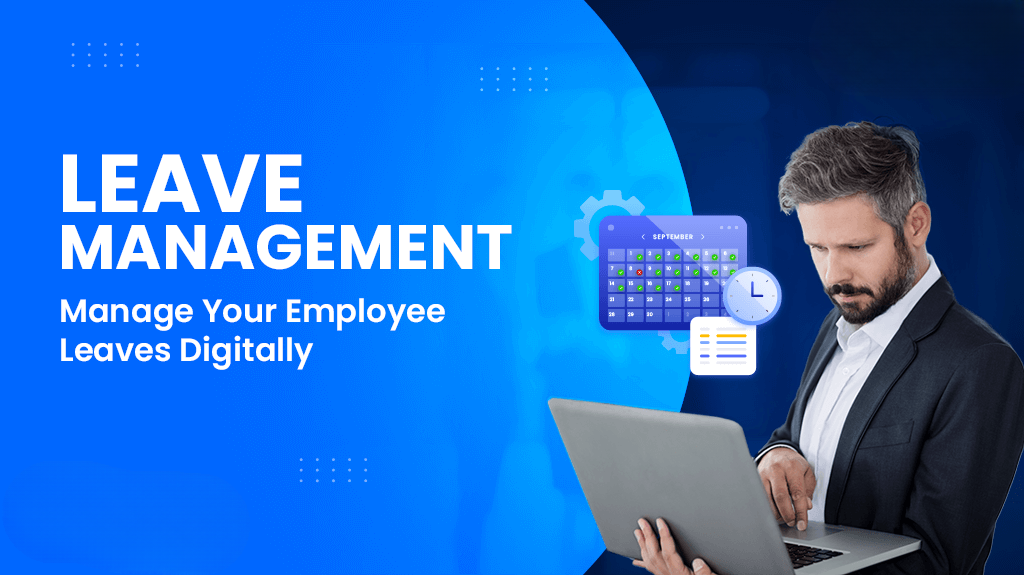
Leave Management Module is a key component of HR software that helps organizations efficiently manage employee leave processes. It allows employees to apply for leave, check balances, and track requests, while managers can review and approve them seamlessly. The module automates calculations, enforces company policies, and reduces paperwork, ensuring accuracy, transparency, and better workforce planning.



Simple interface for quick leave application anytime, anywhere.
One-click leave request submission with minimal details.
Real-time leave balance and history tracking.
Easy approval and rejection process for managers.
Notifications for leave status updates instantly.
Option to upload documents for leave requests.
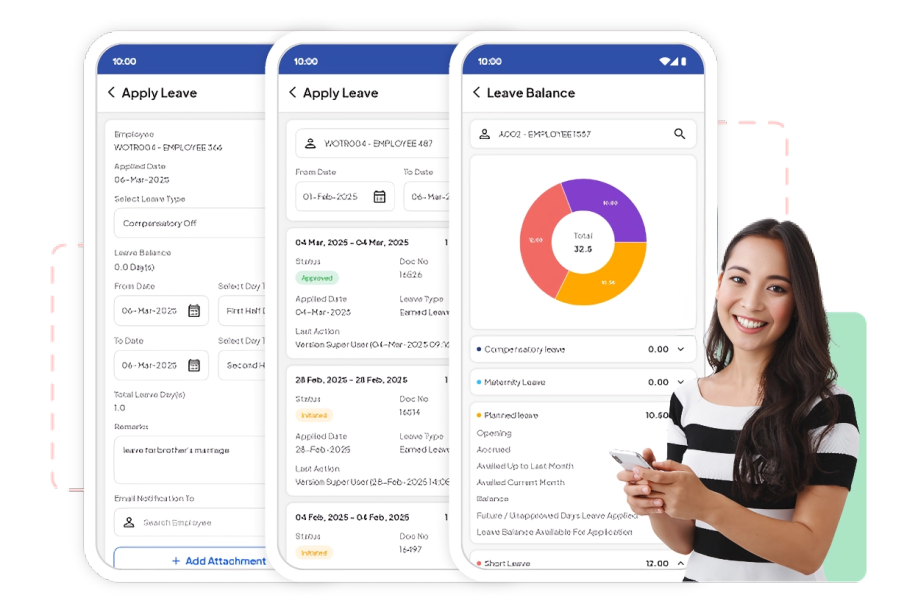
Instantly view available leave balance anytime.
Automatic updates after leave approval or rejection.
Clear display of used, pending, and remaining leaves.
Reduces confusion with accurate real-time data.
Helps employees plan leaves effectively.
Accessible anytime through mobile or web app.
Improves transparency between employees and HR.
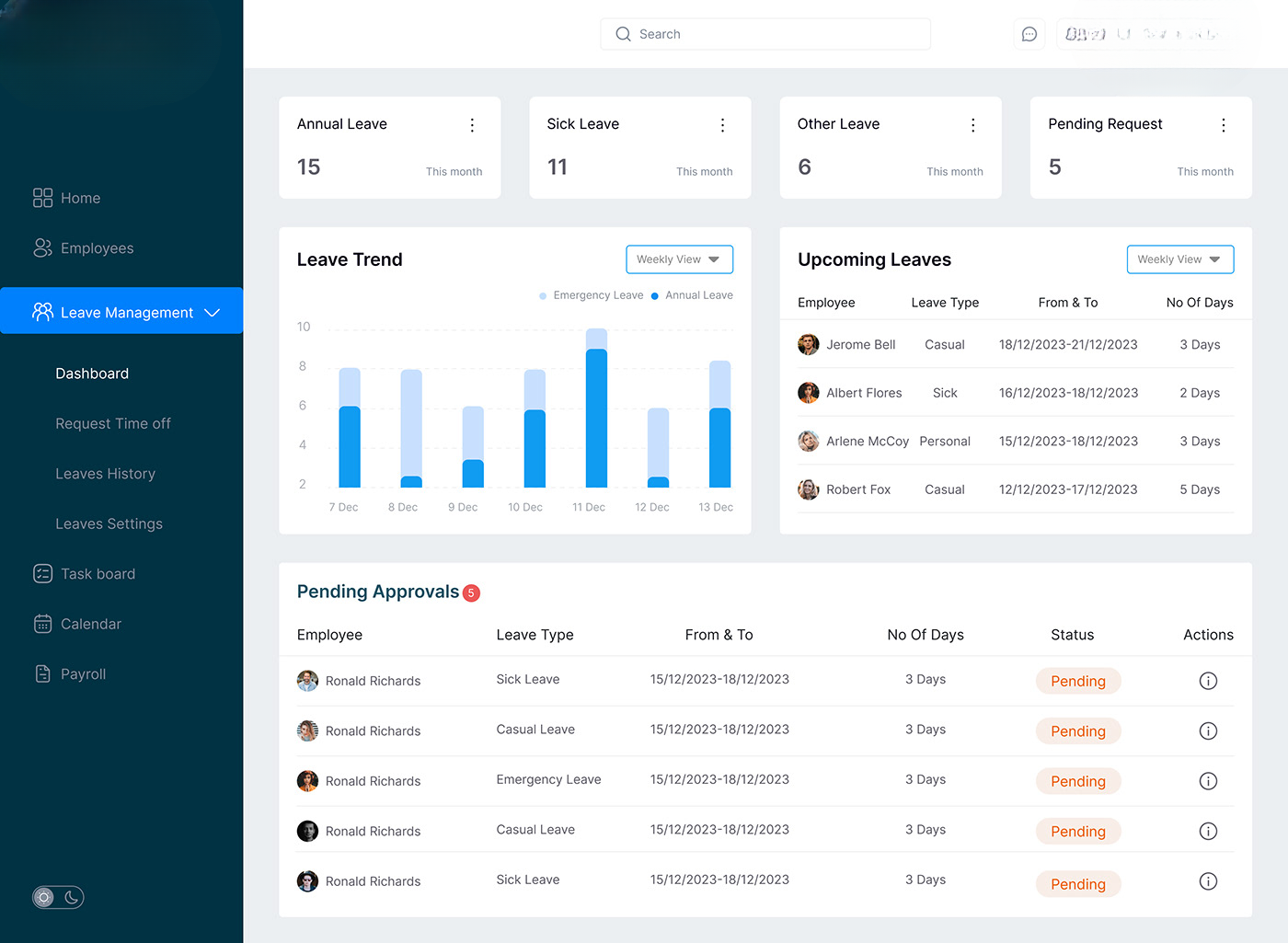
Enables step-by-step leave approval by multiple authorities.
Automatically routes requests to managers and HR.
Configurable approval levels based on company policy.
Reduces delays with systematic approval process.
Ensures better control and accountability
Provides real-time status tracking for each approval stage.
Improves transparency and accuracy in leave approvals

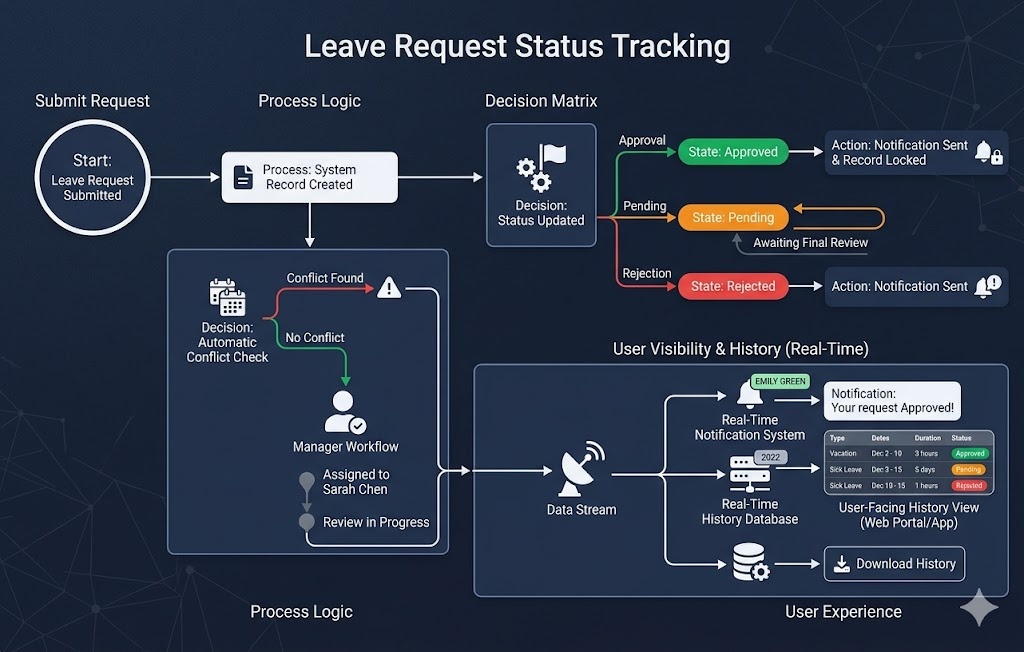
Track leave request status in real-time.
View whether leave is pending, approved, or rejected.
Instant notifications on status updates.
Reduces need for manual follow-ups.
Clear visibility for both employees and managers.
Access leave history anytime.
Improves transparency and communication in the process.
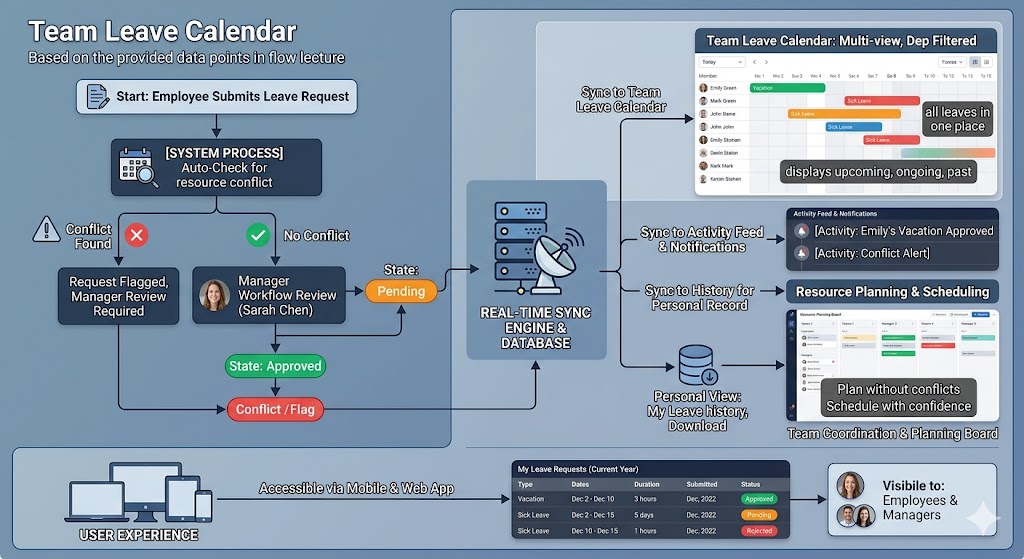
View all team members’ leaves in one place.
Helps plan work without resource conflicts.
Displays upcoming, ongoing, and past leaves.
Improves team coordination and scheduling.
Easy filtering by department or employee.
Avoids overlapping leaves during critical work
Accessible anytime via mobile or web app.
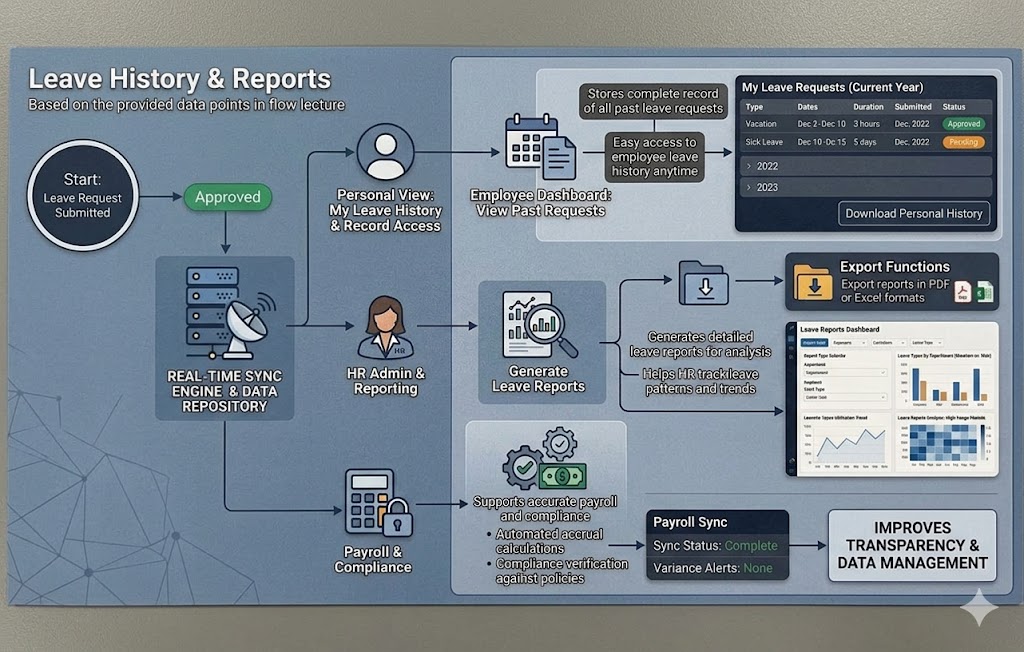
Stores complete record of all past leave requests.
Easy access to employee leave history anytime.
Generates detailed leave reports for analysis.
Helps HR track leave patterns and trends.
Supports accurate payroll and compliance.
Export reports in PDF or Excel formats.
Improves transparency and data management.
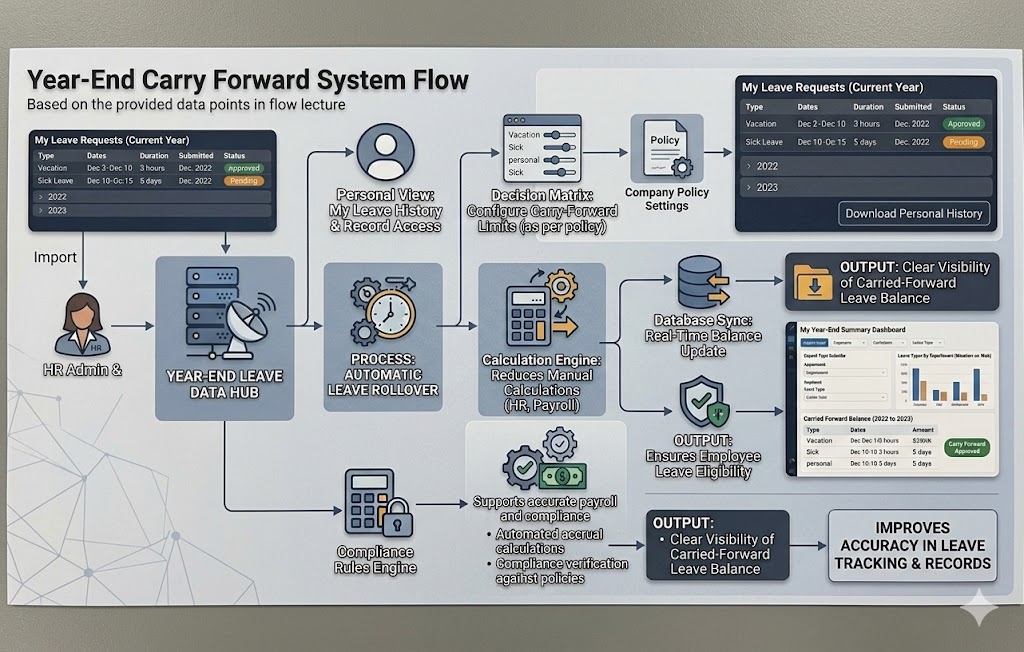
Automatically carries unused leaves to next year.
Configurable carry forward limits as per policy.
Reduces manual calculations for HR teams.
Ensures employees don’t lose eligible leaves
Clear visibility of carried forward leave balance.
Supports compliance with company leave rules
Improves accuracy in leave tracking and records
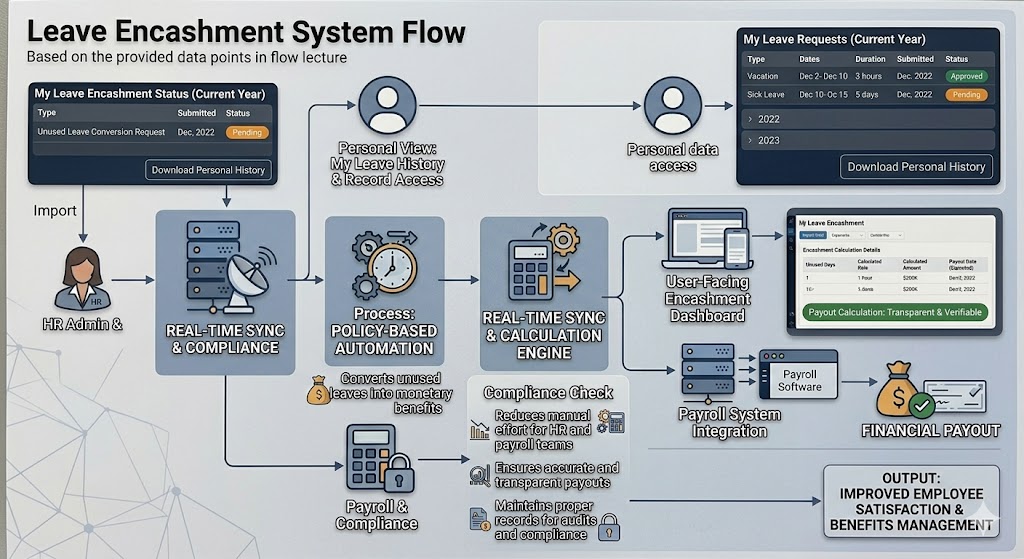
Converts unused leaves into monetary benefits
Automated calculation based on company policy
Reduces manual effort for HR and payroll teams
Ensures accurate and transparent payouts
Maintains proper records for audits and compliance
Improves employee satisfaction and benefits management
 Chat with Megamind TechnoSoft
Hi! How can i help you?